Field notes
How I review AI video edits in Flask
· 7 min read
AI Video Editing · Flask · Claude Code · Video Review · Creator Workflows
My agents cut most of my videos now, and I review every cut in Flask. Flask is a new tool that lets people and agents collaborate on video editing.
Not sponsored. I pay for Flask myself. Links to Flask in this post use my referral link, so if you sign up through one, I may earn something at no additional cost to you.
If you've used Frame.io, it's that. I've used Frame.io on an enterprise team. Say Ryan sends me a video. I'm the creative director, so I put some edits on it and send it back, then he edits the video and it's "here's V2, boss." Flask is that, but you can use agents. Adobe acquired Frame.io, so we all know what's going to happen to its subscription tiers and pricing.
Flask also has no storage limit while you're passing files back and forth. That's what makes it worth it to me: the disk space, as I'm passing back and editing videos with my agents. It can all live in the cloud.
How the review loop works
- An agent (usually Claude Code) cuts the video and uploads it to Flask as v1, with version notes on what it made.
- I watch it and leave notes on the exact second: typed comments, voice notes, and drawings right on the video.
- I tag each note for the agent that should do it. I have a tag for each one: agent-claude-code, agent-codex-squire, agent-muse-squire, agent-cursor, and agent-grok.
- The agent reads the notes through Flask's MCP server, makes the changes, and uploads v2 to the same video, with version notes that answer each of my notes.
- Fixed notes get marked Done, and I watch v2.
A get ready with me reel took 10 versions
This one was a get ready with me reel for a conference talk, shot in my bathroom mirror. I left three voice notes on v1. Flask transcribes them, so here's what I said:
So the intro has way too much dead air. Instead of the loading icon, we need to optimize viewer attention in the first two seconds. So start with one of the frames where I'm putting my jacket on, and you can even speed it up a little bit to get to the dialogue within the first two seconds. But then have the on-screen text overhead pop up at, like, one and a half seconds.
I don't know why you blur the Liquid Death can when I hold it up. Undo that.
There should not be a blur here either. You're way overusing the blurs.
Here's the agent's version note on v2:
v2 (round 1 notes): intro starts on the jacket-on action sped up 3x so dialogue starts by ~1.8s and the overhead text pops at 1.5s; all product/prop blurs removed (Liquid Death can, cup, cup QR, badge) since none show readable private info; captions re-synced to the new timing; everything after the intro shifts 3.3s earlier.
On v3 I circled the text box on screen and wrote:
all the text boxes are cliche, plain, and boring. make them liquid glass style or something cool and unique. keep everything out of social media safezones
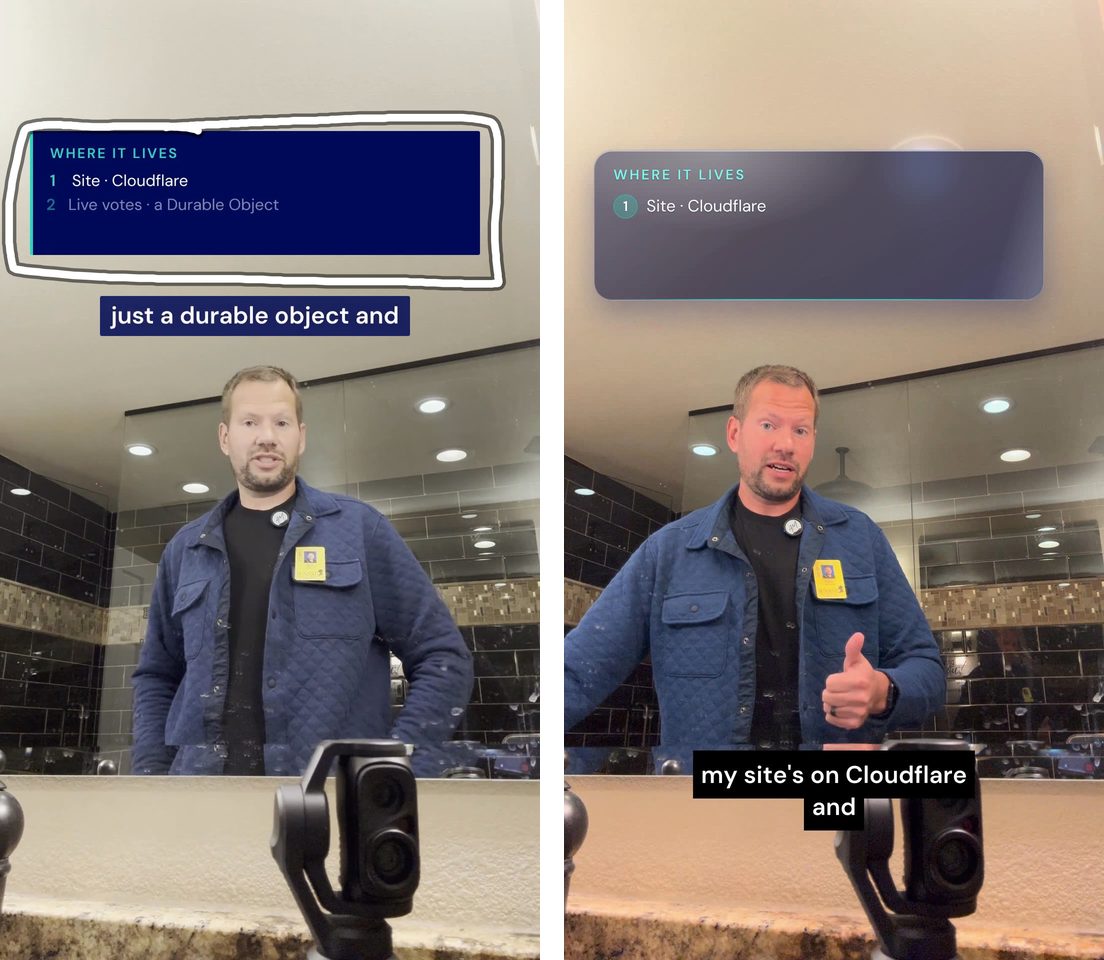
On v3 I also asked for platform versions:
i need a v4 with no captions so i can add them natively on the social platforms. then a v5 with no captions no music so IG and TIKTOK can add captions and music natively. make these clear
The agent named them "GRWM V4 · NO CAPTIONS · music on" and "GRWM V5 · NO CAPTIONS · NO MUSIC (IG + TikTok)." On v5 I crossed out a line on the title card:
start the clip here as im about to put on my jacket. that's part of the GRWM gag. lose the bottom line of ai slop copy on the text label.
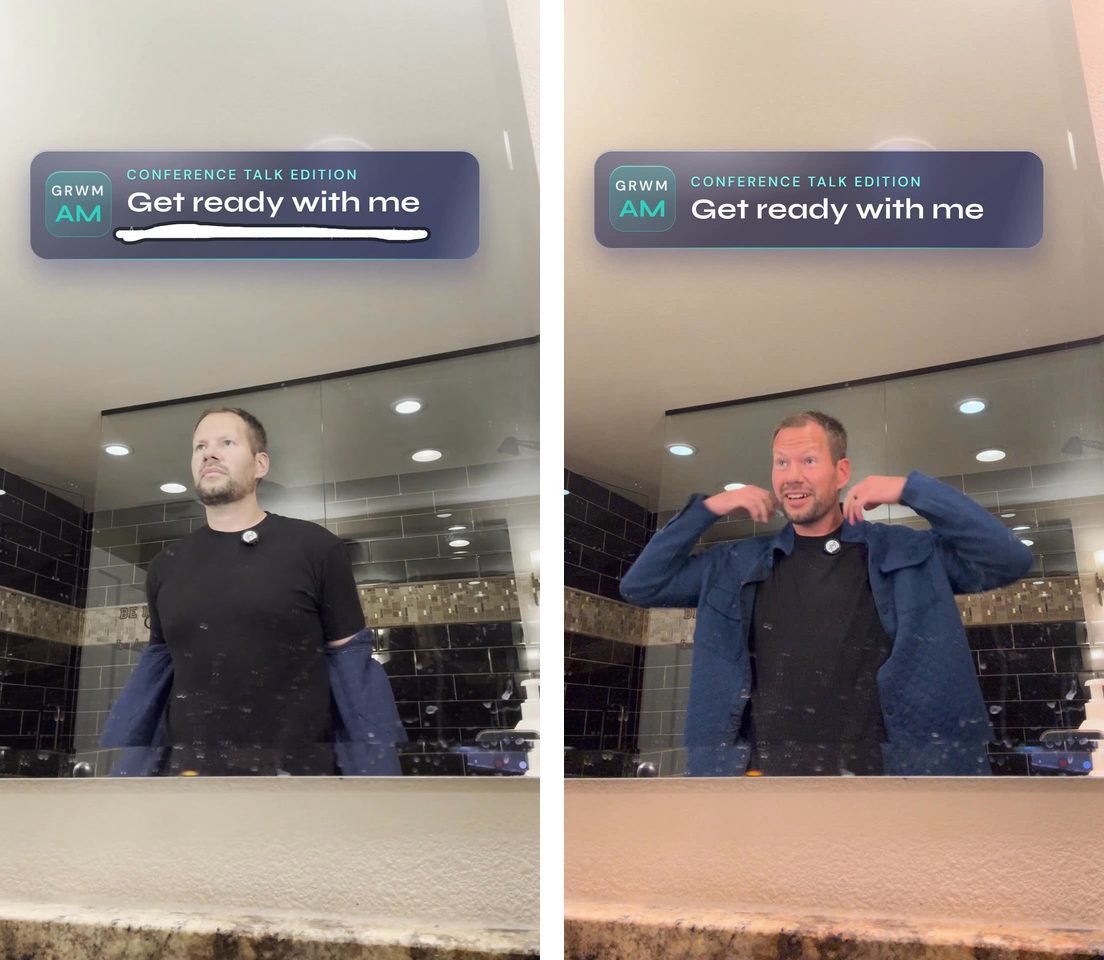
Also on v5: "dont cut here, we want the sound of the can opening on the clip." By v8 the color, graphics, and music were good, and the last note was captions for LinkedIn "that don't cover my face and are inside the social media safe zones and fun." That's v10, the version that shipped.
A podcast clip took 5 versions
After each AI Rabbit Holes episode with Ryan Doser, Claude Code cuts about 10 vertical clips and uploads each one to Flask. Clip 1 from our vibe coding a website episode was "My most-used prompt is ship it." My notes on v1:
cut "like ryan did" and cover it with a .1 sec blend
this diagram doesn't add anything valuable. animate it more. make it more engaging and informative beyond a regurgitation of my transcript
start the reel with this line: "My prompting has..." then connect it back to the beginning. this line is a better hook
On v2:
This animation finishes too late in the reel and isn't on screen long enough for people to comprehend it, which violates one of my video editing rules. And it's just regurgitating the transcript. We need something more creative and valuable to add to the video instead of just a visual version of what the words already said.
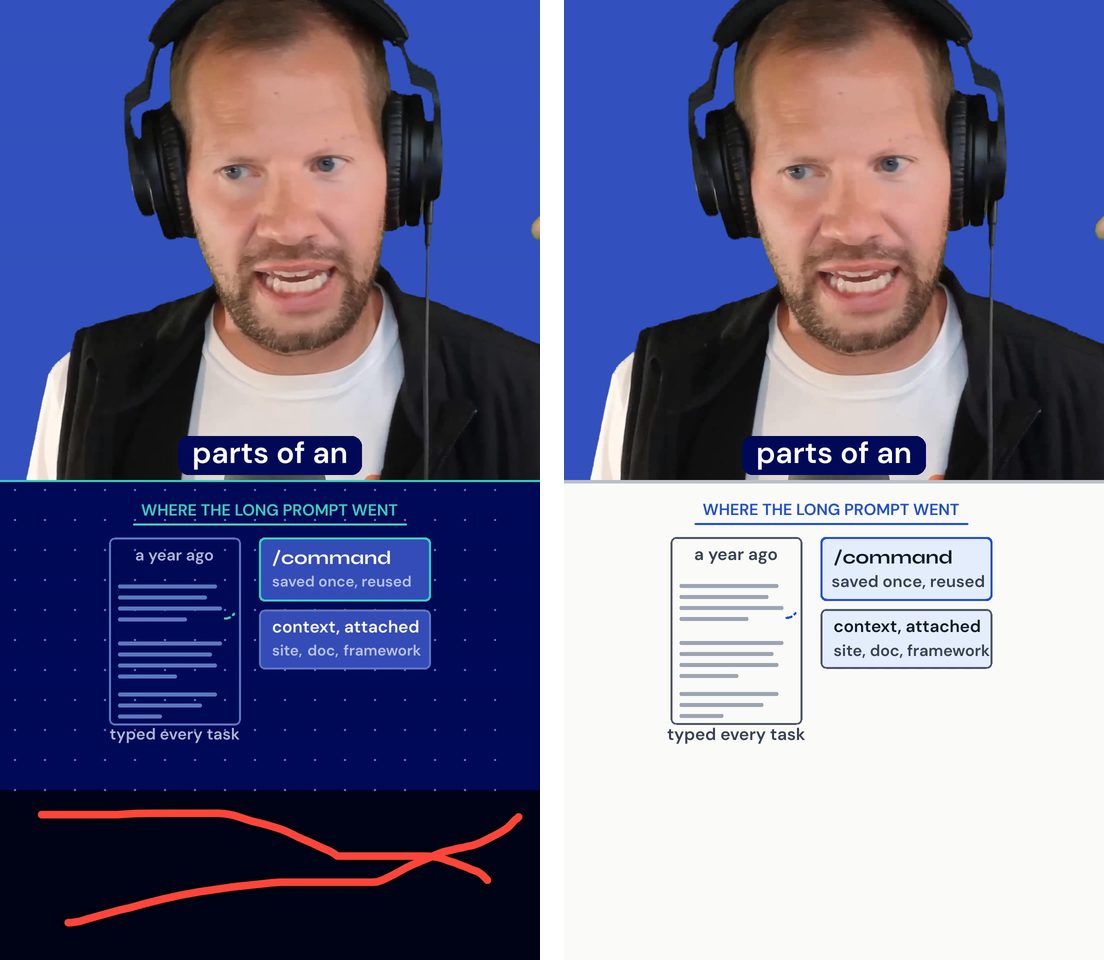
On v4 I scribbled over the black band at the bottom (that's the image at the top of this post):
don't leave this space black/dark blue like that. social safety zones just mean know that nothing in this area will be viewable with the UI overlay. blend it in to the rest of the frame or extend the whiteboard into it. also, the whiteboard being blue + teal square dots is distracting and makes the graphics harder to read. lets try this clip with a true whiteboard style design. then maximize readability of the contents on it
Plus one more: "cut the clip immediately after 'PR'." Claude Code's version note on v5 answered both, with a link to each of my notes. Part of it:
the clip now ends right after "merge the PR". The cut sits in the 70 ms of quiet on the mic between "PR" and "like", so the R isn't clipped and "like" doesn't start. Length 41.5 s (v3 was 42.4 s).
It also listed loudness (-16.2 LUFS), the timestamps I should check on headphones, and the exact commands to render v6 if I had more notes. Here's v5:
The notes I keep leaving
- "cover this jump cut with a .1 sec blend"
- "cut dead air on the end of the reel, immediately after the last word"
- "we need to optimize viewer attention in the first two seconds"
- "keep everything out of social media safezones"
- "You're way overusing the blurs"
- "The human is the hook, not the whiteboard app."
- "it's just regurgitating the transcript"
Reviewing a batch of clips
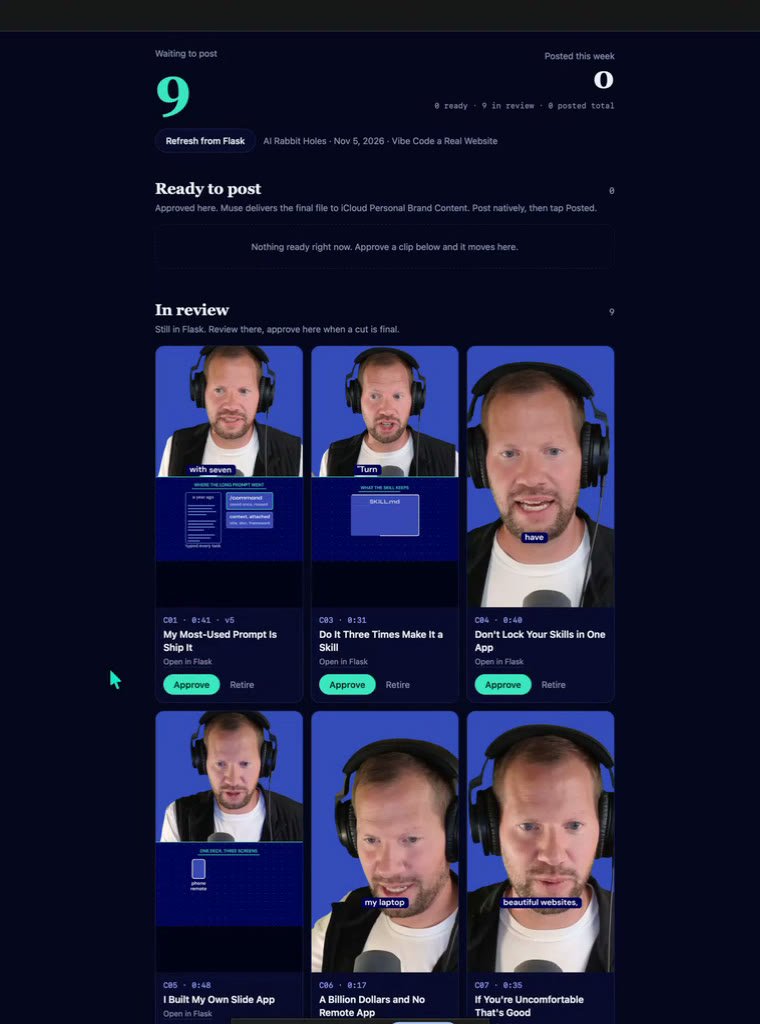
On November 10, Claude Code uploaded 10 clips from our AI personal assistants episode, C01 through C10, each with a comment: "v1 for review. What changed, the measurements and the headphone checks are in the version notes."
I always have a backlog of clips. I can cut them faster than I can review and post them. So I told Meta Muse I want a space that pulls these clips and lets me approve them, cancel them, or go into Flask to give creative edits.
How to set it up
- Make a free Flask account.
- Connect your agent to Flask's MCP server. Flask's home page has a prompt you can copy and paste into Claude Code, Codex, or whatever agent you use.
- Make a tag for each agent, so every note goes to the right one.
- Tell your agent to upload each new cut as a new version of the same video, with version notes that answer each of your notes and say how to keep going.
The free plan gives you 5 videos a month, unlimited versions, and no storage limit, and anyone who only leaves feedback is free.
Before Flask, I built a review page that keeps my notes in GitHub. For how my agents make the edits in the first place, read I edit most of my videos with Claude in a terminal now and I one-shot a CarPlay video edit with Claude and Tesseract, or browse everything on AI video editing.
Follow me on X at @theaaron.