Field notes
I one-shot a CarPlay video edit with Claude and Tesseract
· 9 min read
Claude Code · Tesseract · AI Video Editing · Linear · Creator Workflows
My followers asked how ChatGPT dot and Grok Bot voice calls actually work over Apple CarPlay. So I sat in my car, called both, and recorded the whole thing in one take.
I sent Claude one prompt about the edit. The first version it rendered is the one I posted. No notes.
Watch the post on X if you want the replies too.
What one-shot means here
The last time I wrote about editing with Tesseract, it took three rounds of corrections to get it right. This one took zero rounds of feedback.
The first message described the video I wanted. The second one only told Claude where the file was, because that session ran in the cloud and couldn't see my Mac. The third was four words on the Mac that pointed a local session at the ticket. Nothing about the edit changed after the first message, and I never asked for a revision.
The gear
- Camera: Insta360 Luna Ultra, 4K at 24 fps in a wide 16:9 frame. The source file was 3840 by 2160 HEVC, 2 minutes 52 seconds, 1.6 GB. (Some links here are Amazon affiliate links: I receive a small percentage of purchases and they cost you nothing extra. Any revenue goes to my children's coding and hardware projects. As an Amazon Associate I earn from qualifying purchases.)
- Mic: Insta360 Mic Pro, the one with the e-ink display.
- Model: Claude Opus 5.5 on medium effort in Claude Code.
- Editor: Tesseract, driven by my
video-edit-tesseractskill. - Tracking: Linear, plus Claude Remote Control to follow the local session from the Claude app.
I sat on one side of the frame and the car's screen sat on the other. That made a 16:9 edit easy to read and a vertical crop basically impossible, which the agent figured out on its own.
The prompt
The prompt, typos included:
take the video i just shot here /Users/aaronmakelky/Library/Mobile\ Documents/com\~apple\~CloudDocs/Personal\ Brand\ Content/gpt\ dot\ vs\ grok\ bot\ apple\ car\ play

and use tesseract plus my tesseract video editing skill to edit it into an engaging, informative, clear video for my followers who asked how chat gpt dot vs grok bot voice calls work on apple car play. use my personal brand style and colors for captions, don't obscure any of the screens while im referencing them or cover the speakers face.

track this project in linear with clear documentation on progress and assets so other coding agents can follow and possibly help- An audience and a question. "My followers who asked how..." gave the edit a job.
- Two places graphics can't go. Not over the screens while I'm pointing at them, and not over my face.
- Pointers instead of descriptions. "My personal brand style" and "my tesseract video editing skill" point at files that already exist. I didn't describe a single color or font.
The cloud session wrote the ticket first
The session I typed that into was running in the cloud. It couldn't reach iCloud, Tesseract, or my local skill. So it opened Linear ticket AAR-270 and wrote the brief down as a spec any agent could pick up.
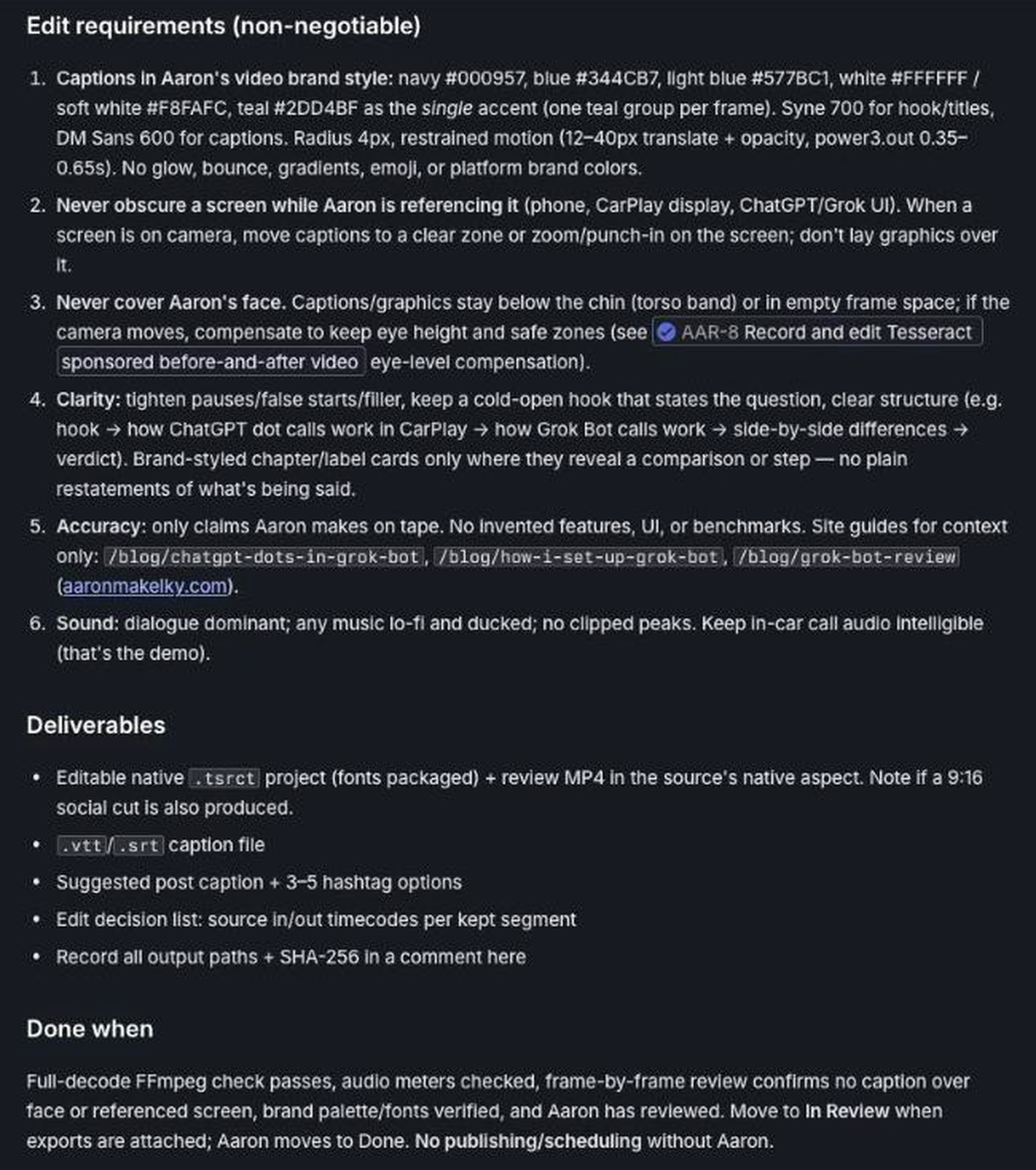
It found the brand rules from my older video tickets and wrote them out as numbered, testable requirements. This is the exact block from the ticket:
"Captions in Aaron's video brand style: navy #000957, blue #344CB7, light blue #577BC1, white #FFFFFF / soft white #F8FAFC, teal #2DD4BF as the single accent (one teal group per frame). Syne 700 for hook/titles, DM Sans 600 for captions."
"Never obscure a screen while Aaron is referencing it (phone, CarPlay display, ChatGPT/Grok UI). When a screen is on camera, move captions to a clear zone or zoom/punch-in on the screen; don't lay graphics over it."
"Accuracy: only claims Aaron makes on tape. No invented features, UI, or benchmarks."
It also wrote a deliverables list I never asked for: an editable Tesseract project, a review MP4, SRT and VTT caption files, an edit decision list with source timecodes, a suggested post caption, and SHA-256 hashes for every file.
The second message, and Remote Control
I replied with where the file was:
run this now, video is in google drive and here locally: /Users/aaronmakelky/Downloads/VID_20261004_095823_261.mp4

this is running on mac studio in claude desktop app now, so you should have access to tesseract and needed local tooling.
It wasn't. The session was still in the cloud, and a 1.6 GB file is too big to pull through the Google Drive connector. So it added both file locations to the ticket, logged the blocker, and told me to start a local session on the Mac Studio and point it at AAR-270.
So I opened a local Claude Code session on the Mac Studio, on Opus 5.5 at medium effort, and typed four words:
Work aar-270 from linearClaude Remote Control let me follow along from the Claude app on my phone without sitting at the desk.
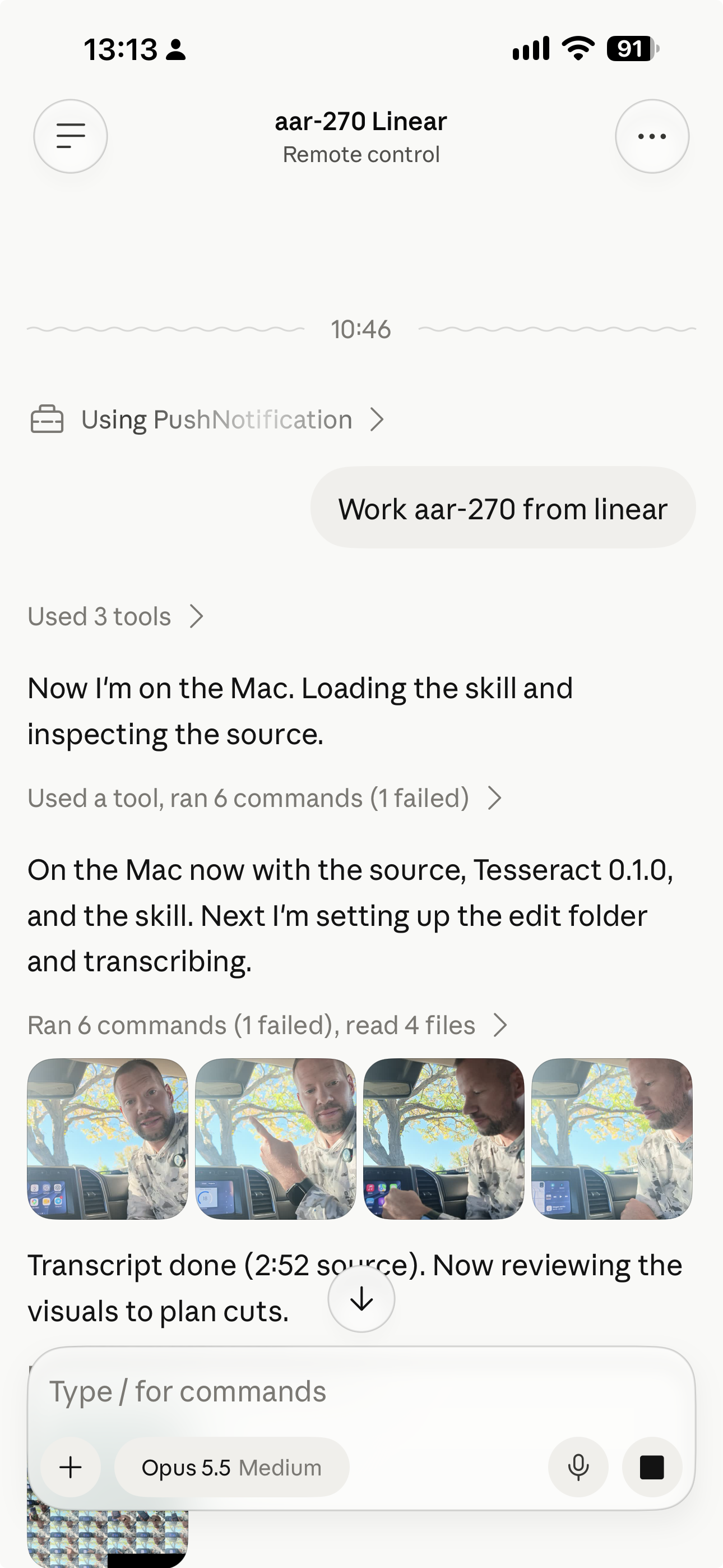
A little over two hours after my first prompt, the ticket moved to In Review with v1 attached.
What the agent actually did
The local session posted its progress as Linear comments, in this order:
- Checked the source. It confirmed the iCloud and Downloads copies were byte-identical with a SHA-256 hash, then worked in a separate
edit/folder so the original was never touched. - Transcribed and timed every word. Whisper (medium) for the transcript, then forced alignment for exact word onsets. Captions only use words I actually said.
- Cut 2:52 down to 2:11 across 30 kept segments. A false start got cut, and every cut is listed with source in and out points in the edit decision list.
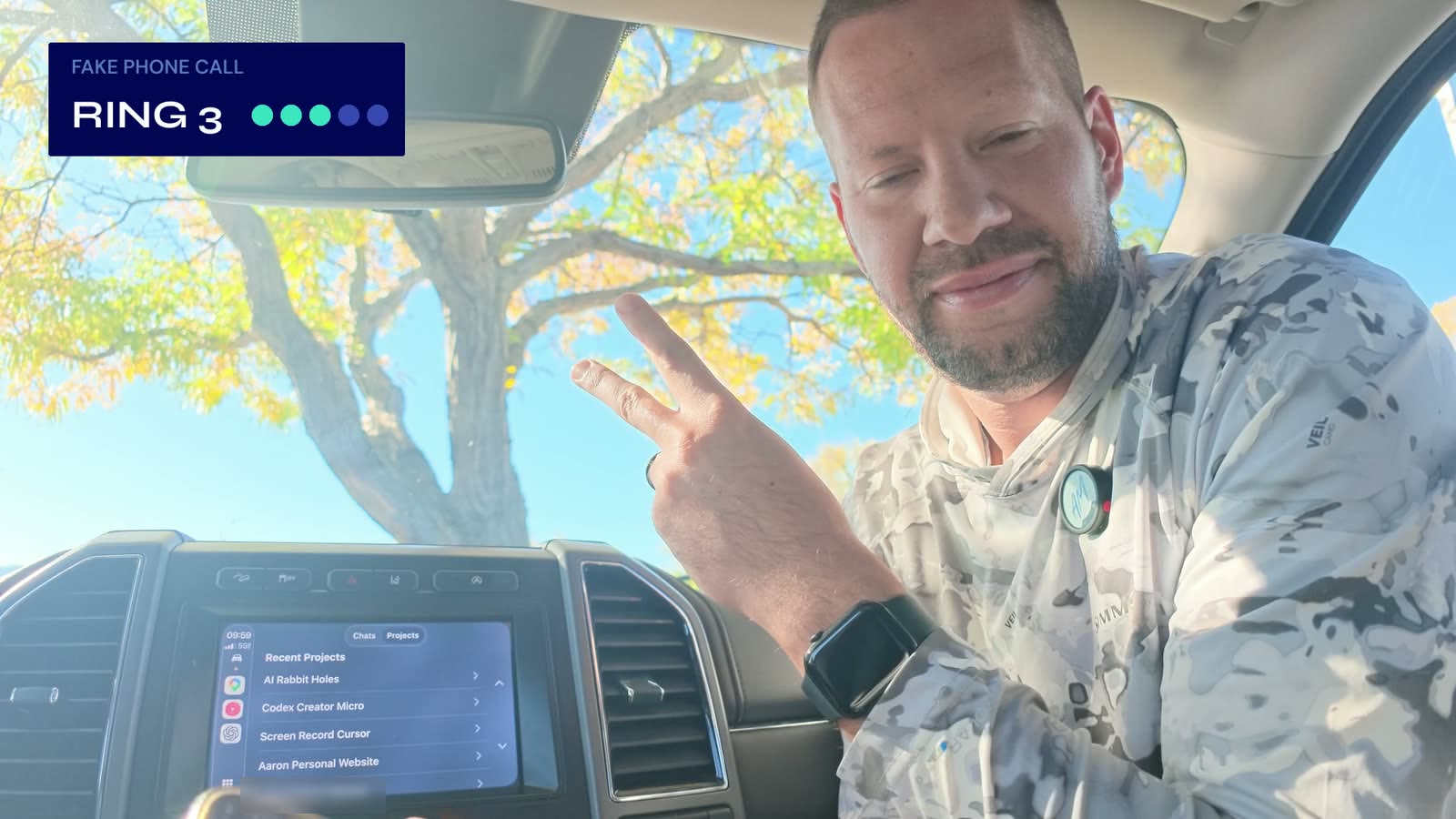
- Counted the rings from the audio. One call rang five times over about 17 seconds. It turned that wait into five one-second jump cuts with a "RING 1-5" counter.
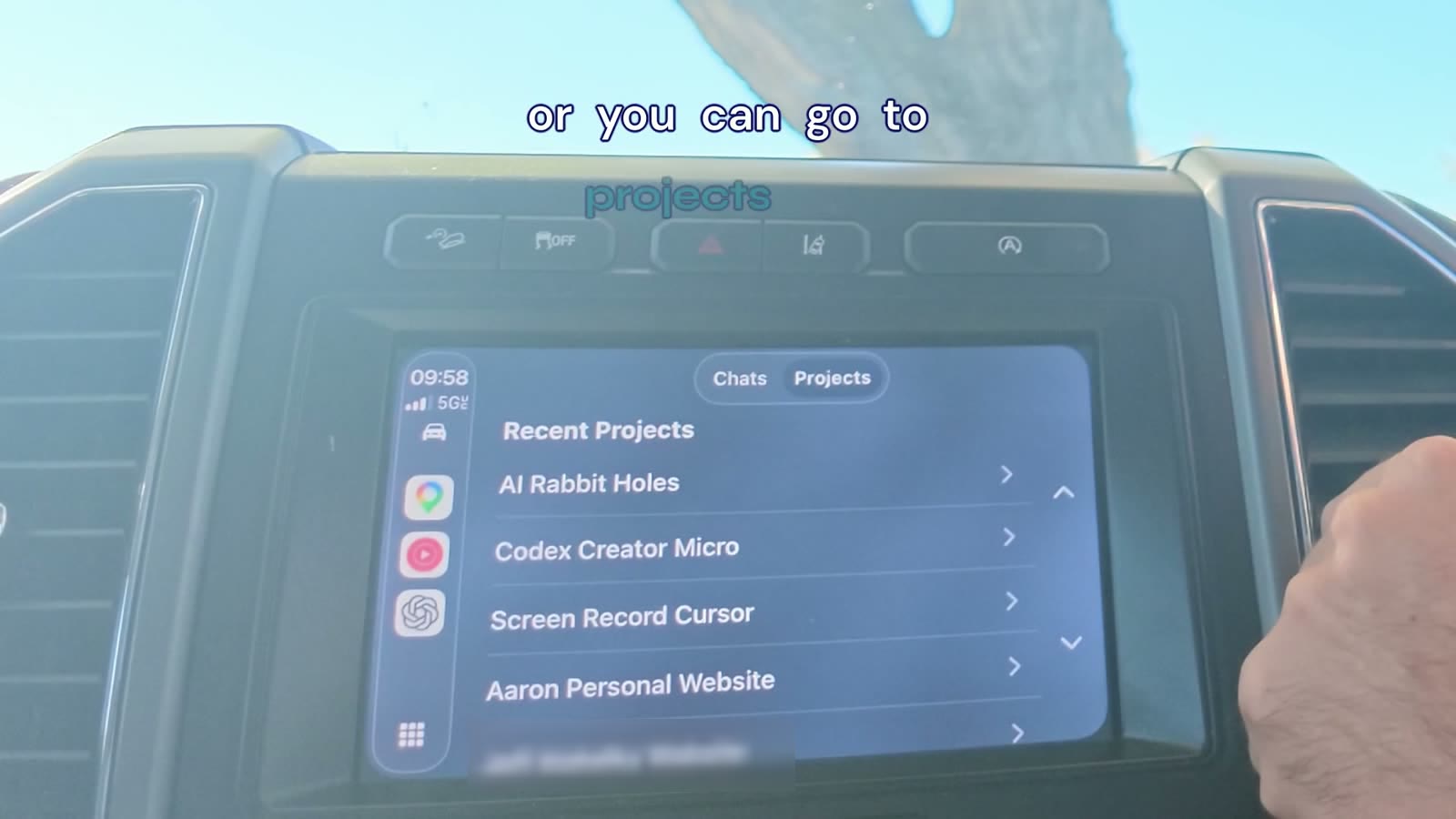
- Punched in on the car screen every time I pointed at it, and moved captions to the band above the display during those shots.
- Lifted the call audio. The assistants' voices came through about 15 dB quieter than me. It brought them up about 11 dB and tagged their lines "DOT" or "GROK BOT" so you always know who's talking.
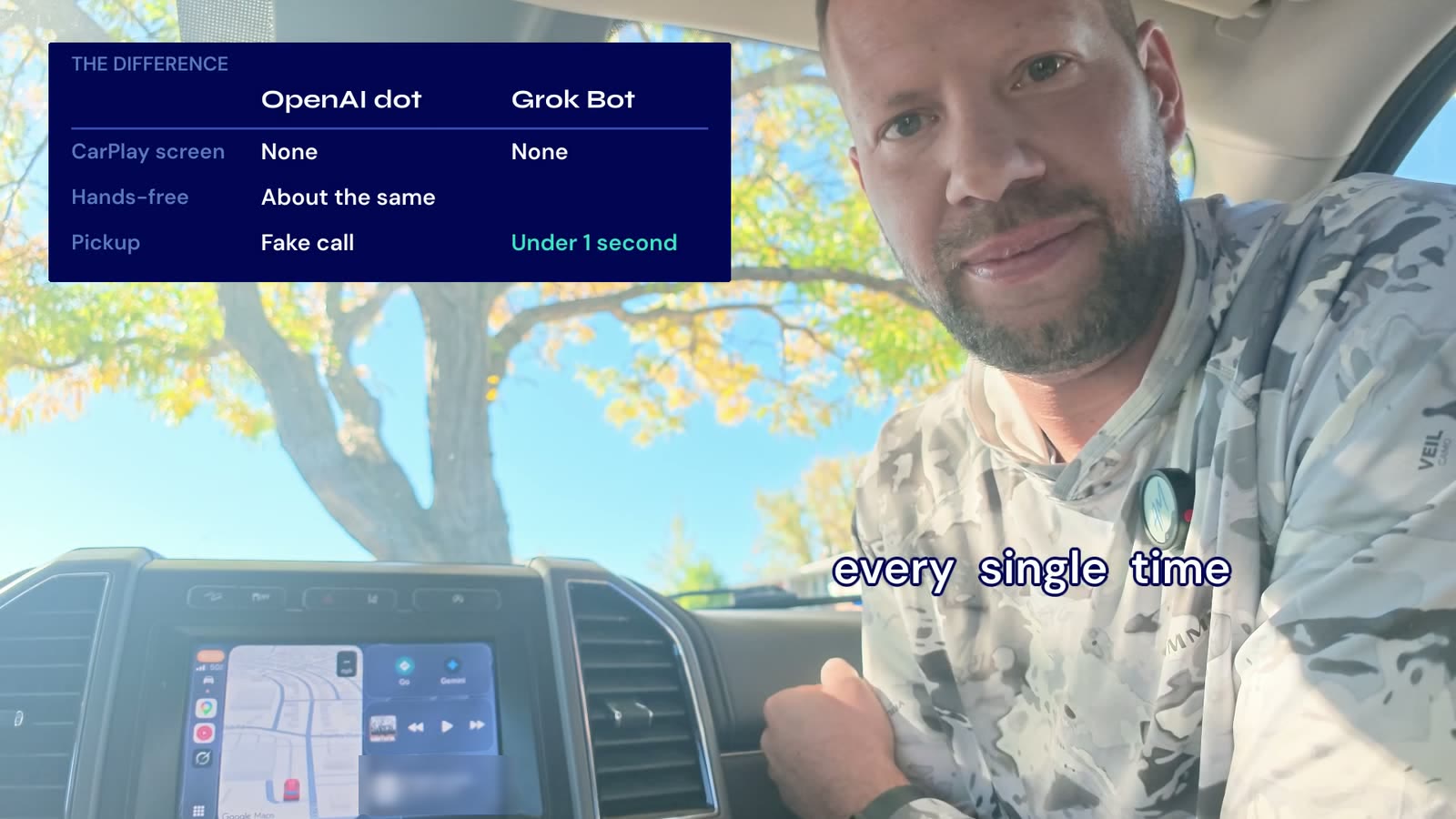
- Built a closing comparison card that only uses claims I made on camera.
The phone chat the agent blurred
In three close-ups, the Grok Bot chat on my phone was readable. It showed personal schedule and account details I didn't want on the internet.
The agent caught it, added a blur that tracks the phone text, and then ran OCR over every frame of the final export to prove none of those strings were readable. It also deleted the earlier exports that came before the blur, including iCloud's conflict copies.
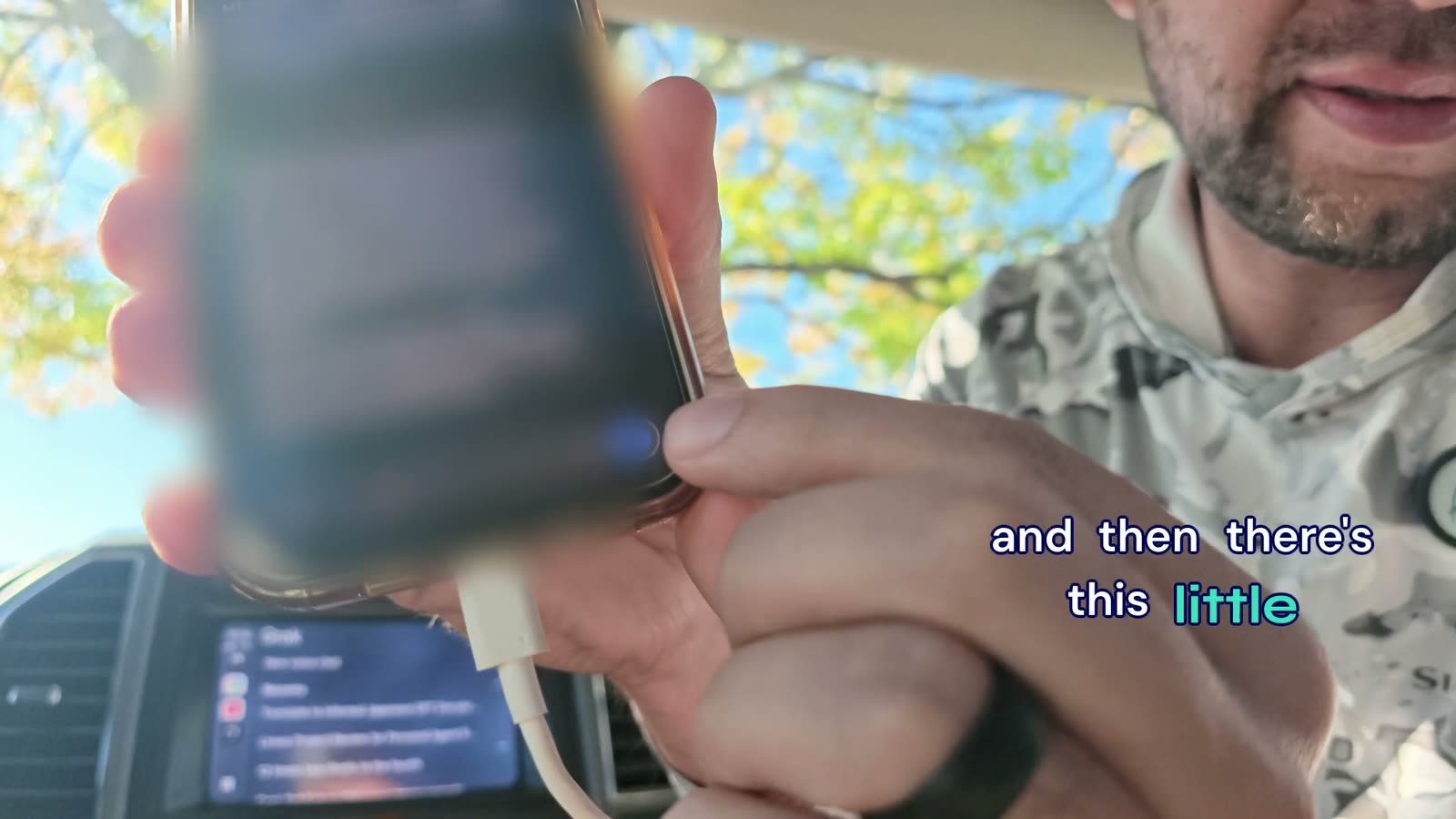
At 1:55.8 the word "It's" sits over the blurred phone for about a third of a second. The agent flagged it in the ticket. I didn't change it.
What came back
Everything landed in one edit/ folder next to the source, with a README on top:
GPT-dot-vs-Grok-Bot-CarPlay-v1-review.mp4, an 88 MB review copyGPT-dot-vs-Grok-Bot-CarPlay-v1.mp4, the 1 GB native Tesseract exportGPT-dot-vs-Grok-Bot-CarPlay-v1.tsrct, the editable project with fonts packagedGPT-dot-vs-Grok-Bot-CarPlay-v1.srtand.vttcaption filesEDL-v1.md, source in and out points for all 30 cutsPOST-CAPTION-v1.md, post copy and hashtag options- A filmstrip preview
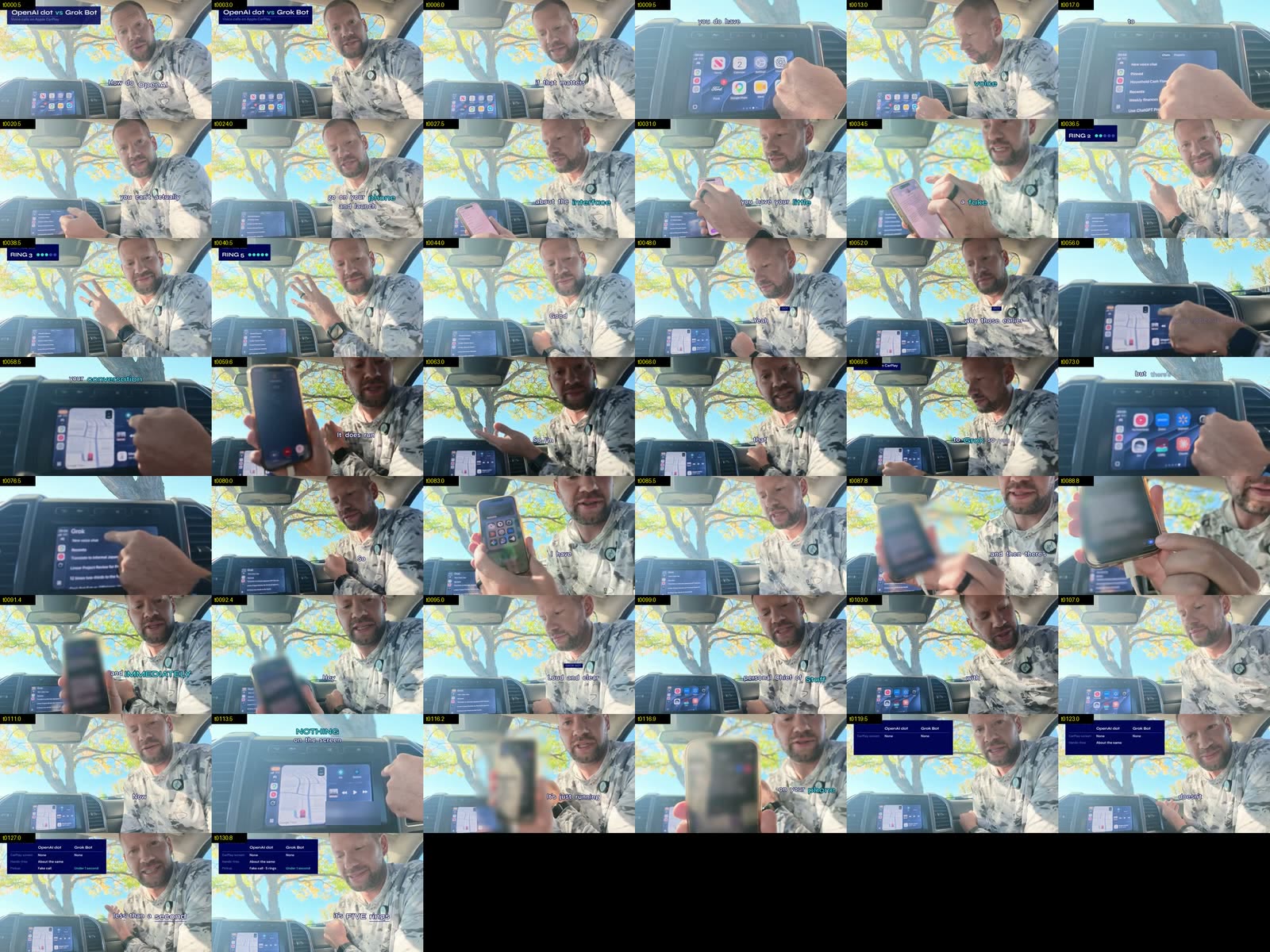
It also posted its checks to the ticket. The full FFmpeg decode passed on both MP4s (3,150 frames). Loudness came in at -14.0 LUFS integrated with a true peak of -1.6 dBTP, and the call voices sat about 2 dB under mine. The output was 1920 by 1080 at 24 fps.
It didn't listen to the mix and said so in the ticket. The audio numbers come from meters.
It skipped the vertical cut. The car screen and I sit on opposite sides of the frame, so a 9:16 crop would lose the demo, and the agent said so in the ticket.
Why this was one-shottable
1. A brand system written as rules
My video brand lives in a GitHub repo with a DESIGN.md and the font files. Every color has a job and every motion has a limit:
# Video brand rules

## Color (each one has a job)
- Panel background: navy #000957
- Secondary panel: blue #344CB7
- Text: white #FFFFFF
- Accent: teal #2DD4BF, one accent group per frame, never a full background

## Type (ship the font files with the project)
- Titles and hooks: Syne 700
- Captions and labels: DM Sans 600

## Motion
- Enter with 12-40px slide plus fade, 0.35-0.65s
- No bounce, glow, gradients, emoji, or platform brand colors

## Placement
- Never over the speaker's face
- Never over a screen while I'm pointing at it
- Captions sit on the torso band or in empty frame
2. A skill that holds your editing workflow
My video-edit-tesseract skill is a saved set of instructions Claude loads when I name it. You can see its habits in the steps above: work on a copy, time every word, cut on what was said, place captions by rule, render, then run real checks before calling anything done.
If you haven't built one yet, the Tesseract walkthrough shows the three rounds of corrections from my first Tesseract edit.
3. A ticket that defines done
- It let a second session on a different machine start exactly where the first one stopped.
- It listed deliverables up front: the SRT, VTT, and EDL I never asked for.
- It held the progress log, so I could check status from my phone instead of reading a terminal.
4. Footage shot for the edit
I used a dedicated mic for clean audio and shot in 4K so punch-ins stay sharp. I also left room in the frame for captions that won't cover anything. The agent can't add pixels or remove wind noise.
Copy this
Here's a template built from my prompt:
Edit the video at [path] for [audience] who asked [question].

Use [your editing skill] and the brand rules in [path or repo]/DESIGN.md
for captions and graphics. Never cover my face, and never cover a screen
while I'm pointing at it.

Track it in [Linear/your tracker] so another agent could pick it up.
Done means: editable project, review MP4, SRT and VTT captions, an edit
decision list with source timecodes, a suggested post caption, and a
note of every check you ran and every check you couldn't run.