Field notes
Claude Duet, Meta Muse, dots, or Grok Bot: picking an AI personal assistant
· 14 min read
AI Rabbit Holes · AI Personal Assistants · Claude Duet · Muse · ChatGPT · Grok Bot · Hermes · AI Agents
In the subsidized era, use the one you're already in. Don't go get a Claude subscription because of Duet. And keep a backup for when the tokens get more expensive or the models get nerfed.
Ryan Doser and I spent an episode of AI Rabbit Holes on the AI personal assistant race, recorded November 10, 2026. Our episodes go up on Ryan's YouTube channel. Ryan uses Claude Duet for everything now. I've been on Grok Bot for more than a month, Duet for a week and a half, and Meta Muse for the last four or five days, plus Hermes as my backup. It follows our episode on picking an AI daily driver.
Why I moved off Grok Bot
Watch this part of the episode (10:27)
A lot of us have been moving from threads and projects and terminals up to a personal assistant app that can control those things. For me, Grok Bot was my main app for more than a month. But I don't know if they changed the models. It got dumber. And then they changed the rate limits, so it got really hard to use.
I'm on the $200 a month plan. They drastically cut it back about a week ago, so let's say November 3rd, somewhere around there. It was using Opus 5.5, it was smart, it had great rate limits. The app, the voice calling, I love Grok Bot as a product. But Elon tweeted that they're losing money on it, you could tell they nerfed the models it could use, and they cut the rate limits to about 25 to 30% of what they were before.
There's no way you could run your business or do all of your work through Grok Bot on the highest paid plan. I know because I have been. So the last few days I've been seeing what Muse can do with more serious work, and finding ways to keep all of my work outside of those apps, so when the next one dies I can switch to a different one.
What makes these different from Claude Code
Watch this part of the episode (6:29)
Ryan's answer is the cloud. Duet is its own separate app, and when he's on his phone everything he does in it runs in the cloud. Claude Code is local on his device. You can connect remotely to a local machine, which is one of his favorite things Duet added, but the cloud is the big advantage when you're on the go.
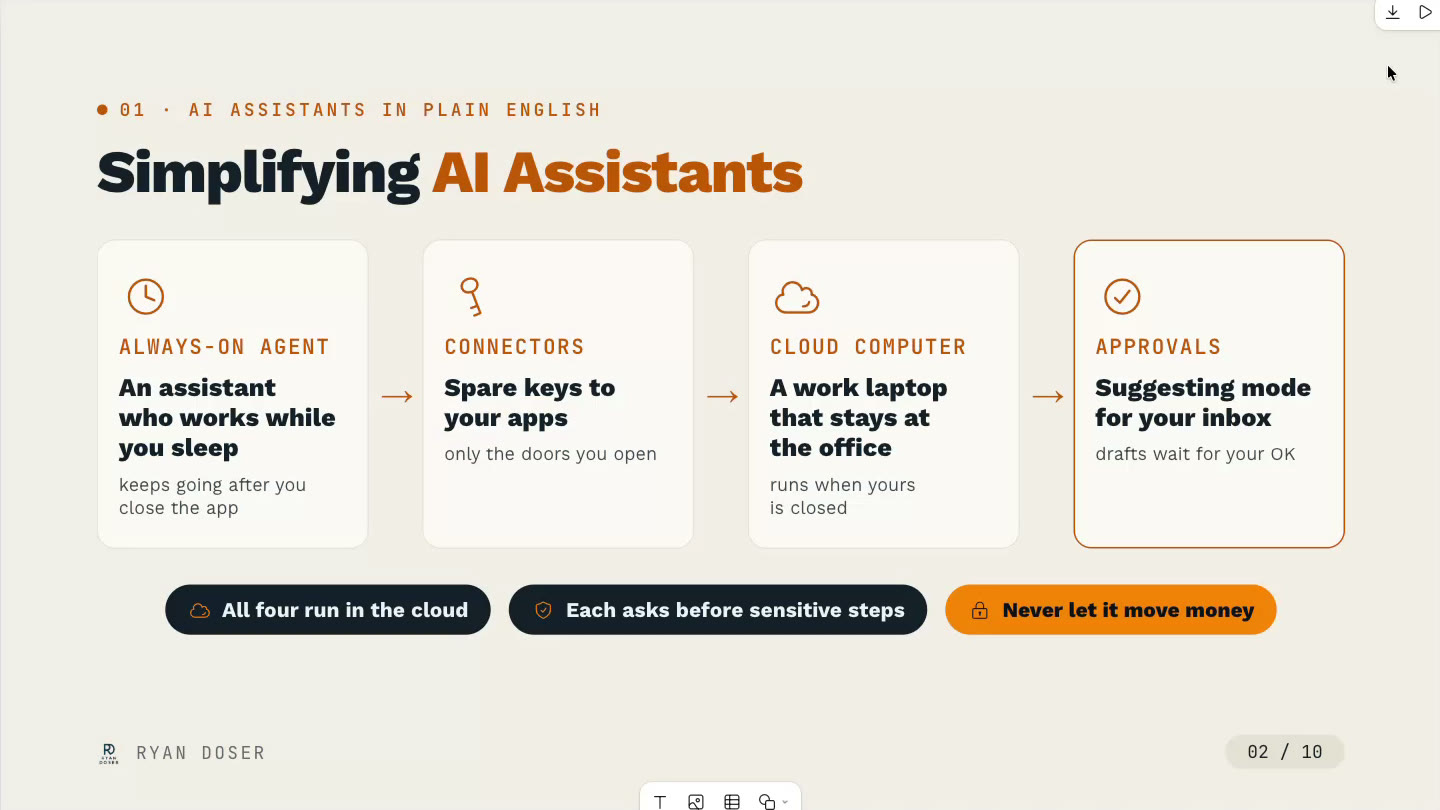
The other thing all of them have been doing is proactivity. How can we get the AI app to engage the user when they wake up in the morning drinking their coffee, or before they go to bed? Before, you had to go to a chat box and say, hey, do this for me.
I've read their system prompts, and they use what's called a dreamer agent. It basically says, look through all of Ryan's emails, calendar, meeting notes, whatever context, and find things that sound important that we can nudge him on instead of waiting for him to open the app.
Here's what mine said this morning, two minutes after my quiet time ended: Hi, good morning, Aaron. Updates on your current tasks. It told me two things it did while I was sleeping that I didn't ask it to do, and then, here's a task I could help with, want me to start on this third one?
Claude would never do that on its own. You'd have to set up a cron job or a webhook or your own system for it to work proactively. I wrote up how to make your own dots-style routines in Grok Bot, Claude, or Muse.
Ryan has Duet on his Apple Watch, and it pinged him while I was talking. One of the things they're trying to do is, how can we get you sucked in and ding your Apple Watch without waiting for you to open the app? They all do it the same.
How much usage you get for what you pay
Watch this part of the episode (8:59)
Ryan's slide had the minimum to get in: a paid Claude plan for Duet, the $100 a month Pro plan for ChatGPT dots, $30 a month for Grok Bot, and nothing for Muse. If I'm going to pay for these, though, the question is how much I get.
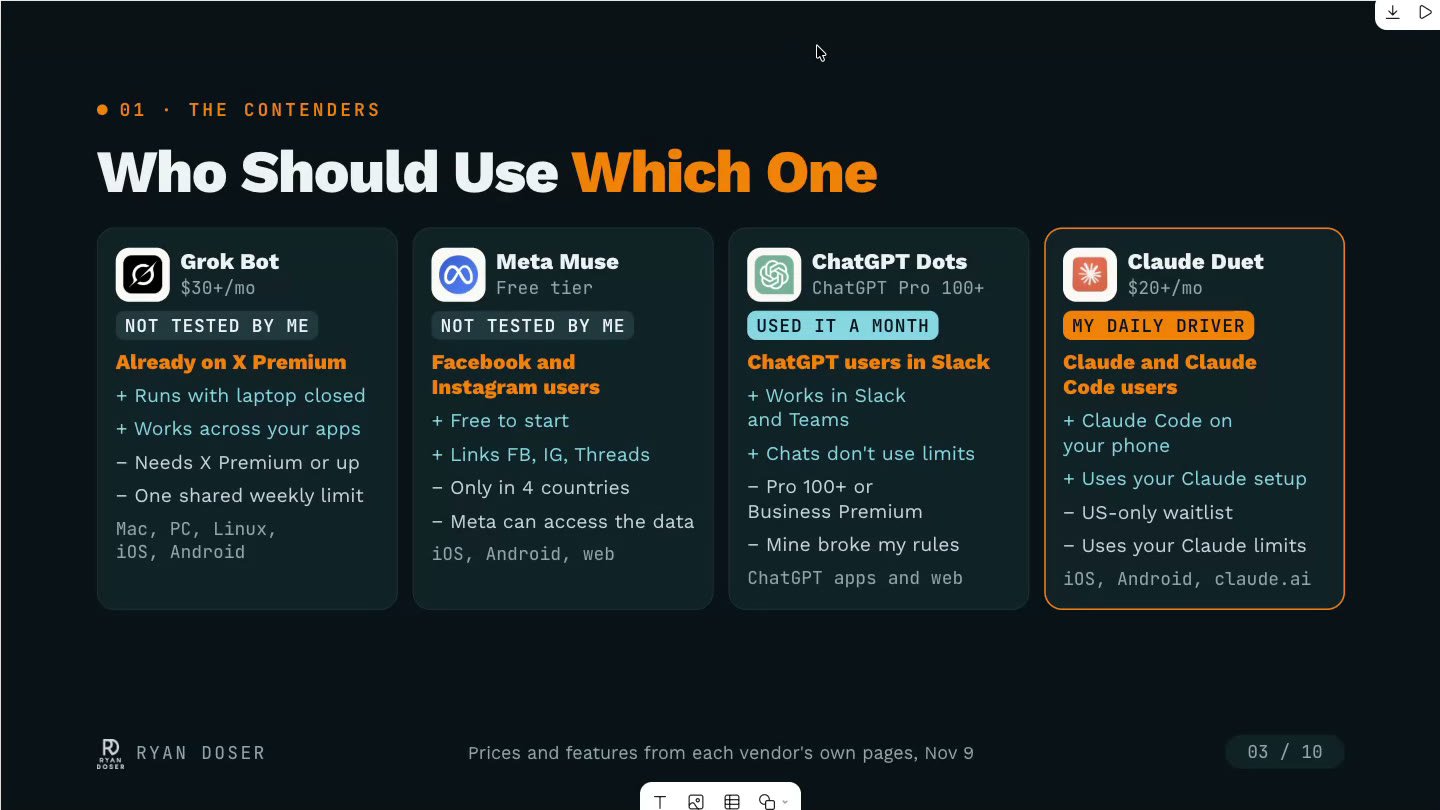
- ChatGPT dots is weird right now because it doesn't count. You have this $100 a month minimum to access it, but you can use it like crazy for now. They haven't done anything where it's taking your tokens or you have certain limits, so you kind of have a free period.
- With Claude Duet, Claude's so efficient at everything. When I look at my Claude usage, Claude Code is about 60 to 70% and Duet's the other 30 to 40. It's really hard to tell because you can't change the model. But if you're on a Max plan, unless you're going crazy already, you're not going to get hit with rate limits.
- Grok Bot is the opposite. You can use it on the free plan, but it's so limited you can't do anything, and even the highest paid plan got cut back.
- The Meta Muse free plan is actually pretty generous. You can hit limits if you're doing real work, so I pay $16 a month. Don't subscribe in the Apple App Store. Go on the web in Chrome and you'll save $4 a month. You also get the full Wonder model instead of Spark.
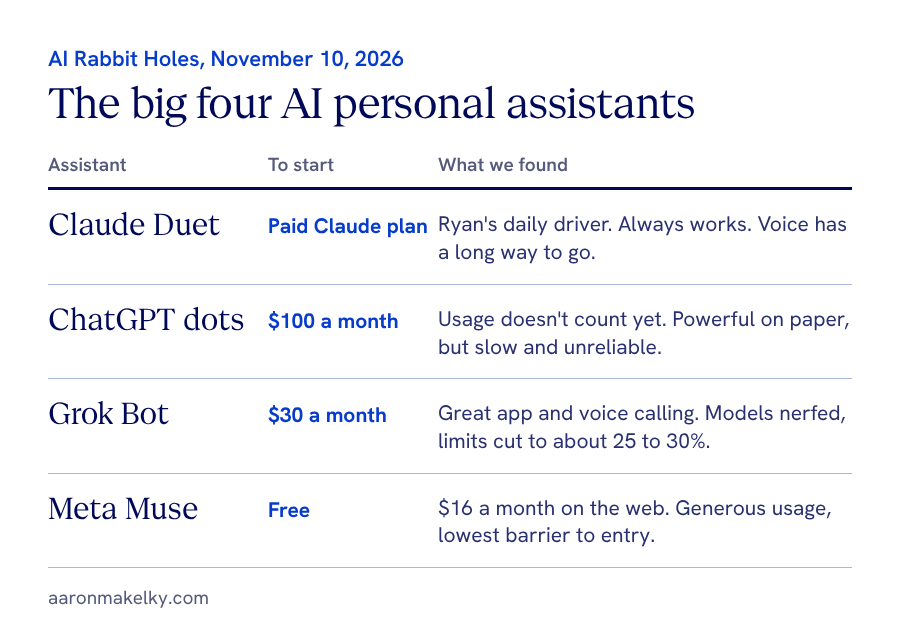
For four and a half days I've been going crazy with Muse. I have automations, it was checking inboxes, I had it code stuff, and I was at about 9% halfway through my week. You get more Muse usage for $16 a month than I get for $200 a month on Grok Bot, and it's not even close. I covered the Grok Bot side in how to get more Grok Bot usage.
Ryan's reminder on Muse is to think about why the free plan is so generous: all that data feeds Meta's ad network for Instagram and Facebook.
Where I'd tell someone to start
Watch this part of the episode (13:12)
For now, not Grok Bot, because their models aren't there. I have no confidence that Grok 4.8 or whatever's next is going to be anywhere close to Opus 5.5 or GPT-6.1 Sol. If they change the rate limits, maybe, but for now I'd cross it off the list.
If you're on Instagram, Facebook, or WhatsApp, or you have the glasses, Muse is the one. The good thing is it's free. It has amazing mobile apps and a really good desktop app that's Mac only, and the models are pretty good and really fast. It doesn't have a ton of connectors, but if you live in Meta's ecosystem, surprise, surprise, you should use it. It's got a really low barrier to entry.
My issue with dots is that it's super slow and it's unreliable. On paper it's powerful. It can do way more than Duet. But when I call the thing and it takes 45 seconds to answer me, I'm not doing that. Last week it just ended the call. It hung up on me like it failed. Duet's voice mode has a long way to go, but it always works. I've never had Duet fail at something.
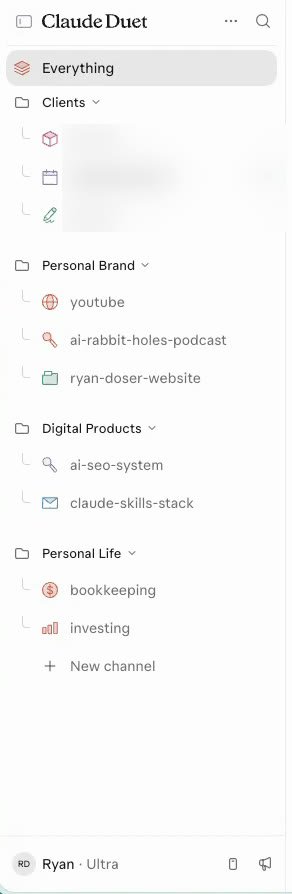
Ryan used dots before Duet got polished. He gives dots the edge on its Slack integration and voice mode, and Duet the edge almost everywhere else. His dots bot had one ongoing chat with no way to organize it, and his Duet is split into channels for client work, personal brand, digital products, and personal life.
I can't believe OpenAI acquired the OpenClaw guy and they were still this slow to get their agent out. When it came out it was completely broken for me, and it's been over a month. Grok Bot is dumb and doesn't have great rate limits, but it doesn't break for me. It doesn't not answer the phone or hang up on me.
Claude is living up to their reputation: they were the last one to release it and it wasn't very good at first, but in the week and a half Ryan and I have had it, the voice mode went from broken to usable and it can now see things locally on your machine. It's gotten better fast, and dots has not.
OpenClaw, Manus, Instinct, and why I keep Hermes
Watch this part of the episode (19:00)
There's no reason to use OpenClaw unless you want to spend your whole life fixing it. I killed mine in May. I love the idea, and I mean this with all respect to Peter Steinberger, he's a visionary for having the idea that inspired all these others. But OpenClaw itself is a mess.
Meta spun Manus back out on its own and it restarted just last month. I haven't used it since, and I don't see a reason to. It's a one-off thing, and you're probably already on an OpenAI or an Anthropic subscription. Instinct I killed because it scared me privacy-wise. It was connecting to stuff it never asked for. There are lots of new iMessage ones like it, and I think that's consumer based. I don't want to be in iMessage to do my work.
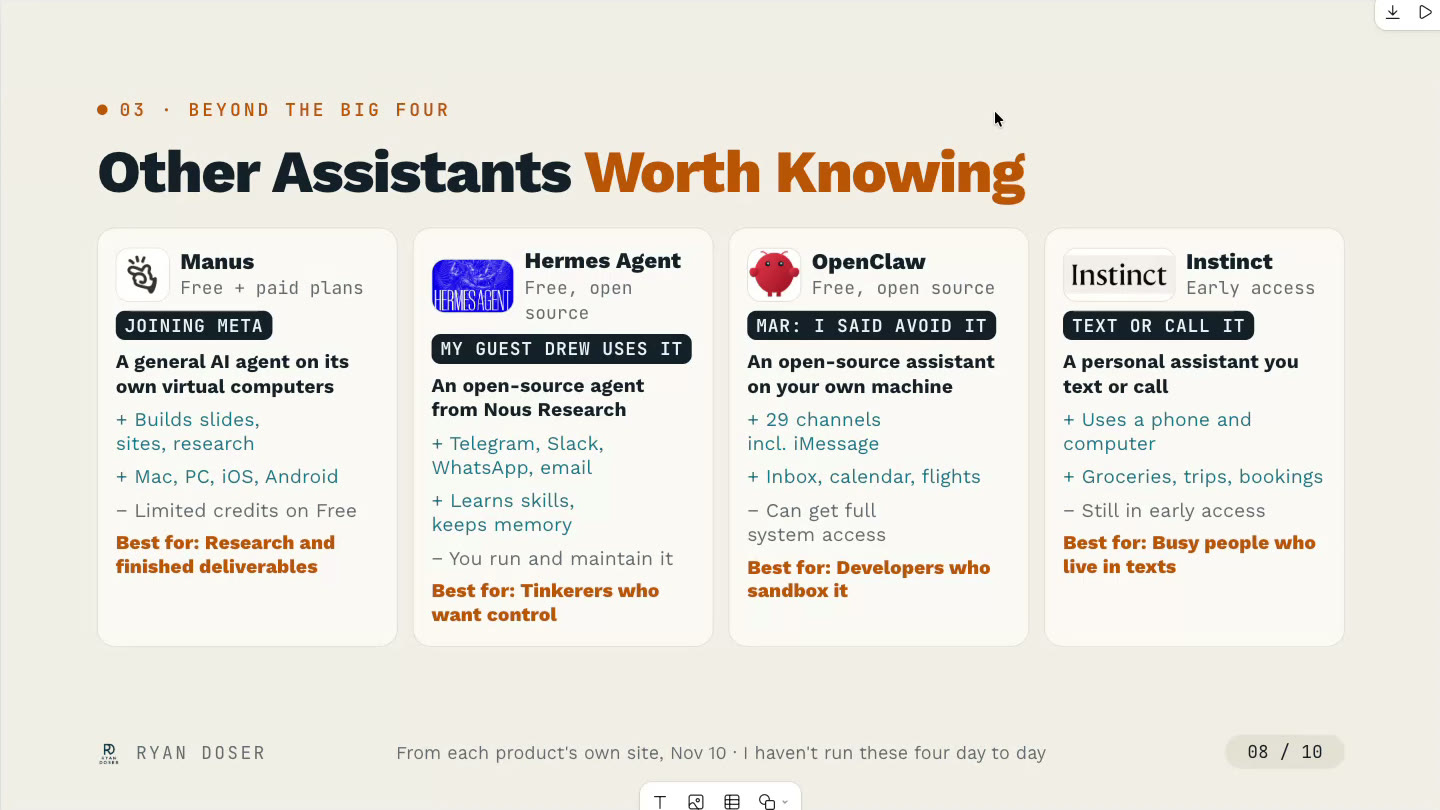
The reason I like Hermes is it's the only one on the list, besides OpenClaw, where you can change the model. You can host it where you want, copy and paste it to a Raspberry Pi, or put it in the cloud. I want control over things, even if it's a backup system.
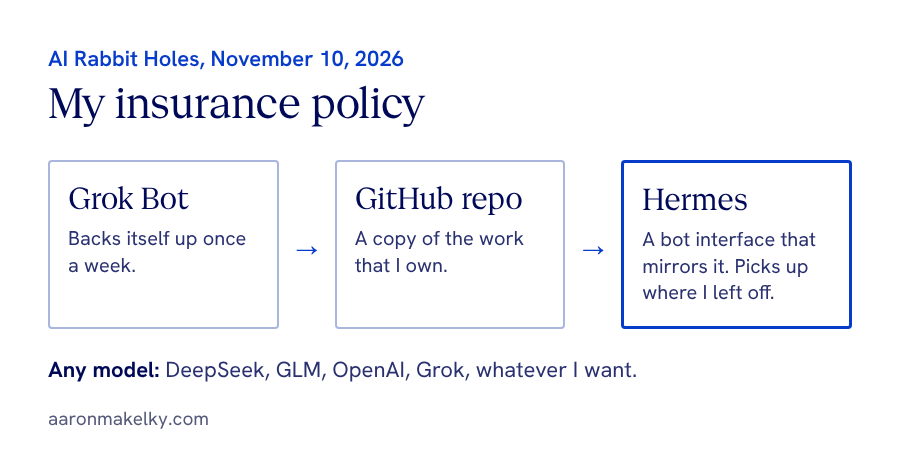
My Grok Bot backs itself up to GitHub once a week, and my Hermes has a bot interface that mirrors it. If I killed my Grok Bot subscription, I could pick up where I left off in Hermes and use DeepSeek, GLM, OpenAI models, Grok models, whatever I want. It's an insurance policy. I wrote more about that in your AI app should not own your work.
Ryan's take is that most people shouldn't touch Hermes either. It's for tinkerers like me, and he doesn't see the need for his use cases now that Duet and dots exist.
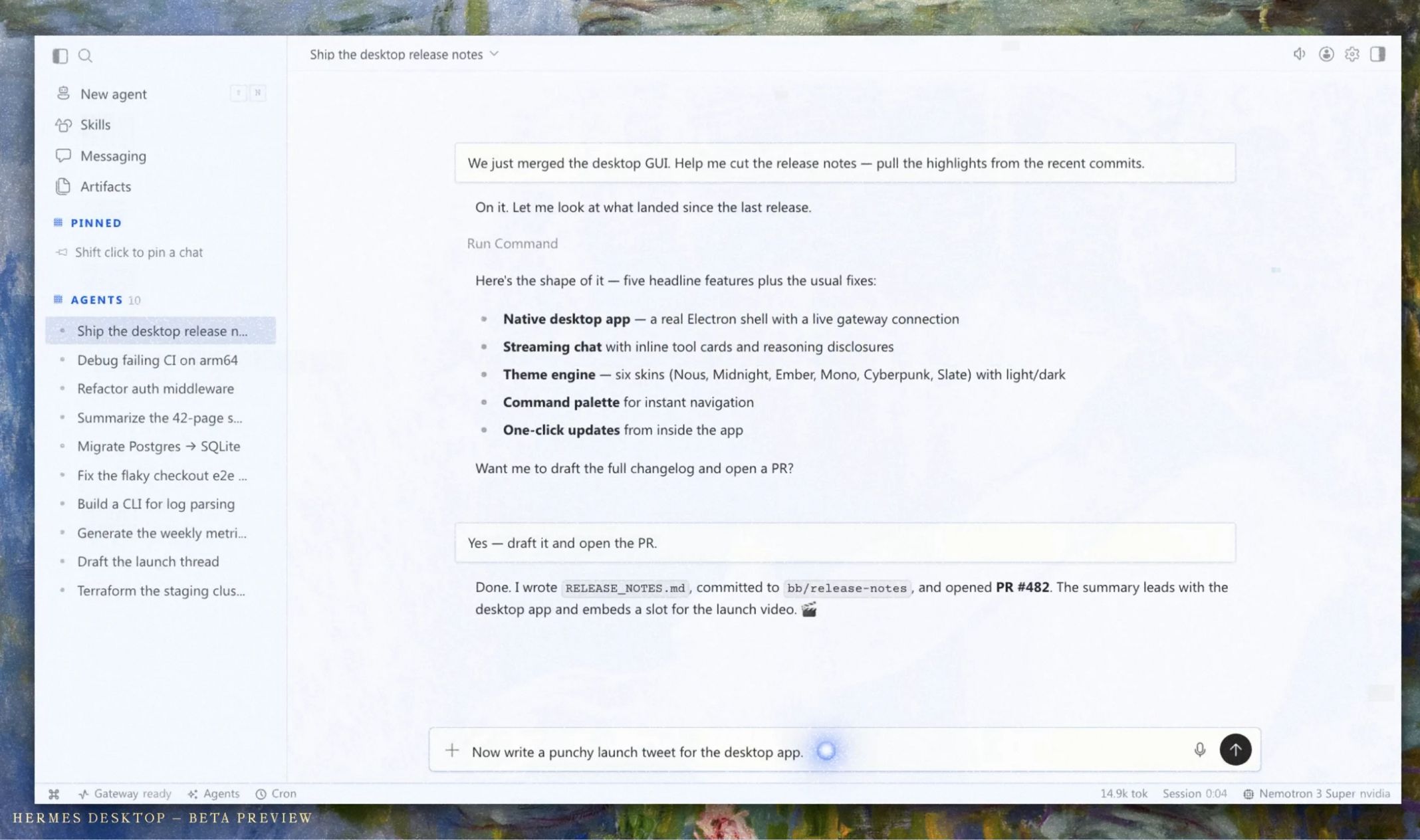
Take all the shots you want, that was fair, I earned that one. But when the subsidy era ends, revisit this. What Grok Bot did to all of us last week pushed me to Hermes, and it was already set up. If I didn't have Duet and Muse, I could have gone all in on Hermes with whatever models I wanted.
For now Ryan's right. It's like buying a video card to host your own stuff locally. Do the math, people. It doesn't make sense today. In the future, maybe. Ryan agreed it's something to keep in your back pocket if we get rug pulled sooner than we think. When we get rug pulled.
How Ryan uses Claude Duet
Watch this part of the episode (22:59)
Ryan's list: SEO and content tasks, daily competitor scrapers, podcast guests and invites, his inbox and calendar, bookkeeping through the QuickBooks MCP, X and LinkedIn drafts, and digital PR outreach. None of it works without connectors. He has about 17, including Apify, Calendly, Cloudflare, DataForSEO, GitHub, Gmail, Google Drive, Kit, Riverside, and OpenRouter. When a tool isn't in Anthropic's library, he adds a custom connector with its MCP server URL.
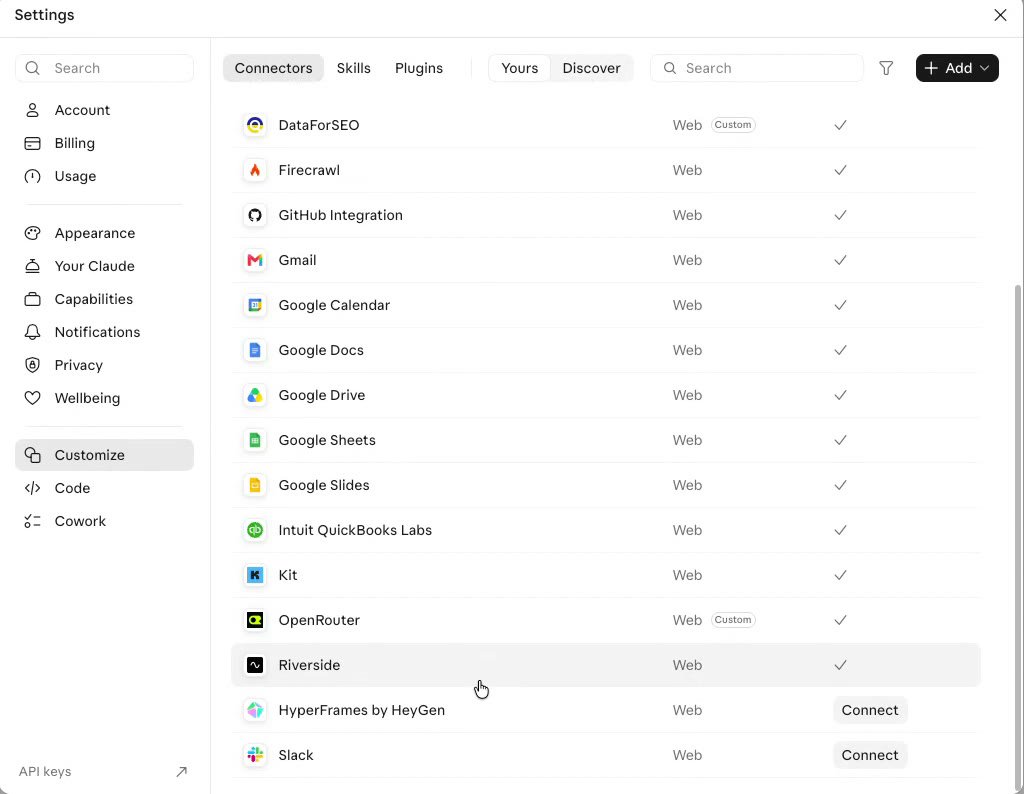
Connectors are probably the biggest thing people aren't using that they should be. If I'm paying for a Claude Max sub, I don't want to switch to Gmail in a tab and then Calendly in another tab. I want to do my work through Claude or whatever platform. Search for the apps you use in their connectors, and if they don't have them, learn how to make your own.
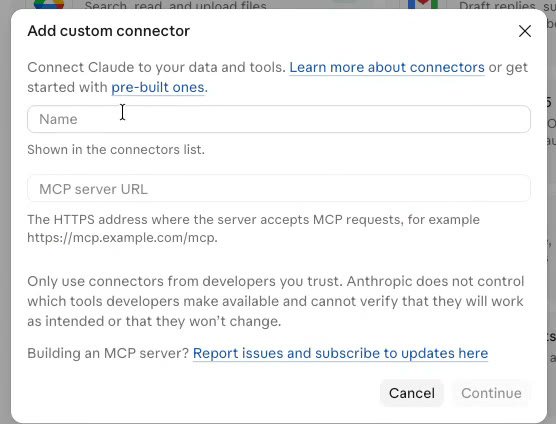
Ryan says he's done with n8n, Zapier, and Make for his use cases now that he has connectors and scheduled tasks. Some of the ones he showed:
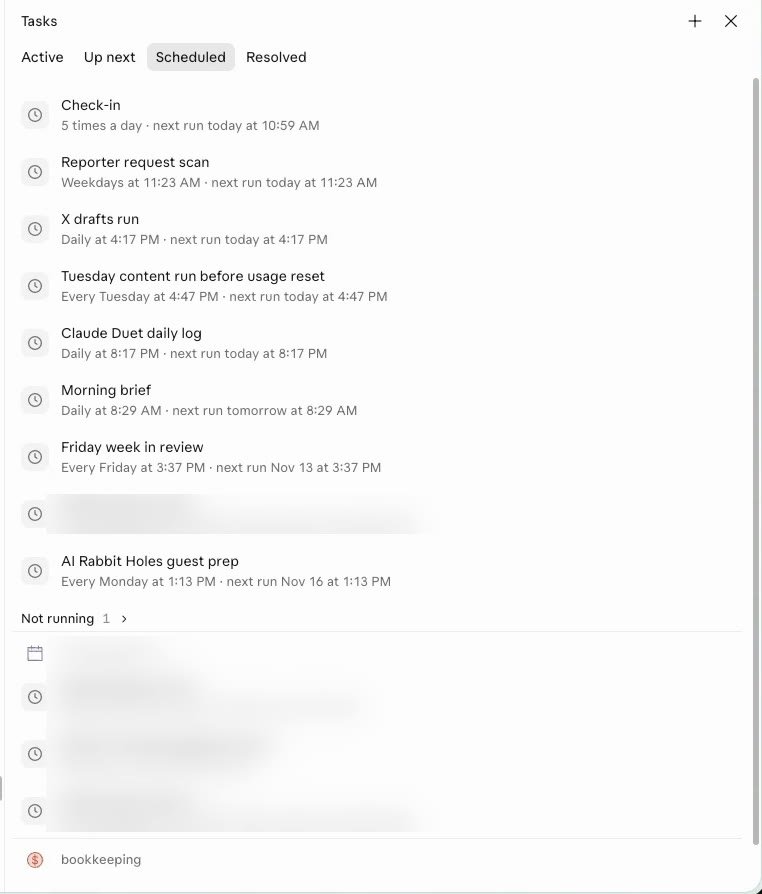
- Podcast prep: every Monday at 1:13 PM it scans his calendar for the week's podcast guests, creates the Riverside invite, runs his podcast research skill on each guest, and writes the questions.
- A token max run: his usage resets Tuesday night, so a Tuesday afternoon automation makes sure he doesn't leave 50% of it untapped.
- X and LinkedIn drafts: it pulls from his Riverside and Calendly transcripts and the Google Drive folder of his weekly Skool calls, and writes posts in his style with a skill. One about our last episode, your website stack can cost 25 bucks a month, got 1,300 to 1,400 views without him touching it.
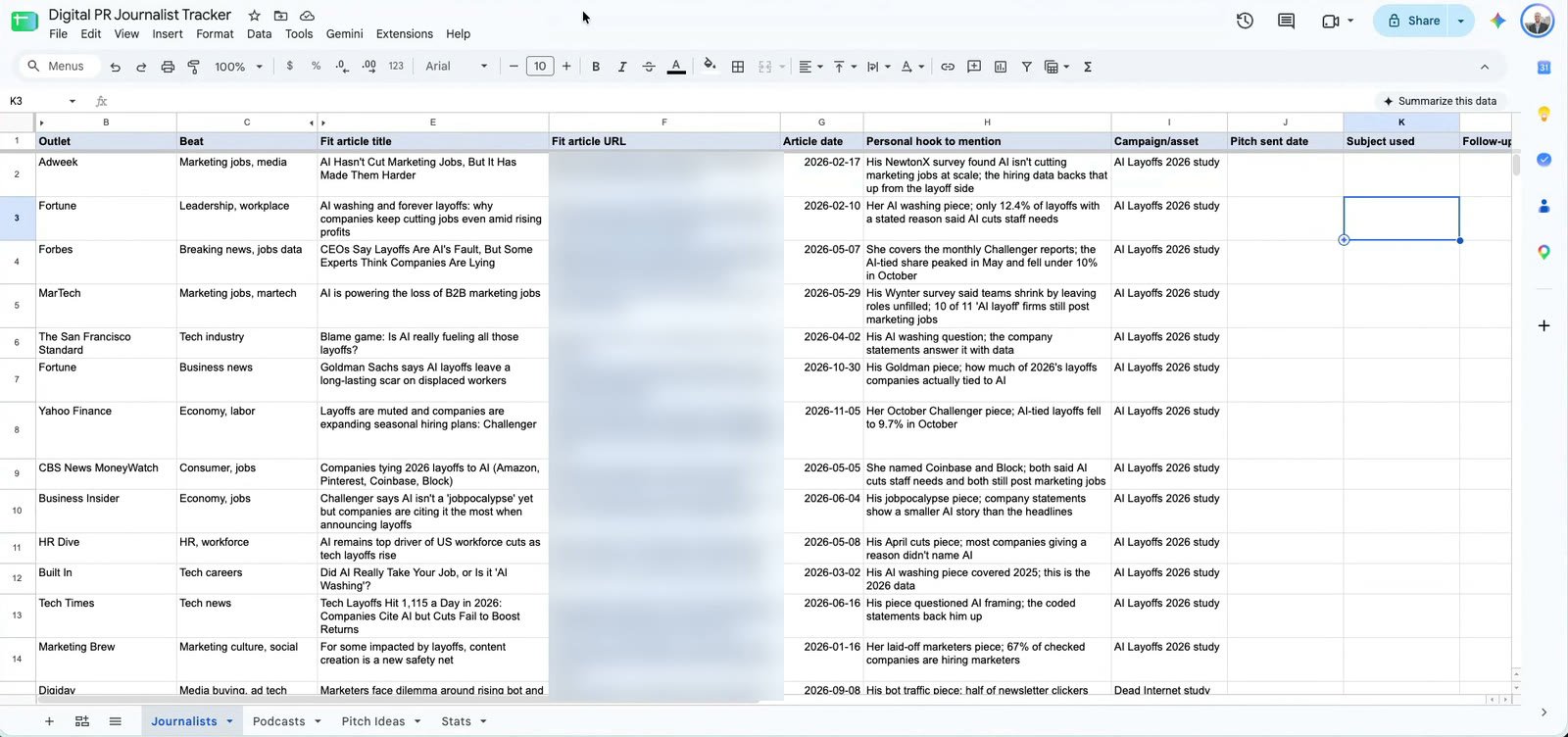
- Digital PR: a weekday reporter request scan reads his email, matches requests to research articles and tools on ryandoser.com, and keeps a Google Sheet tracker of journalists, outlets, hooks, and who he's already pitched. It made him a podcast pitch sheet too.
- A weekly client report: it pulls Google Search Console, Bing Webmaster, DataForSEO, Apify, and the client's WordPress data into an artifact, then emails it every week and CCs him.
- A receipt saver: every receipt or invoice that hits his email gets saved to a Google Drive folder, named with the vendor and date.
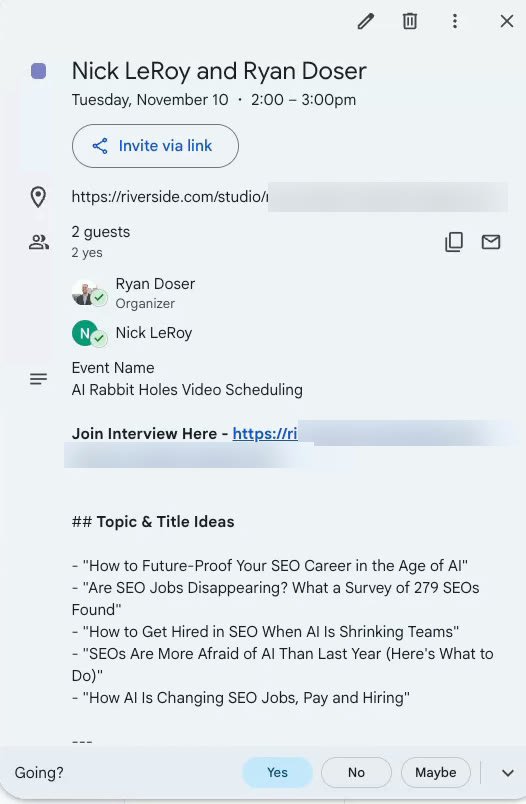
That's the power of connectors, because it's not making stuff up. That's almost verbatim what we said in the transcript of the podcast. We talked about that more in our AI slop episode.
You could have built the PR tracker with Claude Code or Claude Cowork before. Ryan says the difference is that it's all automated now. For me, with Duet you don't have to go through your folders and threads to find where that thing with the cron job or trigger is. On your phone or with your voice, you can work across all of it. It's a higher level way to interface with your work.
The vision is doing all of this by talking to your phone while you're on a treadmill, pushing the stroller, or buying groceries, with one app and one main feed. One, because it'll burn more tokens, but two, it's way easier to keep track of stuff. How many times have we lost a Claude Code thread we were running in a terminal?
On the bookkeeping side, I have to give Mercury a shout out. As someone who's been stuck in Wells Fargo since I was in fifth grade, I just started moving some of my business stuff into Mercury, and it's like going through a portal into the future. They have connectors, so you could use Duet or dots or anything with it. I compared it to Meow in why my business banking went to Mercury.
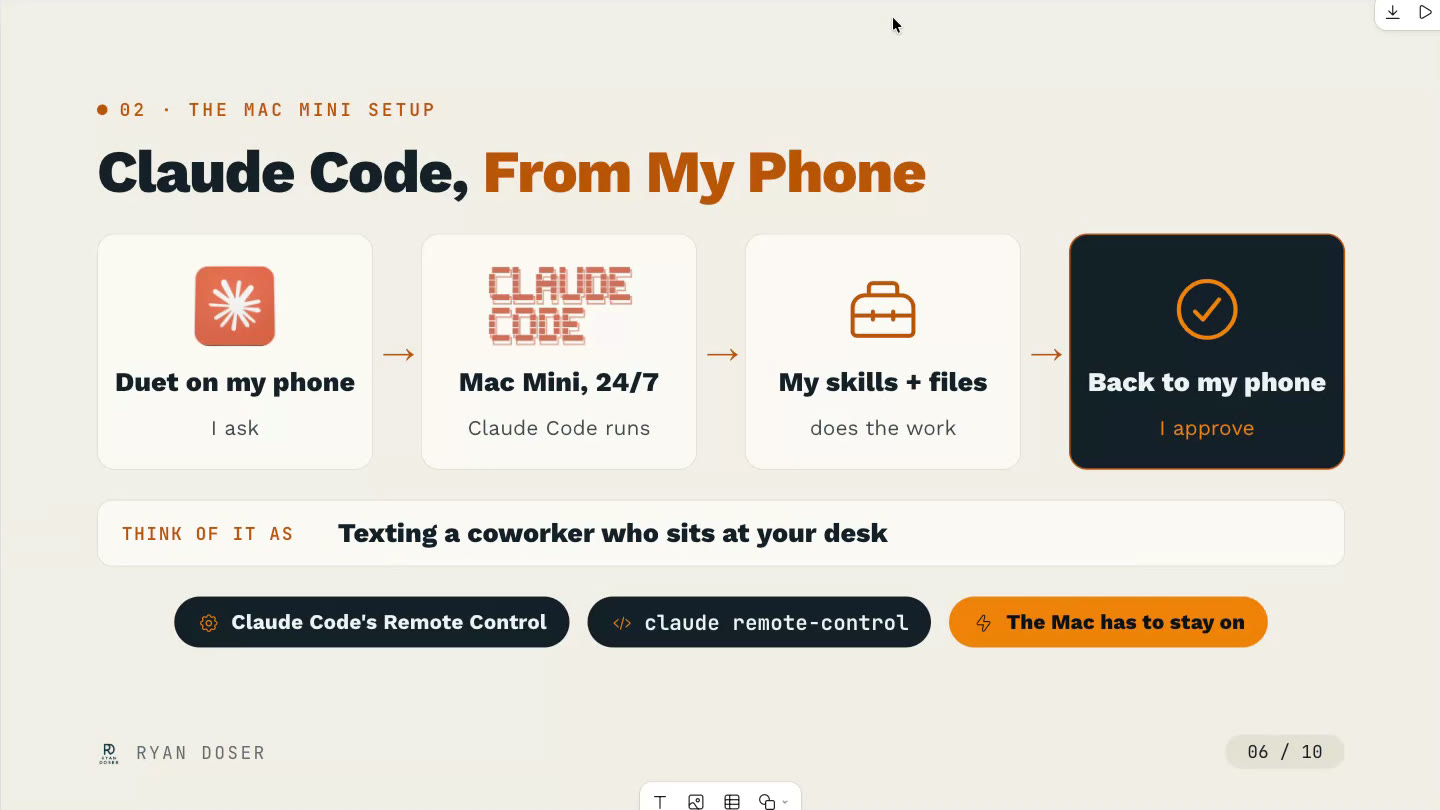
Ryan's two other tips: point Duet at a GitHub repo with your Claude Code backup, skills, and context so it can learn what you work on and suggest scheduled tasks, and set up a Mac mini as an always-on remote session for Duet to call on. He has a three-month-old, so that one's still on his list.
Where Duet falls short
Watch this part of the episode (38:30)
The thing that's lacking is you can't start a new local thread. The voice model is the biggest one. It's not as powerful or as smart. GPT voice is the best, and now that Muse got voice, I can tell you Meta's ahead of Anthropic too.
Ryan added that if you're not on the $100 or $200 a month plan, Duet's going to be very tough to use at scale. To me it's best for people who have a bunch of different environments and Claude Code things spinning around them and wish there was one focused way to orchestrate all of it. If you're mostly in the chat interface, I don't see an advantage to Duet, or to subbing to a higher plan, because there's no way you're hitting your rate limits on chat.
Meta Muse is not chat for normies
Watch this part of the episode (40:34)
Ryan hadn't used Muse at all, so I showed him. The desktop app is Mac only, so if you're on Windows, sorry, and Linux isn't a thing for it yet. Besides the rate limits, my biggest sell on Muse is a feature called spaces.
Yes, you can chat, just like everything else, and there are side chats just like Duet. But think about all the one-off dashboards and vibe coded apps and little things you wish you could have. A space is like a personal app that works on mobile or desktop. If you haven't used them, think of an artifact, but it's not just HTML. You can have buttons, you can approve stuff, you can have it send something through a connector. It lives in my sidebar.
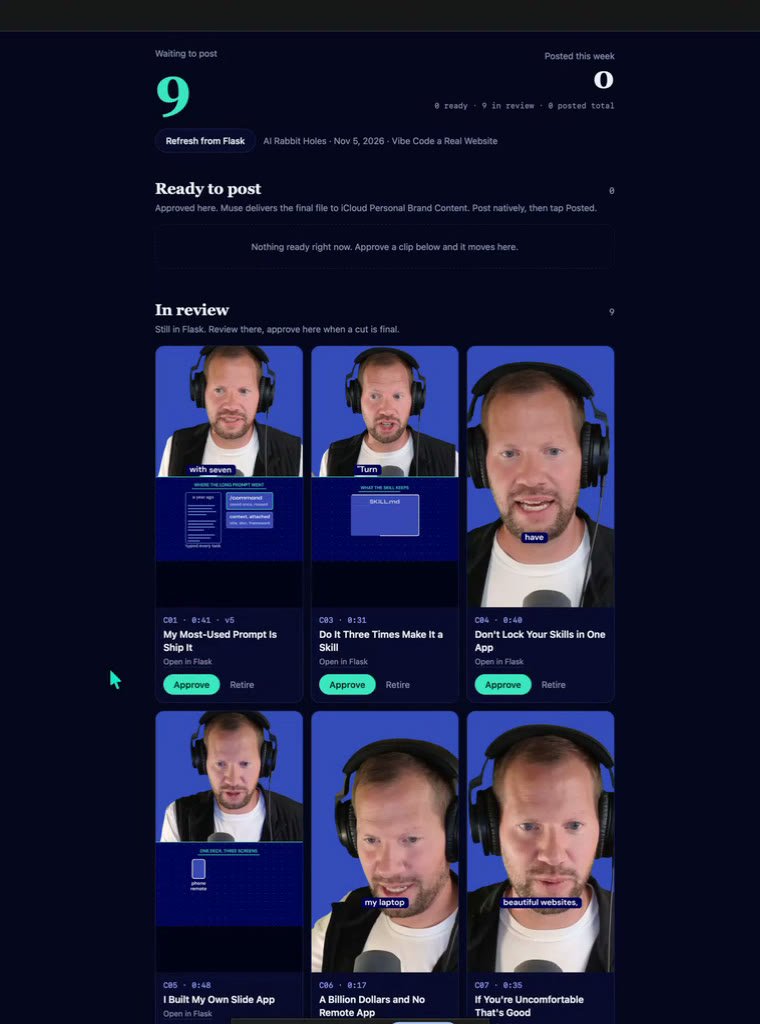
- Clip review. I always have a backlog of video clips. I can cut them faster than I can review and post them. So I told Muse I want a space that pulls these clips and lets me approve them, cancel them, or go into Flask to give creative edits.
- Fitness and nutrition. I've weighed myself every morning since March, and I was over 210 pounds at one point. Muse would ping me in the morning, did you weigh yourself, and check in on my nutrition in the evening. It pulls Apple Health too: sleep, workouts, heart rate. People will say, you trust Meta with that? Well, do I trust Apple? Apple's had it since I got an Apple Watch.
- A family dashboard with everything my kids and family have on the calendar this week: who's picking who up and who's dropping them off. It's shareable, so I can send it to my spouse.
- Episode prep. It prepped me for this episode with a whiteboard of what Ryan and I talked about over text and what I've tweeted about.
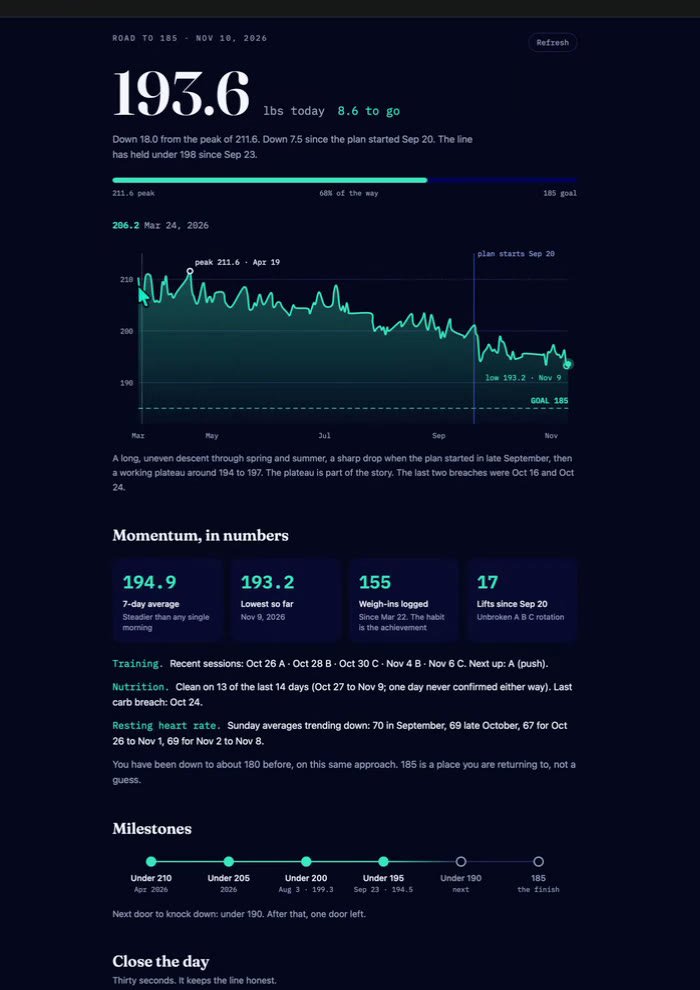
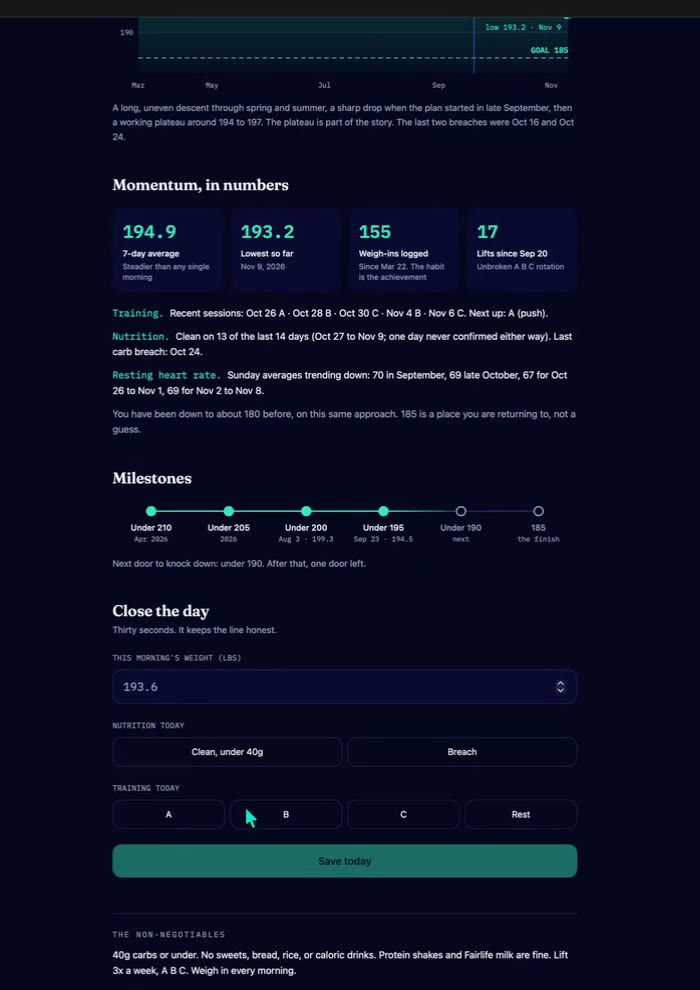
Last night I had it buy a domain, set up a new website, and publish stuff there with a bunch of connectors, all from my phone. It took about five minutes and one prompt to fix how it looked, and it was very usable. It's definitely not Opus 5.5 level for coding and design, but it does a lot of things better than the best GPT models right now.
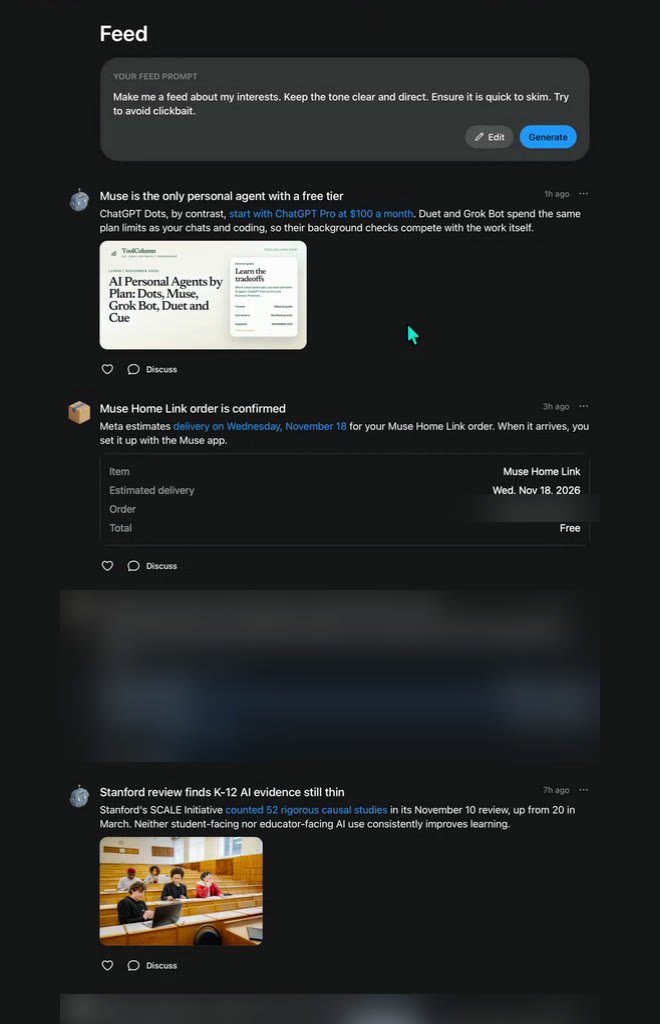
There's also a feed, where you can say go find stuff I'm interested in, like news on AI and education, and an ideas tab with the same proactive, want me to build you this, stuff.
Meta has a hardware moat
Watch this part of the episode (40:34)
The biggest thing Meta has right now that Claude and OpenAI don't is hardware. They open sourced projects where you can build Muse onto a Raspberry Pi or one of those little screen devices, an e-ink display or a watch-face style 450 by 450 screen, and plug your own Muse assistant in on your desk.
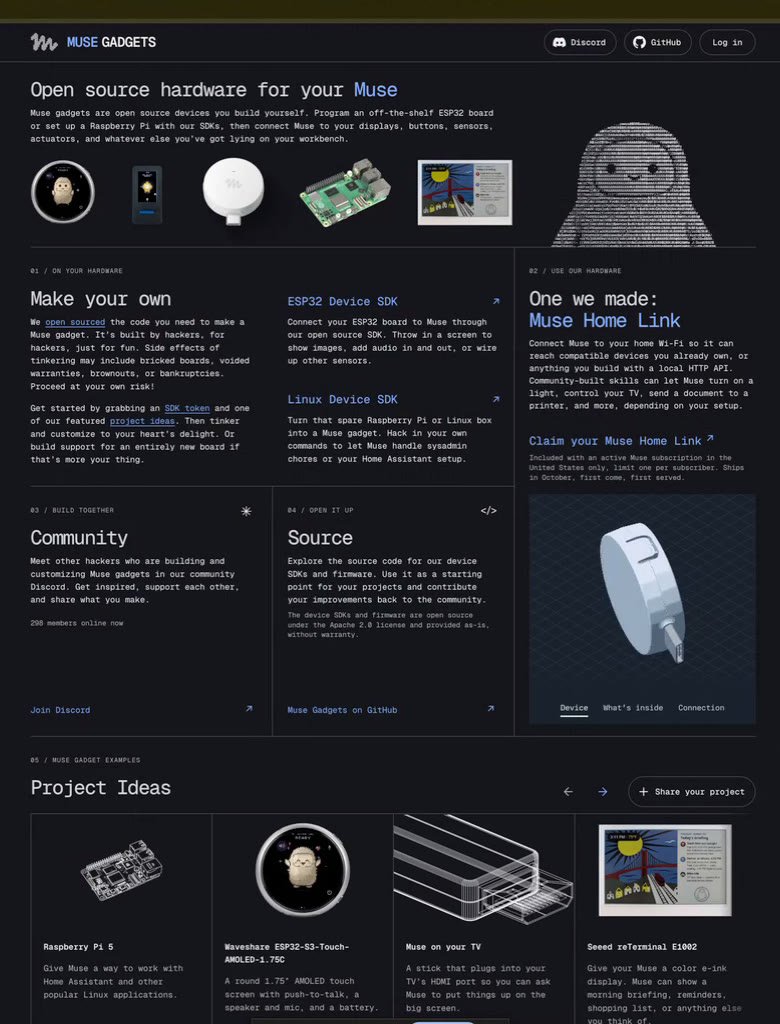
Ryan asked what the cheapest hardware is. Meta is sending people in the US a free Muse Home Link. Mine is in the mail, so I don't have it yet. It's a little USB-C device with a board in it, like a developer tool. Plug it in anywhere, put it on your network, and it doesn't have to be your main home network.
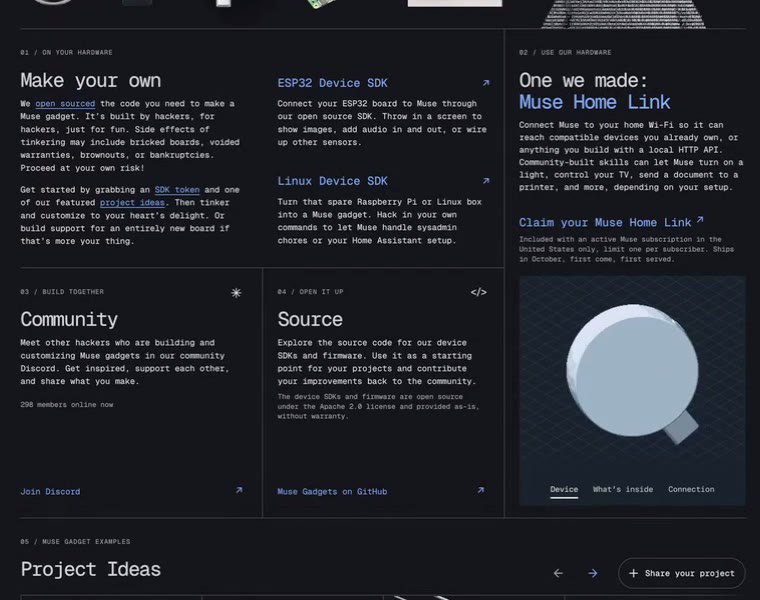
Then say turn off my lights every night at 10 PM, keep a log of who comes to my doorbell, control my thermostat. Your Muse is in your house even when your laptop is closed and you're not on your phone.
The other cheap ones: I have a digital photo frame that was 40 bucks, basically an Android tablet with crappy software you can hack. The little watch-face ones are 40 to 50 bucks, and the ones with no display are under 20.
Raspberry Pis have all gotten more expensive because this is such a popular thing. I paid 80 bucks for my 4 GB one, and the low end is about 150 now. If you're a nerd, you probably have something lying around your house or garage you could run this on. I ran OpenClaw on mine for nine months. You can't do that with Claude or ChatGPT.
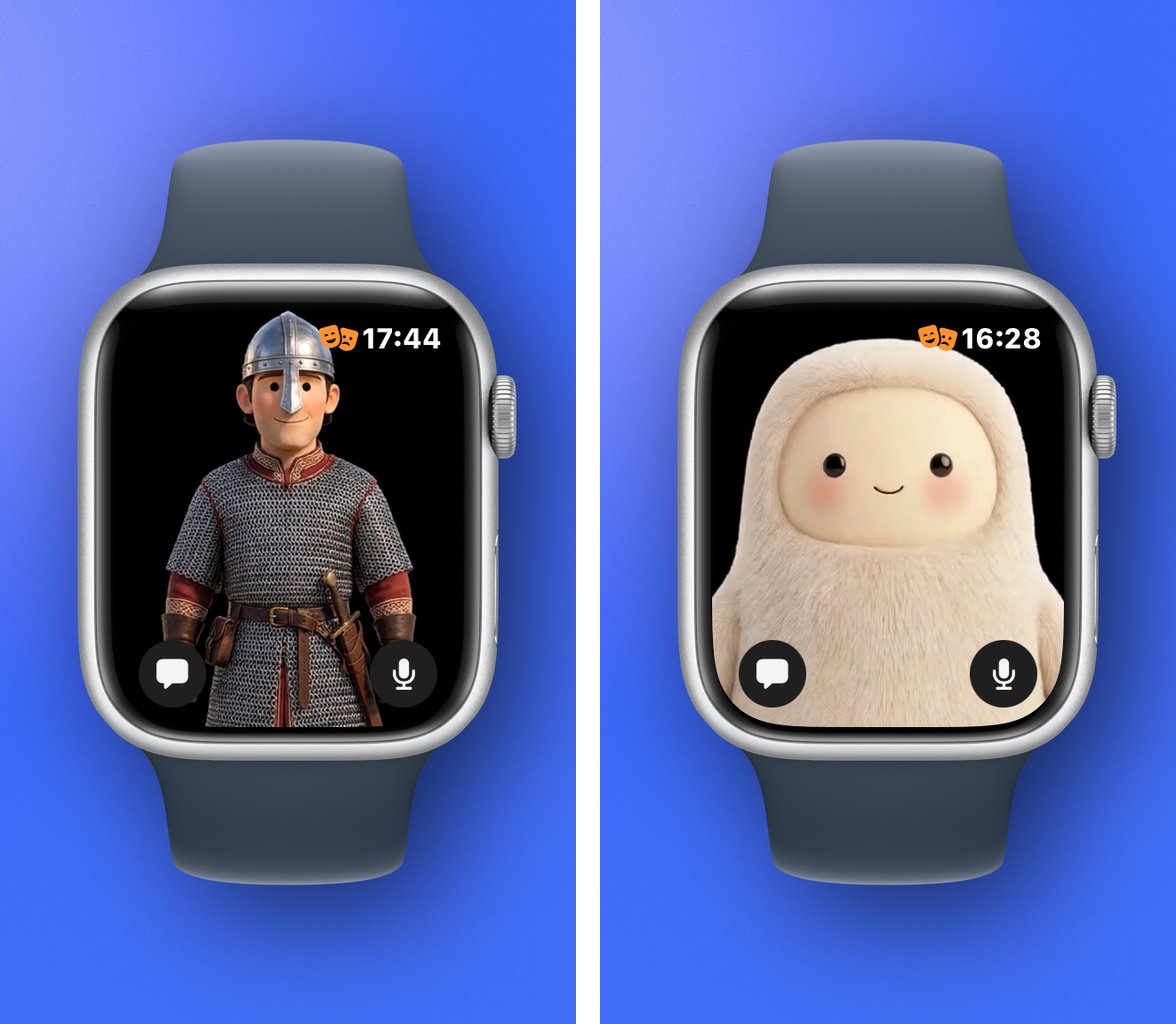
They're also the first of these with an Apple Watch app. As of November 9th, you can dictate to Muse on your watch and your custom avatar shows up on the watch face.
And glasses. I have Meta Ray-Bans with the camera, and I've barely used them for months. Meta has two new frames that are audio only, so they're smaller and less socially awkward. You're going to walk into a bathroom with Meta Ray-Bans on? That's just weird. People get weird when they see a camera.
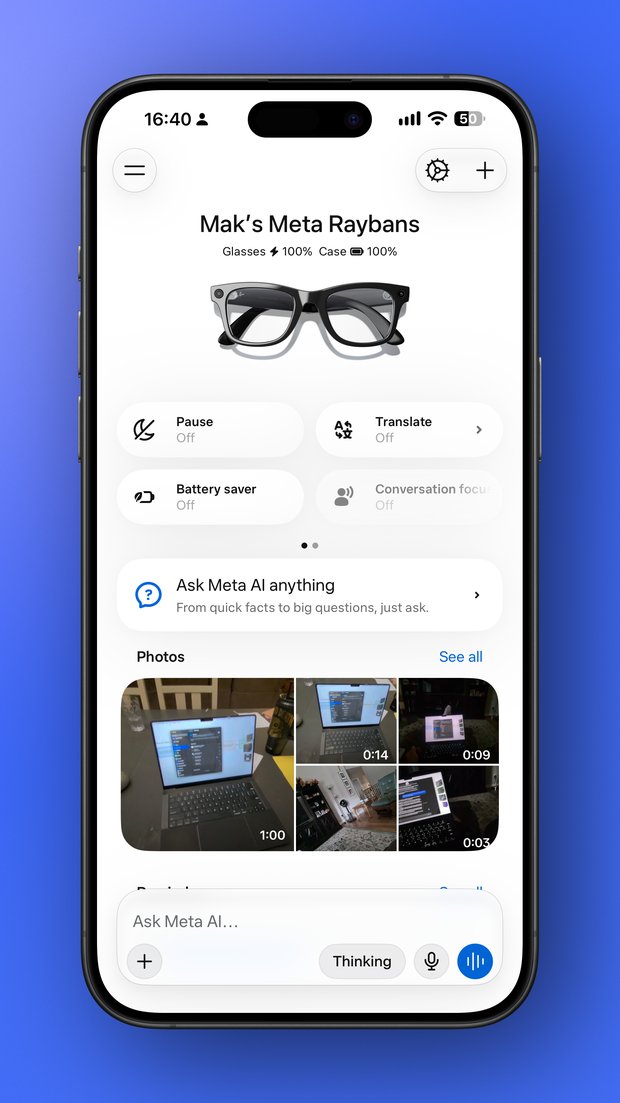
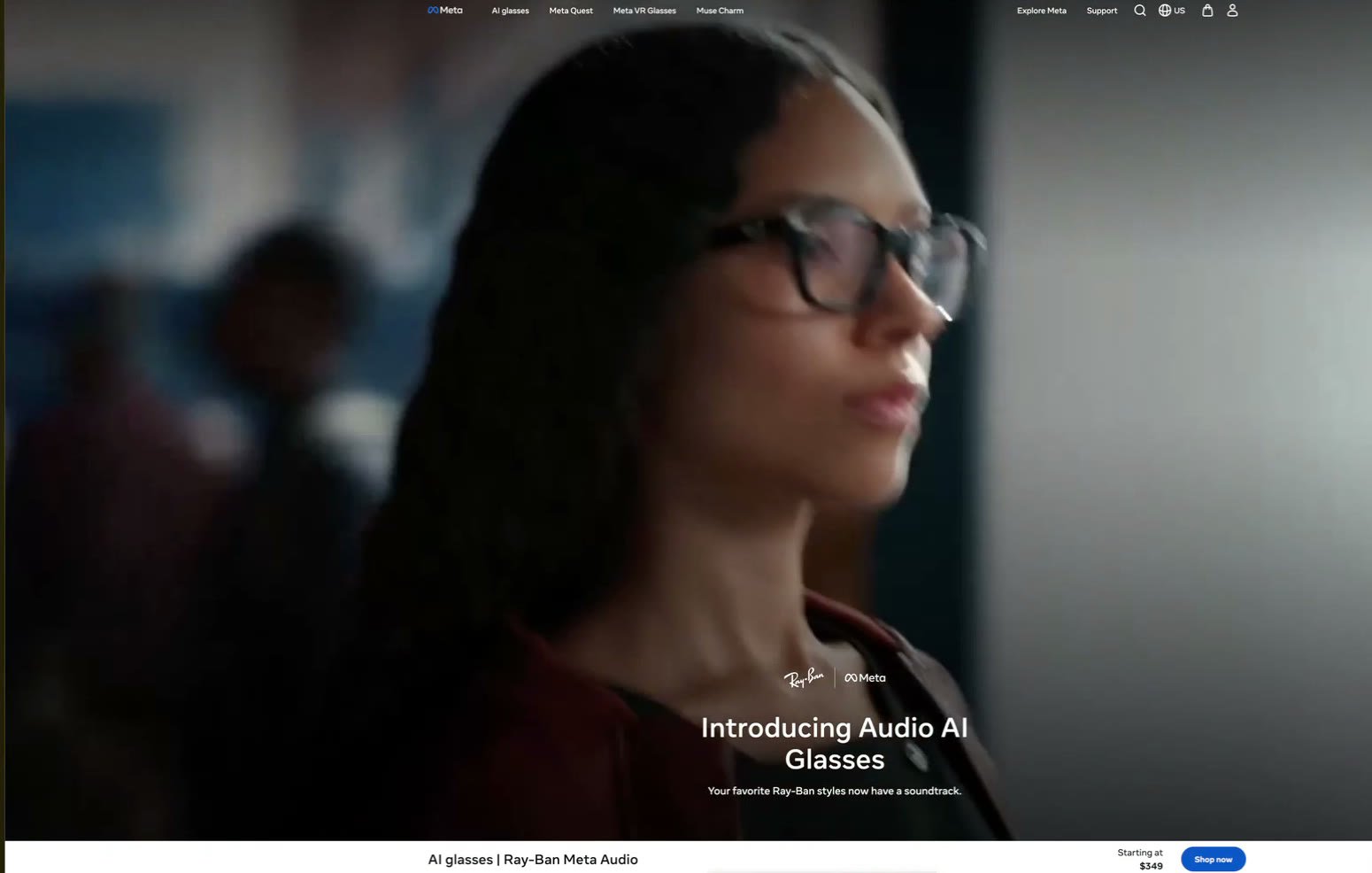
Muse is in beta as the assistant on the older frames and the new audio-only ones. It's niche, but nobody else is going to touch that for years. OpenAI is trying to come up with a device, and they don't have anything yet.
They're leaning into their strengths and letting you burn billions of tokens for almost nothing. I think it's super underrated. Ryan says that's exactly what fuels the ad network.
Final thoughts
Watch this part of the episode (50:41)
Everybody's moving toward an always-on assistant that's proactive, with a single interface. It's got to have voice. It's got to have mobile apps. That's going to be how you run all of your coding sessions in the future. But they're changing like crazy, so think of all of these as experiments right now, and use GitHub to back it up. Do some sort of weekly export so you can rebuild it somewhere else.
For a backup, I don't see a better option than Hermes. Not just for privacy reasons. It's a control thing. The Grok Bot people have felt this in the last week: somebody hits one button, you get a worse model, you're stuck, and it makes the whole thing worthless.
Ryan's recommendation: if you're an active Claude Code or Claude user, give Duet a shot. If you're not, and you're not in OpenAI's ecosystem, go with Muse as that second option.
I think Muse is the lowest barrier to entry. If you're showing this to a spouse, a parent, or a coworker who's not techie, good luck explaining Duet and Claude Code to someone who's not already in the Anthropic ecosystem.
With Muse you can say, here's one chat, it has an app, here's what you can connect it to. I think it's going to be the most broadly used. Two months ago they were a joke, a complete joke, and now some of their models are in the top ten. They're not the best, but I'm bullish on them.
If you want help picking one or setting up your own backup, book a 30-minute call, or follow me on X at @theaaron.