Field notes
Opus 5.5, Luna, and Muse: picking an AI daily driver
· 15 min read
AI Rabbit Holes · Claude Opus 5.5 · GPT-6 · Muse · AI Models · Claude Skills
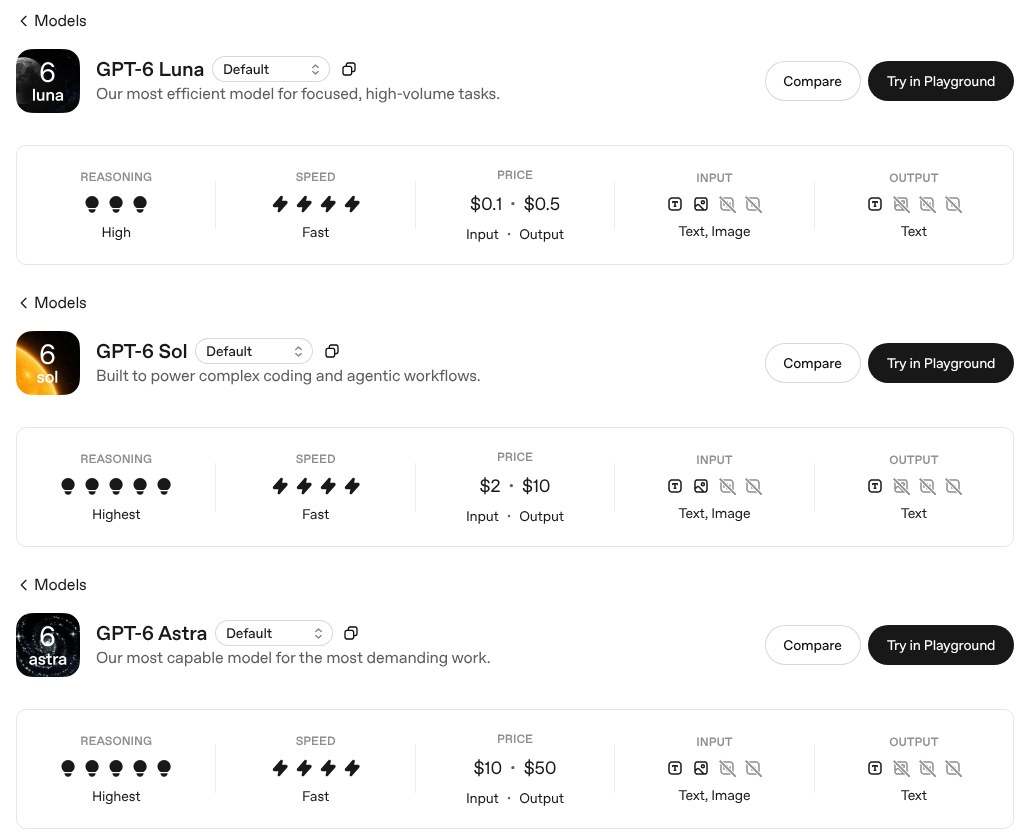
I think the battle right now between Anthropic and OpenAI is who's going to make the most useful daily driver model. Last week was peak performance, state of the art, best of the best. But when you actually use this stuff for day-to-day work, you won't use Fable for most of your tasks, and you may not use Astra 6 on ultra high thinking for most of your tasks either. One, because it's going to use a lot of your rate limits, or it's super expensive if you're on the API. Two, a lot of the stuff you do just needs a faster conversational model.
I talked through this week's model drops with Ryan Doser on AI Rabbit Holes, recorded September 24, 2026, and streamed live on X. Ryan ran Claude Opus 5.5, GPT-6 Sol, and Meta's Muse Spark through a landing page and a launch email. The full episode is on Ryan's YouTube channel, along with our other ones, including Astra vs Fable, my Grok Bot review, and AI video editing with Claude.
The daily driver is the more interesting fight
Something Anthropic has really been missing is a daily driver, a middle of the road but still good enough model. They haven't had that competitively. A lot of my Anthropic friends say they've hated Opus since 4.6, and Haiku they haven't even tried.
So I'm actually more excited about the middle of the road, what you actually use, than the top-level competition. That's kind of sexy, and the benchmarks and the graphs are higher, but it's not going to change how you work on a Thursday. Sol and Luna aren't the peak intelligence or the best of the best models, but they're more useful, and it's a way more interesting debate because it gets more practical.
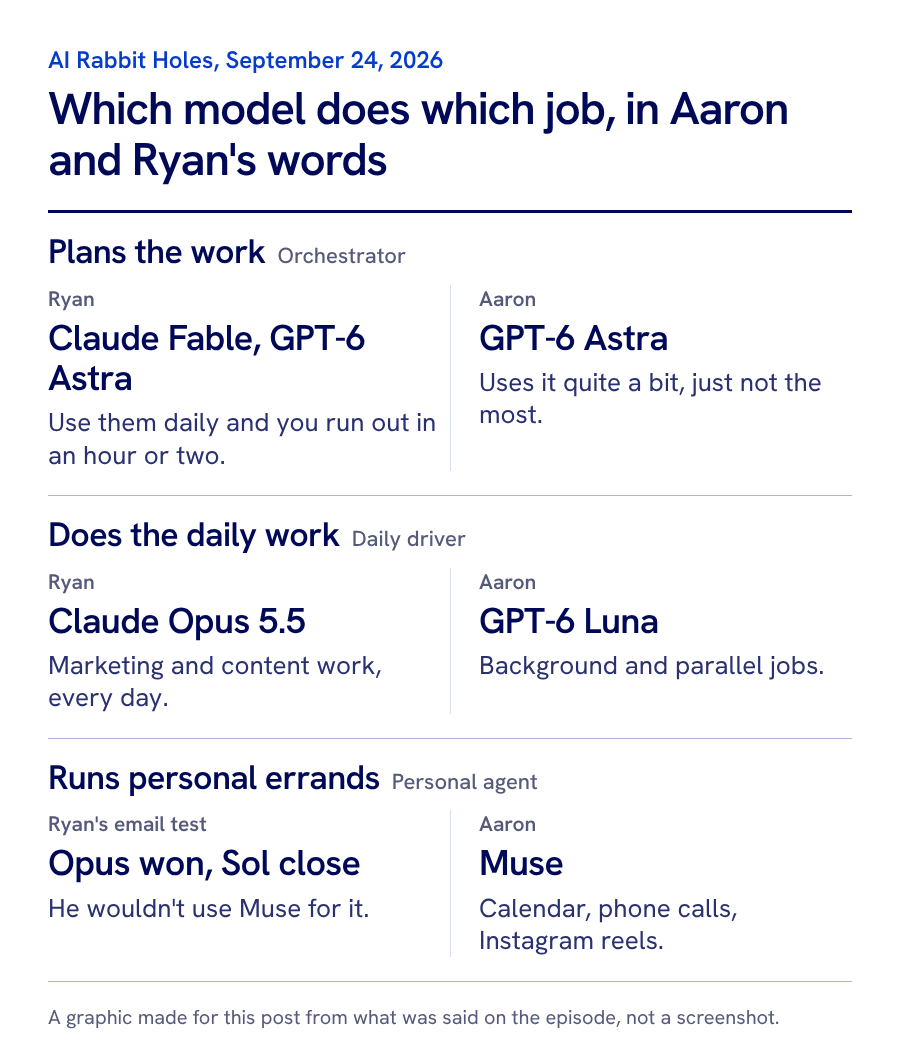
Ryan split it into two jobs: a daily driver model and what he calls an orchestration model. He puts Fable and GPT-6 Astra in the orchestration bucket, because if you try to use them for your daily work you'll run out in an hour or two, depending on your plan. His daily driver right now is Opus 5.5. Before that it was GPT-5.6 Sol, and before that Opus 4.8. For Ryan, daily driver work is the marketing and content he does every day running a YouTube channel solo: packaging videos, writing emails, and SEO work for clients. He said Opus 5.5 raised the bar on quality over Opus 5 for his outputs, and its token efficiency is a lot better.
Why Luna is still my daily driver
It's not a popular take, but I'm sticking with it. I use Luna models. Even after Astra 6 came out, which I do use quite a bit, I was using 5.6 Luna on the max or ultra setting more than any other model. Now that 6 is out, there's some debate about its quality, and it's definitely not fast.
But if you're using it in parallel, or you set a multi-step task, the "I'm going to bed, you just do this for me" kind, I don't care if it takes 10 minutes or 10 hours. I'm not going to look at it. It's great for the background work. It's just not great for the planning. You need an orchestrator to write up the plan or do the design work. But when it's write this code, move this thing, enter this data, Luna is cheaper than it was, and it was already competing with the DeepSeeks and the GLM Flashes. It's so cheap that as long as it's not breaking things, why wouldn't you use a model like that for your daily driver?
Ryan's landing page test: Opus 5.5, Sol, and Muse Spark
Ryan has a skill and a slash command in Claude Code that runs every new model through the same real-world tests. The first was a landing page for his AI SEO system, which he said has done about $5,000 in revenue and was originally built with Opus 4.8. The only direction he gave each model was to make the page drive as many conversions as possible. No branding direction.
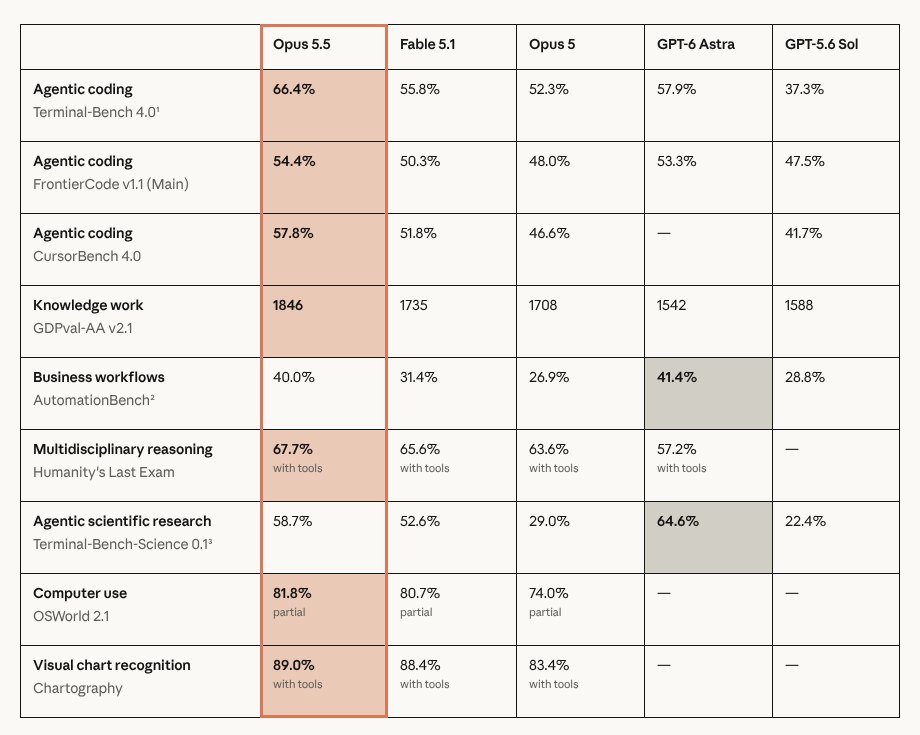
He liked the Opus 5.5 version at first glance: the screenshots came over correctly, the CTA button jumps out, and the quotes are highlighted, though some logo colors were off. GPT-6 Sol took a darker approach, moved the pricing up, and was shorter, with only two testimonials. Muse Spark 1.3 surprised him with its headline copy above the fold.
What I like best about Muse is there's a little glow effect on the checkout button. And it did the best job formatting the brands you work with: it has them in full color, on a single line, so they don't take up a bunch of space while you scroll by. It's doing some things empirically better than Claude Opus 5.5. I'm not going to say overall better, but there are some specific things on that page where I would take the Muse output over the Claude one any day.
I'll also say Opus 5.5 is definitely better than what Fable 5.1 did, which was the best thing you could get last week.
The launch email test
Ryan's second test was a launch email for the same product, and the first thing he looks at is the subject line. Opus 5.5 wrote "Is AI search naming you or a competitor?" GPT-6 Sol wrote the same exact subject line. Muse Spark wrote "AI search is changing. Who gets found?" That one doesn't open a loop in your brain when you're looking through your seventeen unread emails.
Ryan gave this one to Opus, with Sol a super close second, and said he wouldn't use Muse for it. When you're doing copywriting, there's not more than a few seconds of difference between, say, Fable, Astra, and Opus. Muse is super fast, and it's just not helpful in that application. If the quality isn't as good, why would you use it for that?
Build your own side-by-side test
As much as the outputs, if you don't have some sort of personal benchmark side-by-side test, you should. On Ryan's page I can scroll over and see last week's models and this week's side by side. The model launch cycle is only going to keep accelerating. By the time this episode goes up, there'll be two new ones we didn't even know about. If you don't have a place like this, just use HTML. Ryan's is a local page on his machine, not even live on the internet.
I think that's a great prompt for somebody: go build a skill around what you're best at judging. If you're a designer, it's a design test. If you're a marketer, it's email copy, whatever your human expertise is. Then say, every week I want to be able to try new things and put them side by side, maybe even with a rating score. I see things in this week's mid-tier models that I like better than last week's state-of-the-art frontier.
I'm a Meta hater, and Muse is actually really good
I've been a Meta hater. I hate Facebook. I'm barely on Instagram. However, Muse is actually really good. It's their personal assistant tool, it's free, and it's kind of scary what they're going to do with it in the next six months. I've been using it every day.
I'm still skeptical, and there's a question you have to ask yourself before you install it. This is the "should I even go down this rabbit hole" test: are you okay with an app that doesn't let you change the model, see the model, or bring your own? We've been through this with Grok Bot. One of the compromises you make when you go into their ecosystem is you get whatever model they want to serve you. It might be really good the day you install it, but they have no incentive to give you the best or the most useful, because you can't change it. Some people like a Hermes or something where they can bring their own model or mix and match. You can't do that in Muse, and I'm sure they'll never make that a feature.
Look at the two most popular personal assistant tools right now. It's Grok Bot, if you're a Twitter person and in the bubble. But now Muse is spreading to the Facebook crowd. Open Instagram, and up where your friends' stories are, I bet there's a little Muse ad or a pop-up of the fuzzy Yeti guy. You can't tell me there aren't going to be a bunch of people who go, this is free, it's connected to my Instagram, and I don't have to pay a subscription?
The free tier is super generous. I use it daily on my desktop app and my mobile app, and I don't come anywhere close to using up my tokens. I'd call that pretty moderate to heavy use.
So what is it? Think of it like hiring a VA or an executive assistant who can only take actions in the digital world. They can't go to the store and ship a package, but they can print the shipping label, tell you your bank balance, and monitor an inbox for you. What makes it unique is the model it runs on. It's been out for less than two weeks, and it's really fast. Ryan asked if it's Muse Spark 1.3. They don't tell you which one it runs on, but it's got to be, because this blows even the models Ryan and I would call fast out of the water. When they stream the output to you, you can tell they're slowing it down so it doesn't overwhelm you, because it's way faster than you can read.
What I use Muse for
It's not the most powerful, and it's not for tech bros to code websites, although you can if you hack some things together. It's for the average person to say, check my email for me, draft this message, monitor my Instagram and Facebook and WhatsApp. It has deep connectors there.
My son brought home a birthday party invite, a printout. In the old days, you'd go to Google Calendar, make a new event, put in the time, the date, and the location, and then on your to-do list write, remember to buy a present for this kid. He's 10 and he likes football. What I did is take a picture of it with Muse and say, put this on the calendar and remind me to get him a gift by 2 p.m. the day of the party. It's got a connector to my calendar, and it can read the image, so I didn't have to type anything out. Boom: a calendar event with the location, and a reminder to buy a gift.
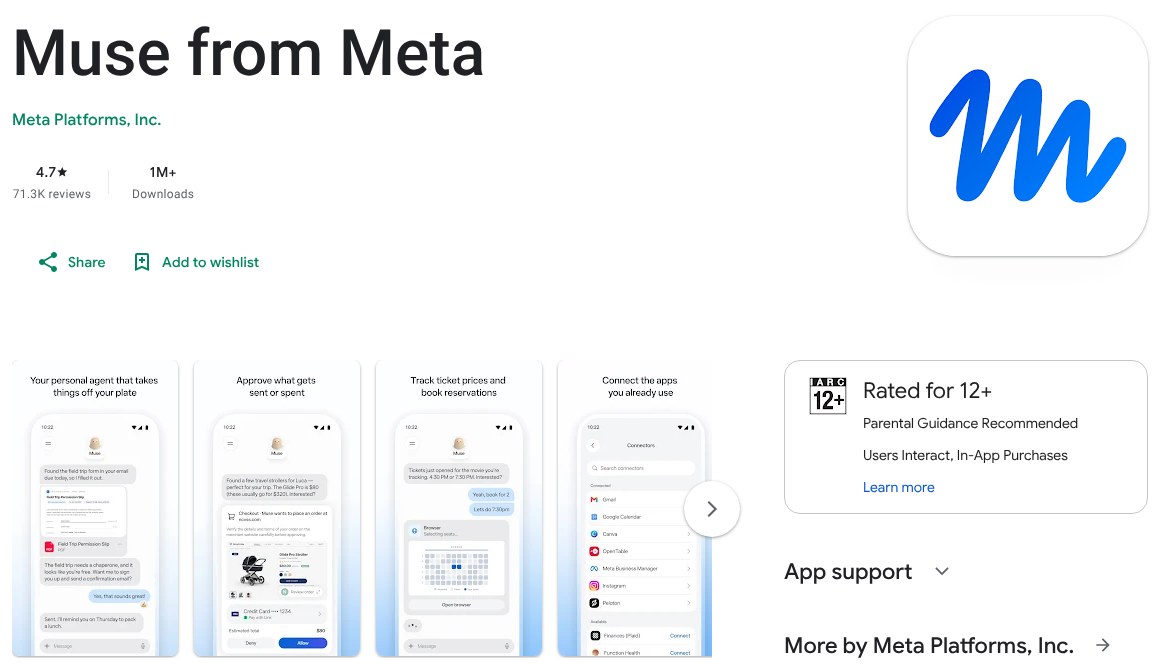
That's the person they're going after: the busy parent, the solo business person who doesn't want to mess with GitHub and Cursor and doesn't know what that is. They just want something to take actions.
The most useful thing, and what I think is actually its moat for now, is it can make voice calls. My wife has been on me to make a medical appointment, so I opened Muse and asked for the best male doctor at this location. It pulled up their website and their reviews. I said, okay, I like this guy, call and make an appointment. It actually calls businesses on your behalf. You pick a male or a female voice, it goes through the phone tree, and it waits on hold for you.
When it got the human receptionist, it said it had Aaron Makelky on the other line who wanted to make an appointment, and it was going to patch him in. It rang my phone from a California number, I answered, it did an intro, said it was going to let me take it from here, and hung up. I skipped the whole phone tree, the hold, press three for this and nine for that, and got straight to a human. It worked perfectly.
Ryan's skeptical of the business model. He doesn't trust any AI company with his data, and he thinks a free Muse is a data grab for Meta's ad network, though he called the 1Password integration that's coming soon somewhat reassuring.
Meta does have some interesting moats that OpenAI and Anthropic are probably never going to have. They own the social media platforms of the average person. If you're over 40, you're probably on Facebook, and if you're under 40, you're probably on Instagram. You don't need API keys or credits for those connectors. I had it pull up the performance of my Instagram reels, analyze which topics were doing better versus worse, and plan some videos. Even Grok Bot can't do that very well without some technical work on the back end.
Glasses and a keychain charm
The other moat is glasses. (Some links here are Amazon affiliate links: I receive a small percentage of purchases and they cost you nothing extra. Any revenue goes to my children's coding and hardware projects. As an Amazon Associate I earn from qualifying purchases.) I have some, it's a long story, and I had a TikTok video about them go kind of viral. The problem is they're bulky, with the big camera and the flash, and I don't really use the camera much. What would be cool is putting them on and talking to your Muse agent with just voice commands, without needing my phone or desktop app. They announced a new set of glasses that they say will ship in less than a month. I'm not going to buy them now, but that's a moat.
You're not going to get Claude on glasses unless you're a hacker who builds your own hardware. And you're not going to buy something out of the box that works with OpenAI, who by the way has the best voice model by far. It's not even your default phone assistant. You're stuck with Siri or Google. If you're a WhatsApp person, or you want these pretty nice and fun glasses, you're not going to get that from the other big labs in the next year or two.
Ryan asked about the legal side of recording with glasses or AI pendants. With the glasses, at least they tried to make it clear: there's a light on the front, and it's pretty hard to not notice. The biggest issue, and I'm talking about the United States only and I'm definitely not a lawyer, is whether your state is one-party or two-party consent. In a two-party consent state, recording a conversation when someone in it hasn't consented is a major no-no.
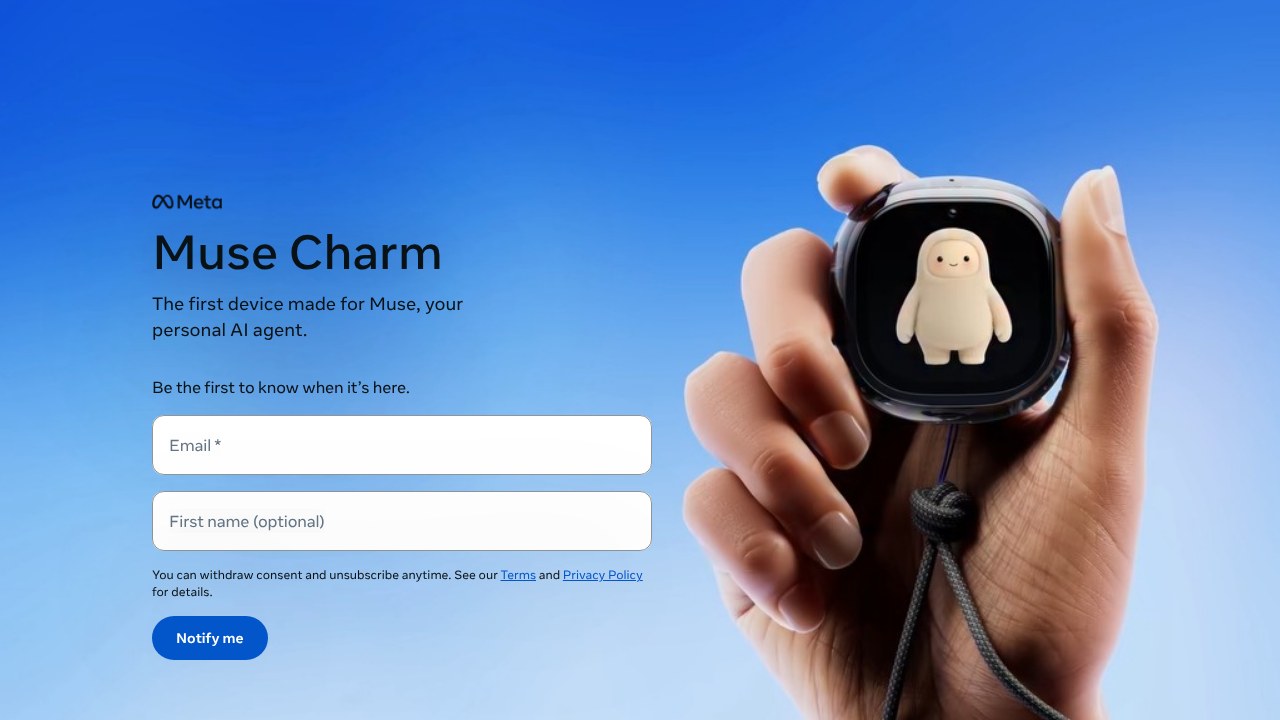
They also announced a hardware device they're calling a charm. It looks like a clip for your keychain, there aren't any details yet, and I think it's not coming until early next year. It's obviously going to capture audio, so there's a privacy concern. I don't know if it records long conversations or works like a walkie-talkie you press and hold. But if you have your agent on your glasses and on your keychain, Claude isn't going to have that anytime soon, and neither is OpenAI. Maybe it's a total flop, I don't know. People love the cute little animation, and if you're already using the agent, why wouldn't you have a little seventy or eighty dollar thing on your keychain to talk to it? OpenAI was supposed to make a device like this and never really released anything, and there's no way they beat Meta to market, because Meta already does this with VR headsets and glasses.
How Ryan does it: one IDE for every model
Ryan's answer to the Claude versus ChatGPT back-and-forth is VS Code. His skills, his AGENTS.md, and his context folders all live there, so it doesn't matter which model or coding agent he's using. They all pull from the same foundation. He uses Claude Code and Codex on the same tasks. When he turns one of our episodes into a blog post, Opus 5.5 does the writing with a skill, and Codex with GPT Images 2.5 makes the featured image and the diagrams, one shot from a YouTube URL and a keyword. If a new coding agent shows up, he installs the extension or the CLI and keeps going. He'd rather people use an IDE or the terminal than lock themselves into one app. He shares more of his systems in his AI Marketing Insiders community and on ryandoser.com.
Why I use the ChatGPT desktop app
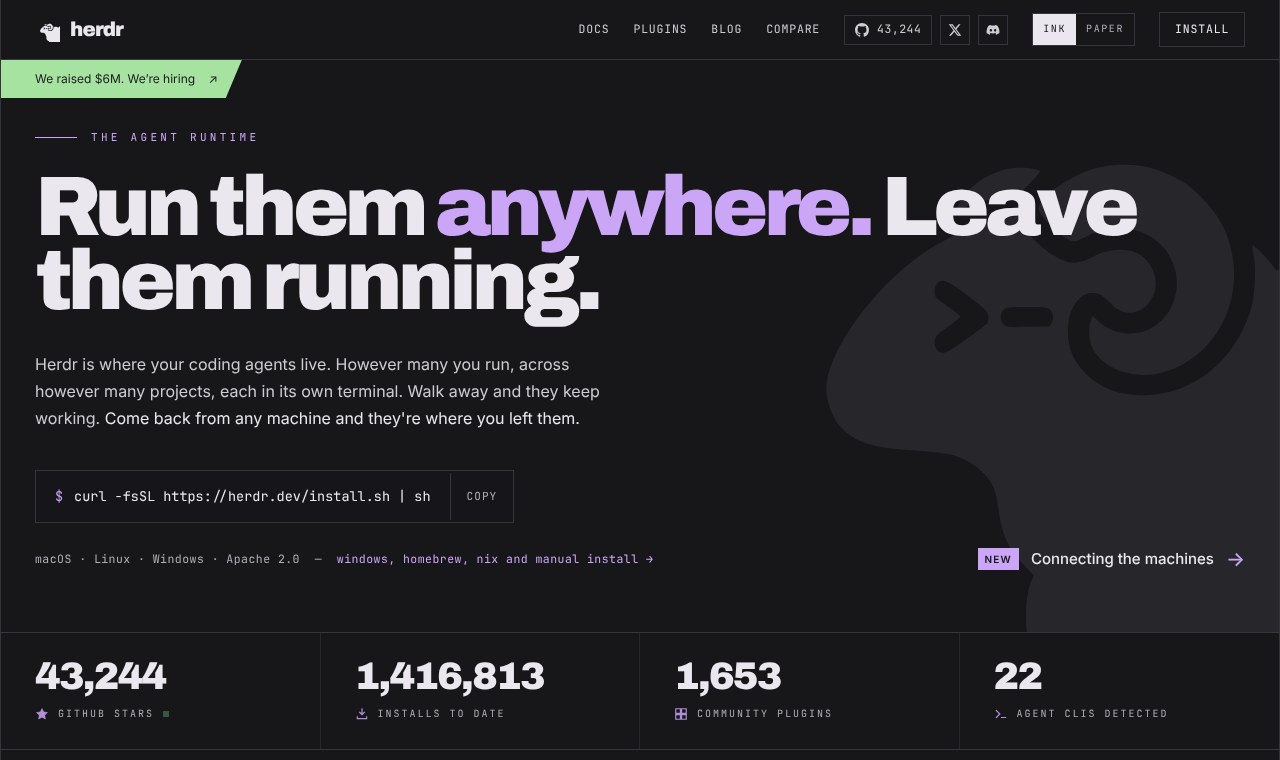
I'm the opposite of Ryan, so here's the other side of the coin. I actually use the terminal more than I ever have, and I never thought I'd say that, because the desktop apps have gotten so good. To coordinate different tools in the terminal, I use Herdr. It's amazing. I can be on one device and control terminal sessions across virtual machines and other machines in my house from one terminal window.
I asked Ryan if you can use GPT voice mode in the VS Code extension. He didn't think you can. GPT voice mode is actually really good.
More importantly, no matter what you do, you have to build a portable workspace. You could take anything you have in VS Code into the Claude desktop app and still access your files and your past terminal sessions. You don't want to build a thing in Grok Bot, decide it's not for you, and find that everything is stuck in that account, so you either have to re-up and pay or start over.
I do think the advantage of the desktop app, and the best one, is still GPT. It used to be Codex, and they kind of merged. Everybody used the web app because the old one was terrible, and then they went on a crusade to make it better. It's not perfect. The biggest thing is it's a memory hog. No matter how much RAM you think is enough, it's never enough. But I think it's worth it, and I use it every day on multiple devices.
The browser in the GPT desktop app is hands down the best. It has cookies, so it remembers sessions, and it now has extensions, so you can put your password extension or your screenshot extension right in the browser. I had it upload a YouTube video, tag it, and put it on a playlist. Why would I go to a Chrome window and bring it in through an extension, when I can bring my Chrome tab into the GPT desktop app, side by side with my coding tool?
The other one is computer use. Ryan remembered Claude's computer use from a few years ago as not even usable for real work. ChatGPT's is by far the best now. Muse has it too, it's just not there yet. Claude is not there yet either. It's going to catch up, maybe.
Custom GPTs are going away, so I use a skill
Ryan wanted to talk about the death of custom GPTs. If you go to GPTs in ChatGPT now, it says custom GPTs are going away on December 11 and tells you to migrate them to a plugin. Ryan's take: turn your GPTs into reusable skill markdown files you can use in Claude Code, Codex, Grok Bot, or whatever system you want.
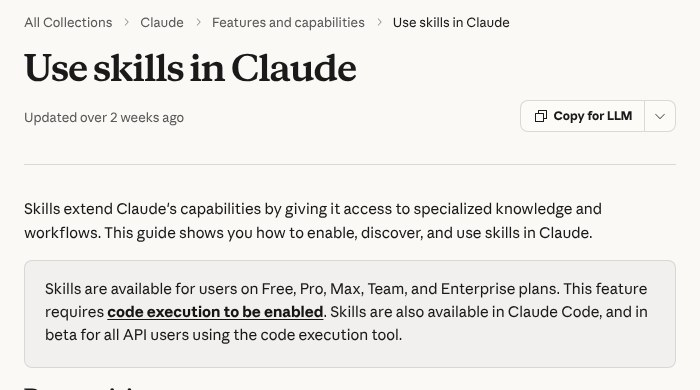
I took what could have been a custom GPT use case and just made a skill. I film my kids' sporting events. My thought for a skill is if you do anything more than three times, you should have a skill for it. Ryan's landing page test is a perfect example. Instead of a custom GPT that knows where to upload, what to name, and how to publish things, I have a skill called kids sports upload. I don't even have to look at the SD card anymore. I just say, pull this, send it in, here's the score of his game.
It uploads the film as unlisted and puts it on a YouTube playlist. Each of my kids has a sports playlist, and my kids have their own personal brand websites. I am that guy. Even my four-year-old daughter has one. I embed the playlist so the most recent game is on there for grandparents, cousins, and buddies at school. My son can tell his buddy to go to his site and watch his film at lunch.
It used computer use, it called tools, it named and scheduled, just like a custom GPT would, and it's just a markdown file with steps. Last night my prompt was as simple as it gets: slash this skill for his game, his team won, and that's the score. It labeled all the clips, so when you watch on YouTube it says on the screen, this is play 62, play 63. It put in timestamps and exported them. That's all I had to do. To check it, I don't have to go out to Chrome. I looked: is it named correctly, is it published as unlisted, because I don't want it public. Check, check, check, and it remembers I'm logged in because of the cookies.
If you do want to try a plugin, make sure it's saved as a markdown file or in a GitHub repo, something you can pull out if you cancel your plan or GPT kills that product.
Daily drivers over the best of the best
I think the everyday daily driver discussion is way more interesting and useful to me than what's the best of the best, because you're just not going to use the best of the best that much.
If you want help bringing tools like these into your business or team, book a 30-minute call with me. I'm also @theaaron on X.