Field notes
How to vibe code a real website, and the slide app I built on the same stack
· 13 min read
AI Rabbit Holes · Vibe Coding · Claude Code · Cloudflare · GitHub · Astro · Claude Skills
My most prompted entry is ship it. Ninety percent of what I do now, something comes up and I say do it. It gives me a draft to review, and I just say ship it. My Claude knows that means merge the PR and make the change. My prompting has become one one-hundredth of the detail, because it's all about context.
Ryan Doser vibe coded a real website live on AI Rabbit Holes, recorded November 5, 2026. Our episodes go up on Ryan's YouTube channel. Ryan rebuilt the homepage for Tire Heroes, a mobile tire shop in Des Moines owned by a friend of his, and I showed the slide app I built on the same stack. It picks up from our episode on the Lovable tax and the website stack we use instead.
Build along with this one
Watch this part of the episode (9:04)
If you haven't put your device aside, or you're doing the dishes while you listen, this is the episode you have to build along with. It's not for entertainment. Clear your schedule or bookmark it for when you have 30 or 40 minutes.
If you don't have a website for someone you know or a business you've used, buy your name.com, or as close as you can get, and build it like a resume, a LinkedIn, or a portfolio to play around with. Otherwise pick a business like Ryan did, one where you know the owner. It's your uncle. Then follow along step by step.
Ryan says the business's current site is bad, and the owner knows it and is overpaying for it. That's a template an agency sells to everybody. They change the name and the main color, and you pay a retainer of hundreds or thousands of dollars a month to keep it up. They're putting in ten minutes of work.

The stack, if you're not a web developer
Watch this part of the episode (3:28)
People might think Ryan and I plan this behind the scenes and agree to say the same thing. We've independently arrived at about 95% of the same approach without talking ahead of time. Here's how I think of each piece when I'm not a web developer:
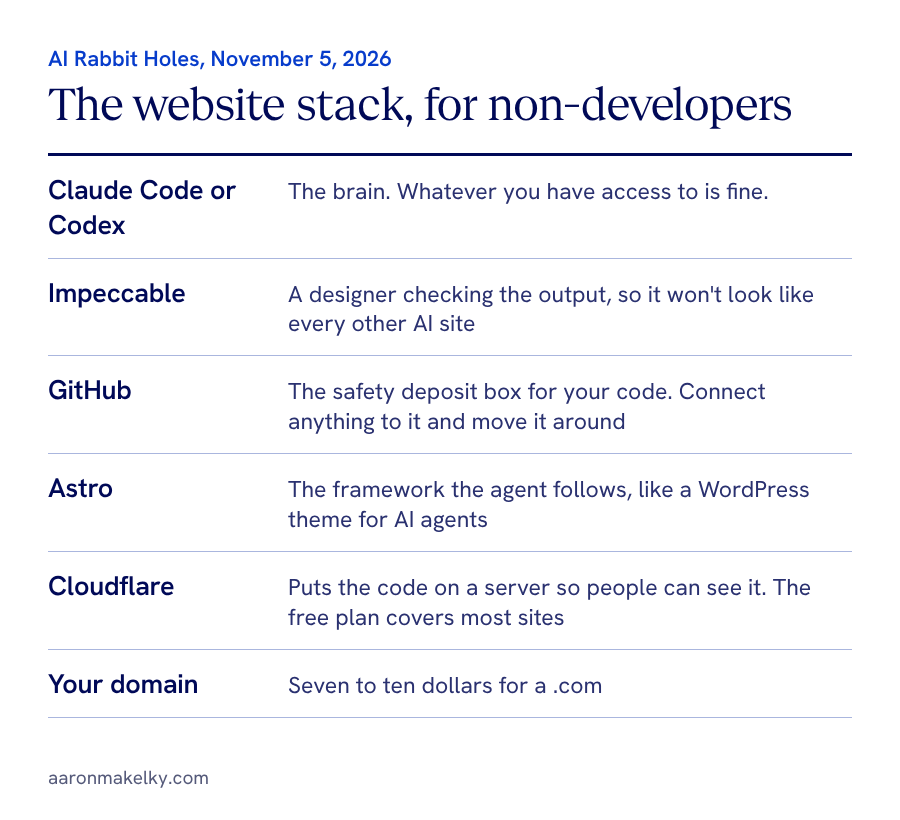
- You need a brain, and that's Claude or Codex. They both work. Whatever you have access to is fine.
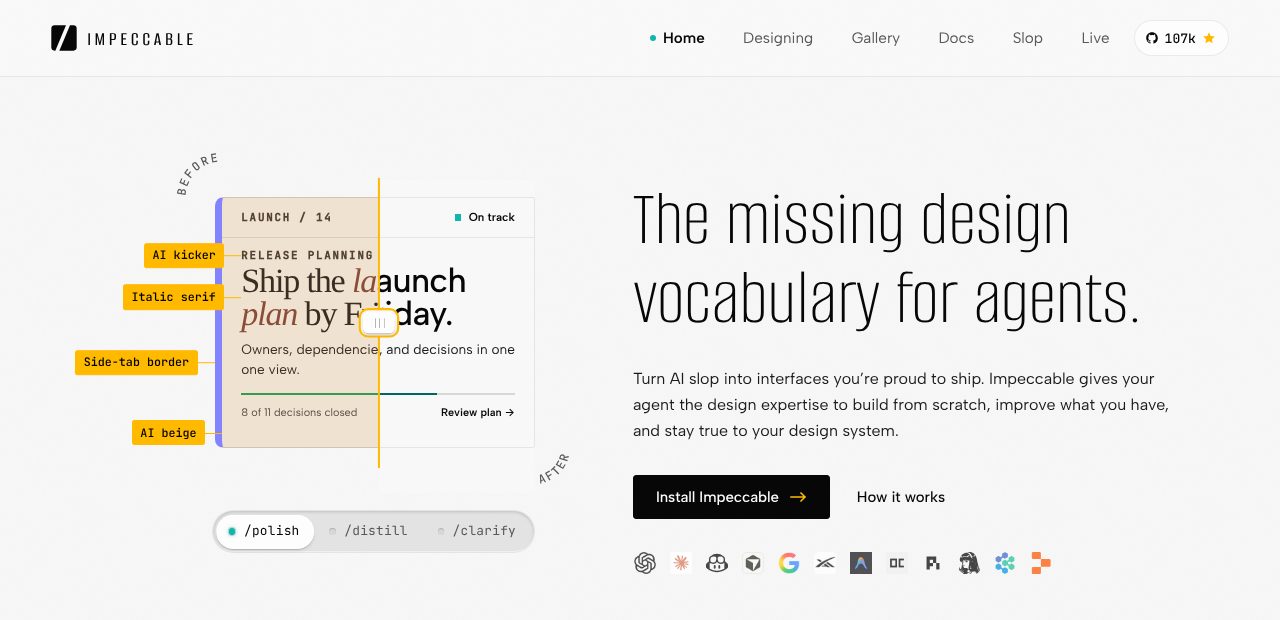
- Impeccable is like having a designer check the model's output and clean it up so it doesn't look cliche and like every other generic AI site. I can't afford a designer for a consultation, and I don't have the terminology to tell Codex what I really want in design. It doesn't mean the site is amazing and perfect. It just won't look like everyone else's.
- GitHub is the safety deposit box for your code. You can connect anything to it. If you ever want to change AI tools, the skills you use, or where you deploy, you want the code in GitHub, not in Lovable.
- The domain is one of the biggest costs, and you can get a .com for seven to ten bucks.
Ryan's version adds DataForSEO for keyword research and checking that the site is optimized for Google and AI search. For Astro, the one people have heard of the least, Ryan compares it to a WordPress theme, but a framework for AI agents to follow. Paste the Astro URL into Claude Code or Codex and say, use the Astro web framework to build this website.
He builds all his sites on it now, and he says ryandoser.com passes Google's Core Web Vitals on desktop and mobile with hundreds of pages. Ryan says the bare-bones version of the stack runs about $20 to $40 a month.
I bet anything website related you can do on Cloudflare's free plan, unless you have a huge site and you're optimizing speed and hosting at an enterprise level. Ryan and I both pay five bucks a month for the Workers plan, and you don't need it for this.
Cloudflare works as well with AI tools as it does with humans. That's part of why I like the company. You and I don't want to look at the Cloudflare menu. It's a maze. Install Wrangler, their CLI. If you don't know what that is, ask Claude and say, use this, don't make me click through a browser.
One sentence and a slash command
Watch this part of the episode (12:03)
Ryan's whole prompt to redesign the site was one sentence with four links. I thought we all had to be prompt engineers, man.
The magic lives in his local website builder slash command, a workflow built on several skills: a local website designer skill, a brand foundation builder, a local SEO strategist. He likes VS Code with the Claude Code and Codex extensions side by side. I asked if you need an IDE, and he said no: it's actually easier in the Claude or Codex desktop app.
Ryan's links were the current website, the Google Business Profile, and the Facebook, Instagram, and LinkedIn pages, so it could pull the logo, colors, photos, services, and newest Google reviews. Then the command:
- Scrapes the site and pulls the images and branding.
- Stops at a checkpoint to approve a DataForSEO diagnostic, about a dollar.
- Writes a brand guide.
- Creates a private GitHub repo on its own.
- Runs Impeccable on the design.
- Has Codex review Claude Code's work as a manager critic and accuracy check before anything ships.
- Deploys a no-index preview to a Cloudflare dev site with Wrangler.

The biggest takeaway: if you're not prompting like Ryan did, a one to two sentence do this with a slash command, and some context like a site to scrape, a document to use, or a framework to follow, you're stuck a year ago, crafting prompts with seven different parts of an acronym that are three paragraphs long.
A slash command is like copying and pasting a prompt in an AI-friendly way, so you don't have to repeat it. Then you say, for this thing, here are three or four links, go. His had been cranking for 10 or 15 minutes from a two-sentence prompt, because it has step one, step two, step three, and it's working through your checklist.
Do it three times, make it a skill
Watch this part of the episode (15:30)
If you don't know where to start with a skill, do a normal chat where you go from first prompt to finished product. If it's something you're ever going to do two more times, so a total of three, it should be a skill. Tell your coding agent to look back across the chat and turn it into a skill, so you can type /blogupdate, or /youtubethumbnail if you just spent an hour getting one and it's finally good. That's how I've made most of my skills.
If you don't have a slash command of your own yet, start with somebody else's as an inspiration or a template. Ryan's skill, no matter how good it is for Ryan, isn't going to be exactly what you want. Run it and give it feedback: I like this, I don't like this, I needed this and it didn't have it.
Then say, make a copy of his skill with these tweaks, and save it to your GitHub so all your tools, Claude, Codex, whatever, can see it in the future. Don't save your skills just in Claude or just in ChatGPT, because if you switch apps, the new one can't see them. More on that in Your AI app should not own your work.
A ticket in some guy's inbox
Watch this part of the episode (27:51)
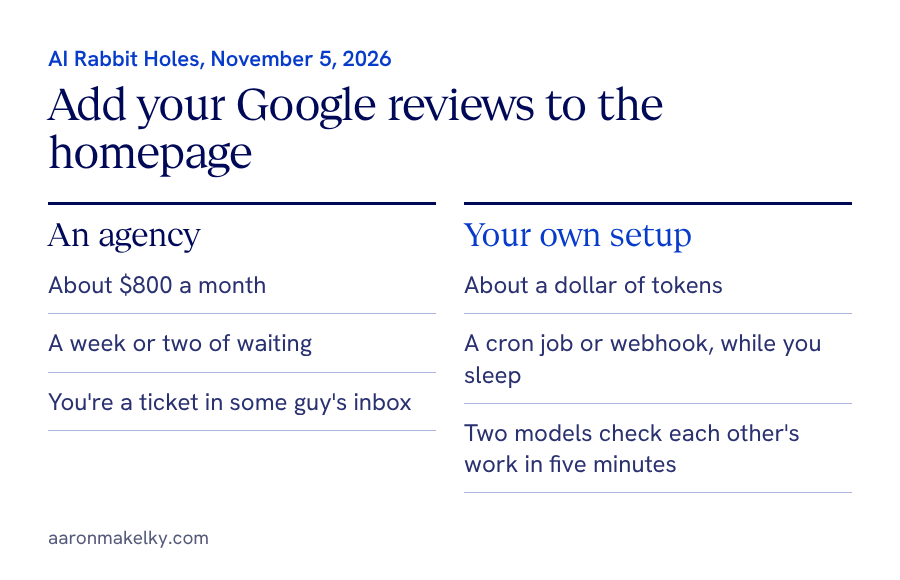
Ryan's command was pulling the newest Google reviews, so let's use that. If you're the average business owner who's not tech savvy, you're paying a web agency to run this stuff. You'd be paying them, and probably waiting a week or two, to periodically grab your Google reviews and add a scrolling testimonial section midway down your homepage.
With Claude, Cloudflare, and Astro, you could set up a webhook for when a new one shows up, or a cron job, like an alarm clock, that does it in the background once a week and keeps fifteen of them scrolling, with a responsive layout so it works on desktop or a phone. Why are you paying an agency $800 a month to take a week to do what will happen while you sleep for about a dollar's worth of tokens?
When Ryan's build hit the review step, Codex checked Claude Code's work before he saw a preview. Imagine you worked with an agency and they said, before we even give you a preview, we had two different developers check each other's work. That's what you're getting, without paying and waiting.
With an agency you're a ticket in some guy's inbox, waiting days or weeks for an answer. You can get that in five minutes if you set it up. It's also a good example of why Ryan uses an IDE. He didn't have to switch tabs or apps to bring models from different providers into one workspace.
Opus for the build, a second model for review
Watch this part of the episode (30:02)
I asked Ryan how he decides what Claude does and what GPT does. He says it's years of experience: Opus 5.5 on high is his daily driver, and he thinks it's still the best model for cost and output together, with GPT 6.1 Soul as the gatekeeper.
I'd add complex tasks where you're planning a whole build. And Opus 5.5 is hands down the best video editor. I tried an edit with some GPT models, and it was okay. They're doable. I tried one with Grok, and it was so bad I threw it away. I do side-by-side tests when something new comes out, and that one reminded me how good Opus is. More in why Opus 5.5 is my daily driver and AI video editing with Claude.
Your AI doesn't need a CMS
Watch this part of the episode (33:06)
A CMS is a content management system, an easy way to update and edit a website behind the scenes. Ryan showed EmDash, Cloudflare's CMS built on Astro, which he says was rough when it launched. He doesn't use a CMS anymore, but thinks it makes sense for bigger teams or an owner who wants to edit things themselves.
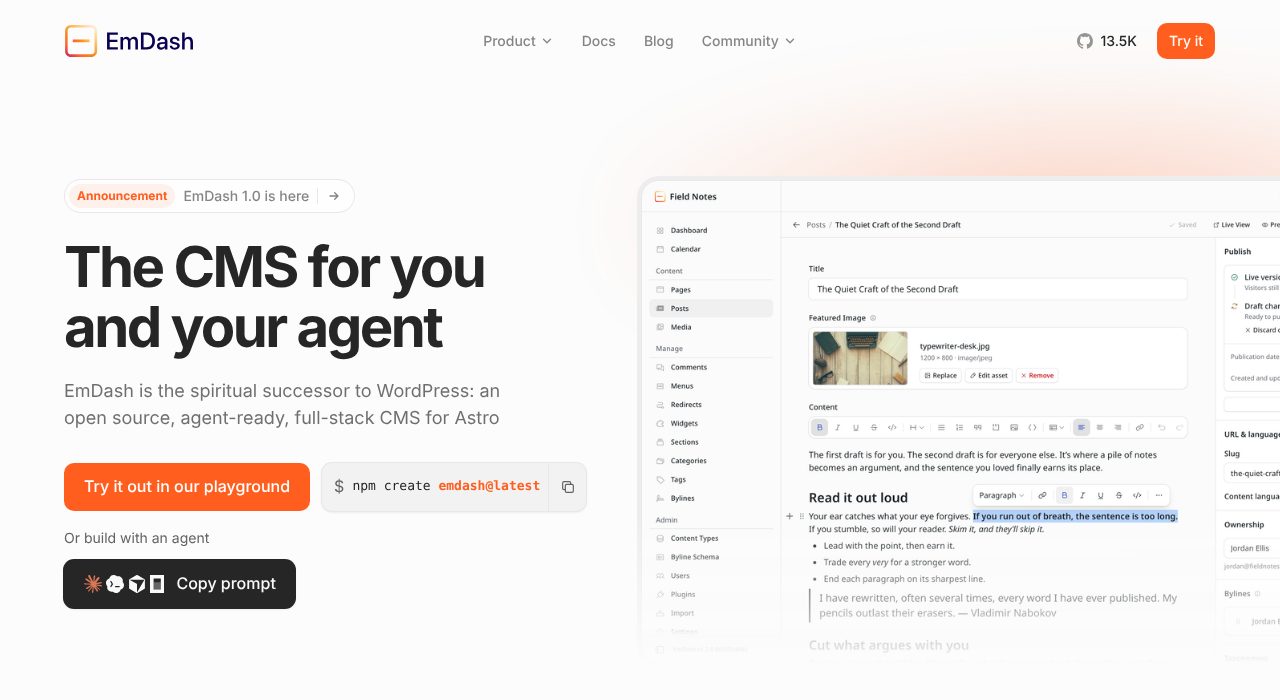
Here's how I think of it. If you're somebody who built websites by dragging a box, adding a widget, clicking new page, and using all the menus in that sidebar, use a CMS. If you type a slash command in Claude to add the page or the blog post, you don't really need one. It's an abstraction your AI tool doesn't need.
Ryan also explained dev sites. His staging builds go to a pages.dev or workers.dev address that Google and Bing don't index, so he can look everything over and share it with a client before it replaces the real domain.
I built my own slide app on the same stack
Watch this part of the episode (37:39)
Besides a website, what else could you build on this stack? This might seem like a weird one, but I'm picky about slide deck apps. I won't touch Canva. I like one part of their app, but I hate designing in it. I really like designing in Figma, but I hate presenting in it. PowerPoint, I haven't touched in like 10 years.
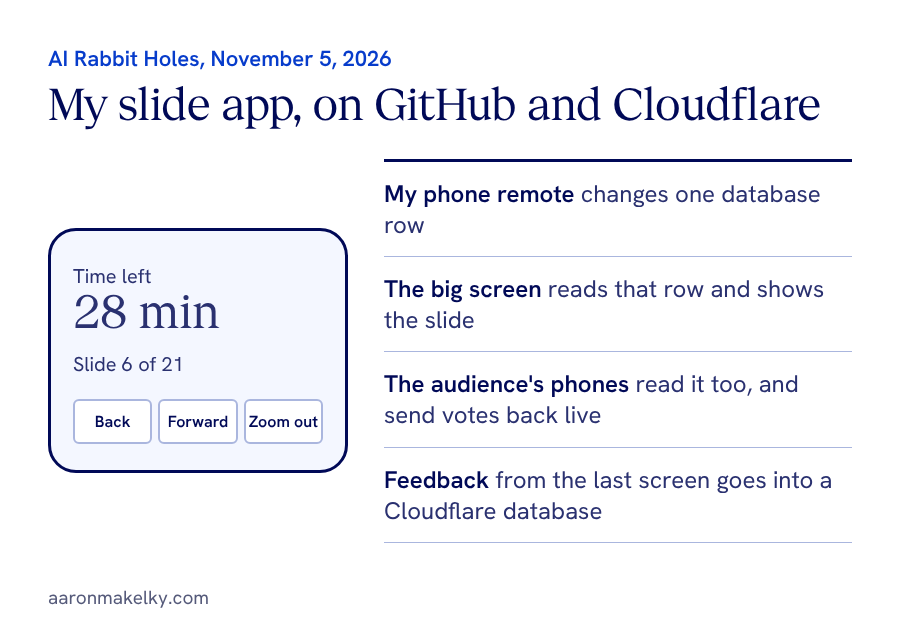
I had a talk to give. I wanted slides with a speaker view for me. I wanted a remote control on my phone so I could walk around, control my slides, and see a timer. And I wanted my audience to sync up with my screen and interact. You could go find a SaaS tool for presenters that's 50 to 60 bucks a month. Or you could say, hey Claude, put this in GitHub, deploy it on Cloudflare, here's the feature set I need, go. Then test it before your talk, and you'd get something good.
The week we recorded this, I gave a 21-slide talk at a principals' conference on it. I wanted them voting on the big screen in the auditorium while I walked around away from my laptop. My phone showed 28 minutes left in my talk, how many minutes I'd been on the slide, and slide six of 21. I can go back, go forward, or zoom out to see all my slides.
That sounds like a really complicated app, like I'd have to go back to college to build it. I used the same stack Ryan did, minus a few tools: no Impeccable, no SEO, no Astro. My coding tool is mostly Claude Code. It saved the app in GitHub, and every time it made a change, it pushed a PR. If you hear PR, think of it as an update or a new version pushed to your GitHub repo.
Cloudflare takes that code and puts it on a server so people can see it. I use Linear for project management, but use wherever you track your tasks. The app didn't need any AI to run, or any API keys. I just connected these things.
Cloudflare also has databases and Workers, so when somebody votes, it updates in my presentation live. At one point seven people said they use ChatGPT the most and five said Gemini, and I was watching that on my phone.
Canva has an amazing remote presentation feature, but I hate building in it. My last talk was in Figma, and I stood at my laptop hitting the arrow keys because Figma has no remote app. You guys are a billion-dollar company, and I can build this with Claude and deploy it on Cloudflare in like five minutes.
I also had feedback come in. Instead of a QR code at the end of my talk asking how I did or collecting leads, the last screen was the feedback form, and the answers went into a Cloudflare database. Before I even left the room I could see what I had. If you have an idea for software you want, you can get a really good version of it in less than 30 minutes on this stack. The talk's companion page is at aaronmakelky.com/wassp.
If you're uncomfortable, that's good
Watch this part of the episode (44:07)
The framework Ryan and I are giving you is a version you control, instead of a wrapper like Lovable or Bolt. You're going to be nudged to learn more of it this way. Those done-for-you tools build beautiful websites, but you don't see any of it. You don't know what a dev site is, or some of the terminology on the screen in front of you.
If you're uncomfortable, that's a good thing, because you're learning, and that skill set is going to be as valuable as the site you're building. Pretty soon you'll have a slash command and spin these up yourself.
My favorite example: a local service business owner told me he was busy and didn't even have a website. He knew he should get one. He swore it was going to take him three or four months to get it up. I laughed out loud, and he asked what I meant. I said, you and I in thirty minutes could go from buying the domain to deploying it on a .com, and it would be very usable. He just didn't know that world existed.
If you want help picking a first project for this stack, book a 30-minute call, or follow me on X at @theaaron.