Field notes
What software is worth paying for, and what I'd cancel
· 21 min read
AI Rabbit Holes · SaaS · AI Tools · Mercury · Cal.com · Cap · Wispr Flow · Meta Muse
I don't want your agent in the app. I want to bring my agent into your app.
I went through every piece of software Ryan and I pay for with Ryan Doser on AI Rabbit Holes, recorded November 19, 2026, the morning Anthropic went public. We were supposed to criticize each other: you should buy this, you shouldn't have that, you should vibe code that. Our episodes go up on Ryan's YouTube channel. It follows our build it or buy it episode and, the day before, the best AI subscription at every price.
Anthropic's IPO and token shrinkflation
Watch this part of the episode (1:48)
The labs took their last shots at Anthropic before the IPO. Anthropic rang the bell the morning we recorded, and you can buy shares under the ticker ANT. Google launched four models in a week. The naming is terrible and access is gated weirdly. The models are actually pretty good, but their marketing and availability are the real problem.
OpenAI released GPT-6.2 Astra and Sol earlier in the week. All the influencers dogged on them. I'd been using them for two days, at the end of my rate limits on a Pro plan. They're not bad. They're just more OpenAI-ish.
Claude is so good at saying, you're kind of an idiot, I know what you really want, let me build it and impress you. These OpenAI models are very literal. If you don't give them a specific plan and babysit them, they don't always do a good job. If you do, they can do excellent things, and they're efficient.
Did anything released in the last week make you want to switch away from Opus 5.5? Ryan said no.
Ryan isn't touching the IPO. He's skeptical of Anthropic's "act for the global good" line now that it answers to shareholders, and he's worried about what happens to non-enterprise customers. He pointed out that Amazon owns 14.7% and Google 13%, and in his experience a product tends to get worse for the average person after a company goes public.
I'm torn. Ryan taught me this about two years ago when I found his YouTube channel: these things are tools. Don't go get a Claude tattoo. Don't become a fanboy the way you root for the Denver Broncos. As long as they offer you a valuable service, use it. When they don't, hopefully there's something good enough to switch to.
I don't believe in a lot of the mission either. I don't like the guardrails, the way it tells me, actually, I'm not going to let you do this with your own device. But their models are the best at what I need to do, and their plan is the best value. So I use it. I also believe in capitalism, and we need competition.
Go to the App Store and it says Claude, the AI for creatives. I'm a marketer too, and it's good marketing. But it's the AI for whatever people use it for. There's nothing inherently creative about Claude.
Now they're no longer subsidized by early investors. It's going to have to be shareholders who expect a profit. So it's not going to get better. Shrinkflation, only it's with your tokens instead of your potato chips.
Ryan's answer is to back up everything. He showed his private GitHub repo that a weekly scheduled task fills with his whole Claude Code setup: files, folders, slash commands, hooks, skills, and MCP connections. If he gets rug pulled, he connects GitHub to his next AI system and says, here's my setup, implement this.
The AI subscriptions
Watch this part of the episode (11:14)
Ryan's two daily drivers are Claude Ultra at $200 and ChatGPT Pro at $100. He uses Claude for client work, SEO, content, websites, landing pages, video editing, podcast decks, and newsletters, and Claude Duet on his phone. He told me he'd pay up to about $1,500 a month for what he gets now. ChatGPT Pro is his insurance policy: Codex picks up when Claude Code is down or out of usage, and GPT Images 2.6 is the best image model.
Ryan's setup is good. For people who aren't burning as many tokens as Ryan and me, maybe a $100 plan for one and a $20 plan for the other, so you still get some top-tier model usage, and like Ryan, you have Codex check Claude's work.
The other thing about GPT: the desktop app is really good at controlling your computer. They have the best voice models. It can take over your browser, and it works way better for automating things in a browser than Claude's extension does. Some of their connectors, which they call plugins, are more polished. If you care about model quality and what you get out of the subscription, I'd start with $100 Claude and $20 ChatGPT. More on that in the best AI subscription.
Kit for email marketing
Watch this part of the episode (13:48)
Ryan pays $119 a month for Kit with a list of about 8,000 people. He makes more than that off the list, and he doesn't want to worry about whether a vibe-coded tool can hit inboxes instead of spam or the promotions tab, especially with AI inbox managers filtering newsletters.
If you spent the time you'd need to vibe code a replacement on building up your email list instead, you'd get a better return on your time and your money.
I asked about Kit's MCP connector, since I haven't used Kit in a while. Ryan said it took a while, but they shipped one several months ago and it's gotten a lot better.
Skool for communities
Watch this part of the episode (15:49)
Ryan pays $99 a month for his Skool community, about 2,200 members, and makes more than $99 a month from it.
The big advantage of Skool: people are already in Skools. They already have the app. Someone can switch into your marketing Skool from one they joined for a different interest. You could build your own website with all the same features, but getting people into your ecosystem will take a lot more time and money than $99 a month for a feed, videos, and little courses. You could replace it, but you wouldn't get the traffic, and the traffic is what brings the money in the first place.
The nice thing about Skool is the $99 flat fee. A lot of the others, like Circle and Kajabi, add this on for $50 a month and that feature for another $80. Skool is kind of simple, but the price is flat and it's clear what they'll charge you.
Ryan's one complaint is that Skool doesn't have a working MCP, and Circle does. I had to push back: isn't one of your rules that if a SaaS doesn't have an MCP connector, you don't want to pay for it? He said Skool is the one exception.
Riverside, and why not to use built-in AI agents
Watch this part of the episode (19:11)
Ryan also pays for DataForSEO for keyword and SERP data, though he's looking at other SERP trackers. Then Riverside at $40 a month. He loves its MCP with Claude Code for editing and packaging, and uses the transcripts to repurpose episodes into social posts with Claude Duet.
I'll agree with an exception. If you're doing your own video work, like screen recordings, YouTube videos, and social video of just you, it's not worth it. The difference is Ryan and I do virtual podcast recordings multiple times a week.
The differentiator for Riverside is you can pipe it out and live stream to places like X, which we were doing while we recorded. To me, the live synchronous recording and streaming is the best part. You can still edit and do screen recordings in there, but you can take the MCP connector and do that with your other work.
Ryan's pro tip: never use the built-in AI agents in SaaS tools. He thinks the quality is bad across every tool that has them. Plug the MCP into your own setup with Claude Code or Codex and your skills instead.
Especially if they don't let you plug in your subscriptions, because those agents are basically reselling you tokens. And I don't know if anybody from Riverside is listening, but it's cluttered the interface. There are like three sidebars now, and it's annoying.
QuickBooks alternatives: SlowBooks Pro and Mercury
Watch this part of the episode (21:59)
Ryan plays devil's advocate on QuickBooks. It has the integrations and the MCP connection, and it's what his accountant uses for all his other clients. At $38 a month, the opportunity cost of moving isn't worth it to him, even though he'd like to see Intuit go.
That's why they price it the way they do. It's enough to make money, but not enough to make you go find a different solution. They're very good at finding the price point that keeps you there without making you churn.
My first question was whether he used the online version or the desktop app. Online. Here's the problem with all of these, Riverside included: if that's your only copy of your data, it's in the cloud somewhere. When you cancel, they might have a way to export it, but most people don't know how and are intimidated by it. It's some weird file type, especially with QuickBooks.
I wouldn't know what to do with an export of all your QuickBooks data. I don't use QuickBooks, I don't know what program opens it, and I'm not an accountant. But Claude does, or GPT does. If you can find an export button and get the database out, I bet your AI tool can help you put it into a format or store it somewhere else.
- SlowBooks Pro, if you want a comparable replacement. Disclaimer: I'm friends with the guy who made it, and I spent an hour and a half on a call with him getting it set up for clients of mine. Your files stay on your own computer, or a virtual private server, in a QuickBooks-like interface. You can export, import, and sync, and have your agent keep a ledger in SlowBooks Pro for a week to see how it follows QuickBooks. It's free and open source, and it has things for construction companies that QuickBooks doesn't.
- Mercury. I'm going up a level from legacy SaaS to legacy banks, because they're locking out agents.
I went in person to talk to my old bank about my business account and asked when I could make virtual cards that are vendor locked. The person said, you can get other cards, we'll mail them to you. I said no, a virtual card for a Claude Max subscription that's only used at Anthropic and capped at $200 a month. They said, we can mail you one. They didn't get the concept of a virtual card, and they work at a bank. I moved all my stuff.
Mercury has a CLI. I invoiced somebody from Grok Bot while I was driving in my car: hey, I need an invoice for this client, here's their email, send it. Done.
It's the most AI friendly bank. You don't have to YOLO it and let AI do everything, but it's open to you and to agents. The apps all have supported connectors, so you don't need custom ones. You can set up routing rules to split every dollar that comes into your business: save this for taxes, put this in my expense account, pay myself back.
They have built-in bookkeeping that's free right now. I think it's going to be $30 or $35 a month, priced just under QuickBooks. My books are really simple, so it's more than I need, and I don't want another dang tool. I want my bank to handle my invoices and my books, consolidated in one place. I compared its API to another bank's in Meow vs Mercury.
Ryan brought up Linktree as a SaaS that already got replaced. I see big influencers who teach AI workshops paying for Linktree, and it's my number one alarm. If you don't know how to make your own version of Linktree and you're paying $15 a month for a landing page with five links on it, you're not very smart.
Google Workspace instead of Zoom and Calendly
Watch this part of the episode (28:32)
Ryan pays $20 a month for Google AI Pro for the storage, and uses Gemini on his phone for everyday things, like troubleshooting his Google Fiber Wi-Fi with photos and videos the morning we recorded.
If you're more on the business side, most people starting a business ask, are we a Microsoft shop or a Google shop for email, Drive, and docs? If you want AI-friendly connectors and some modern software, I'd go with Google Workspace. That's what I use for mine. I think it's less than $20 a month, and you get two terabytes of storage.
Google Meet is one of the best features. I hate Zoom, and I hate what Zoom costs. Google Meet is a better product, and it comes free. I'm never paying for Zoom. It doesn't do anything these other tools don't already do better, and it wants you to use it for docs and transcription. I'm not doing that. Ryan pointed out you can record and transcribe with Gemini built into Google Meet now.
On OpenRouter, which Ryan uses for one-off models: it's also how I'd try Google's newest model, Gemini Neon or whatever the stupid name is, when I don't want to sub to a $200 plan.
Then Calendly, my favorite. Ryan pays $10 a month on the annual plan. He's been on it since 2021 or 2022, his meeting links are all over ryandoser.com and his workflows, and he calls vibe coding your own Calendly the worst waste of opportunity cost there is.
Here's my pushback. Google Workspace, for the $18 to $20 a month I pay, has a built-in booking tool that's 95% as good as Calendly, with Gemini transcription and Google Meet. That's a better deal. If you want your own, I wouldn't vibe code one. I'd use Cal.com, which is what I use. You can do paid meetings, clone it and fork it, and bring in Zoom or Google Meet for certain meeting types.
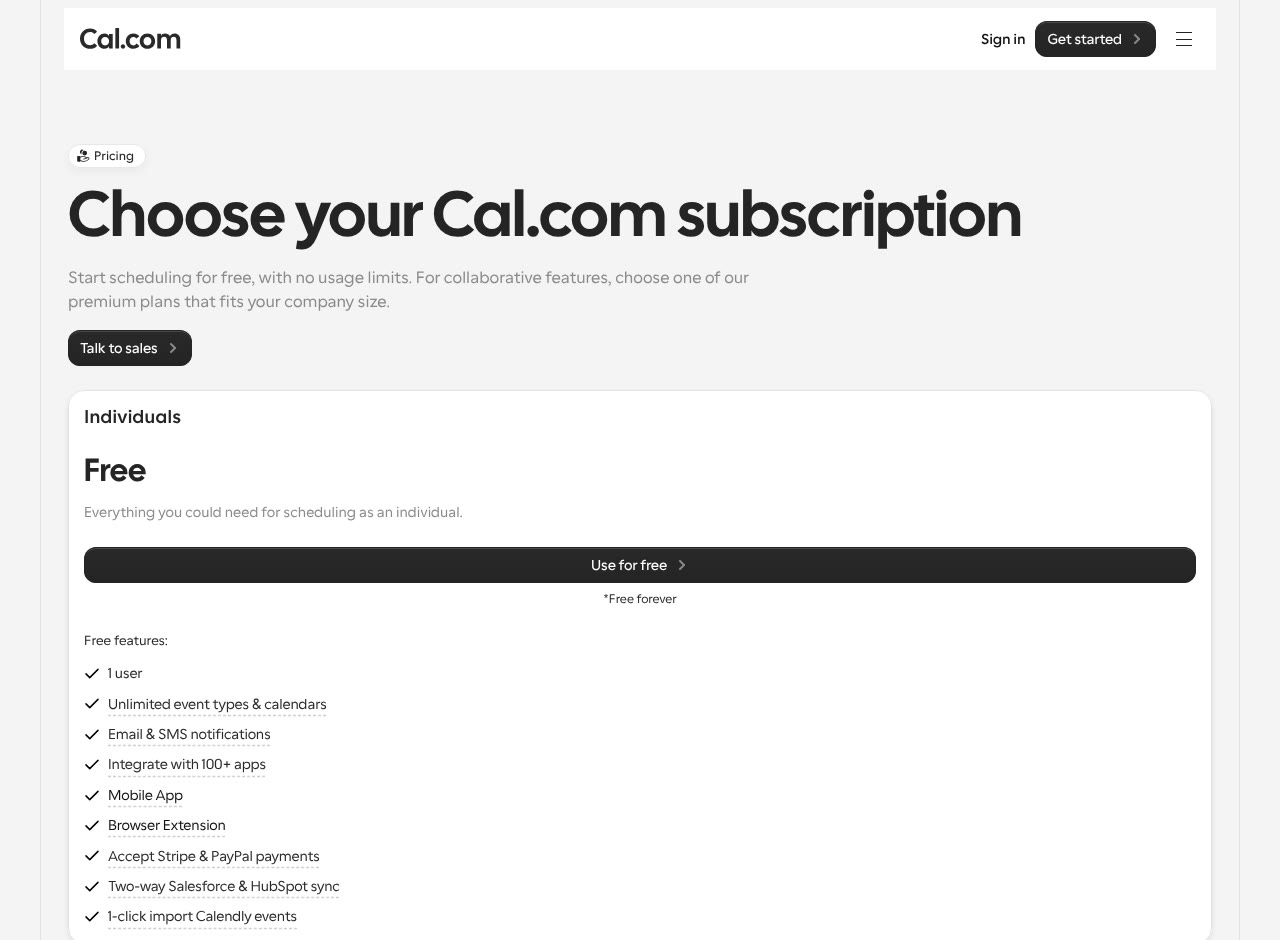
I wouldn't start anybody on Calendly today. I'd start with Cal.com if you want power or a team, and you have to pay for the team. If you're a simple solo consultant, I'd stay in the Google ecosystem, because it's just as good and you're already paying for it.
Obsidian sync and Cloudflare
Watch this part of the episode (33:04)
Ryan pays $10 a month for Obsidian Sync across his devices, including a Mac Mini that runs 24/7 and dumps his conversations into his vault. He's thinking about moving the vault to GitHub, but it hasn't been a priority.
Besides Git, which I use for a Git-backed Obsidian vault, here's another option. A Git-backed vault is kind of a pain. It's not as easy as people say, and maybe I'm just not a smart man.
For most people on Apple devices with any amount of iCloud storage, your Obsidian vault is a bunch of text files, and it works really well in iCloud. For about the first year I used Obsidian, across a MacBook, a Mac Studio, an iPhone, and an iPad, I just put it in an iCloud folder and it was beautiful.
It's tough when you have agents using it, or a VPS, or a little headless Mac Mini. If you're just starting with Obsidian, I wouldn't pay for the sync. I'd use iCloud if you're an Apple person.
We both pay $5 a month for the Cloudflare Workers plan. Ryan isn't sure he even uses it, because the free plan is so generous for hosting sites and managing domains. He thinks Cloudflare's free plan is the best value in software right now.
They're probably the most AI-forward company. They're always building things for the AI agent experience on your site. You can block certain bots with a simple toggle, like blocking Meta Muse but not Grok Bot. I love how futuristic they are.
What I pay for, and why
Watch this part of the episode (36:30)
A disclaimer first. I have other paid plans that I don't pay for myself, and I didn't include those. Everything here, I pay full price for with my own money. There's no promotion, there's no deal, there's no sponsorship.
What's the same as Ryan: Claude Max or GPT Pro, because if you're a serious person you probably have some version of those, and Google Workspace, the business version of what Ryan has.
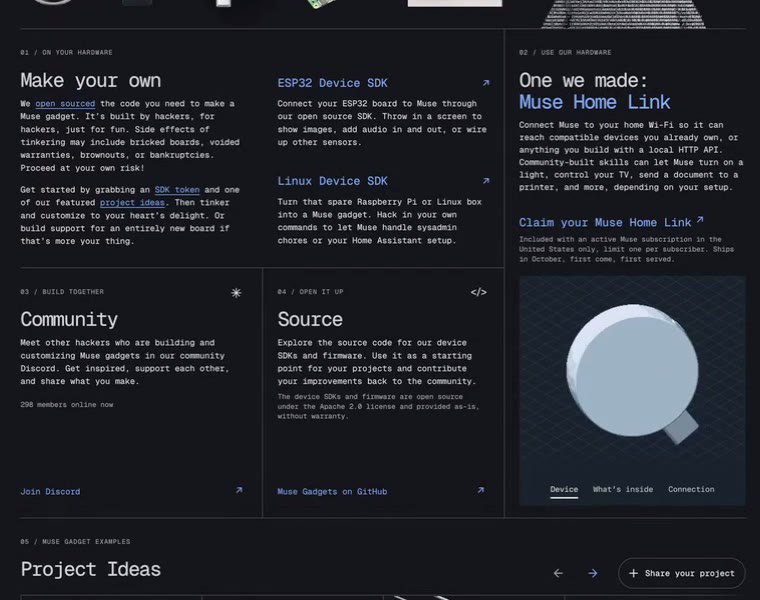
What's different is Meta Muse. It's really good, and I think it's going to win over the average consumer: the stay-at-home mom, the salesperson, the teacher. Not the tech bros in an IDE doing crazy coding. I want to be in that ecosystem if that's what I think is best for people and what I advise people to do when I work for them.
I use it every day. The voice model is the best. It's on Apple Watch. I have a Home Link, so it can control my devices. I know that's kind of crazy, I'm just experimenting with it.
I have a server and I know how to do this stuff. But there are two big categories I'm not going to self-host or vibe code a substitute for. One is creator tools: screenshots, recording, and editing. The other is cloud storage.
The hardware is expensive, and the headache and unreliability make it better to use iCloud, Google Drive, or Dropbox. On YouTube you'll see people build a home lab full of hard drives. It costs 10 years of the biggest storage plan and doesn't work as well. Unless you want to learn, just pay for cloud storage.
- Flask is new. I have no affiliation with any of these. It lets people and agents collaborate on video editing in the cloud. If you've used Frame.io on an enterprise team, it's like that: you send me a video, I'm the creative director, I put notes on it, you send back V2. But you can use agents, and you get unlimited cloud storage while you pass files back and forth. The disk space is what makes it worth it to me as I edit videos with my agents.
- Shotbase is fancy screenshots. I hate the default screenshot app on Mac, and I post about five screenshots a day. You can add shadows, round corners, and a phone frame so it looks like it's on an iPhone, which is my favorite style. My X creator payouts alone are more than $123 every two weeks, so if it makes my content more appealing, I'll pay $123 a year for it. I could vibe code a replacement, but it'd be a pain in the butt and a waste of my time.
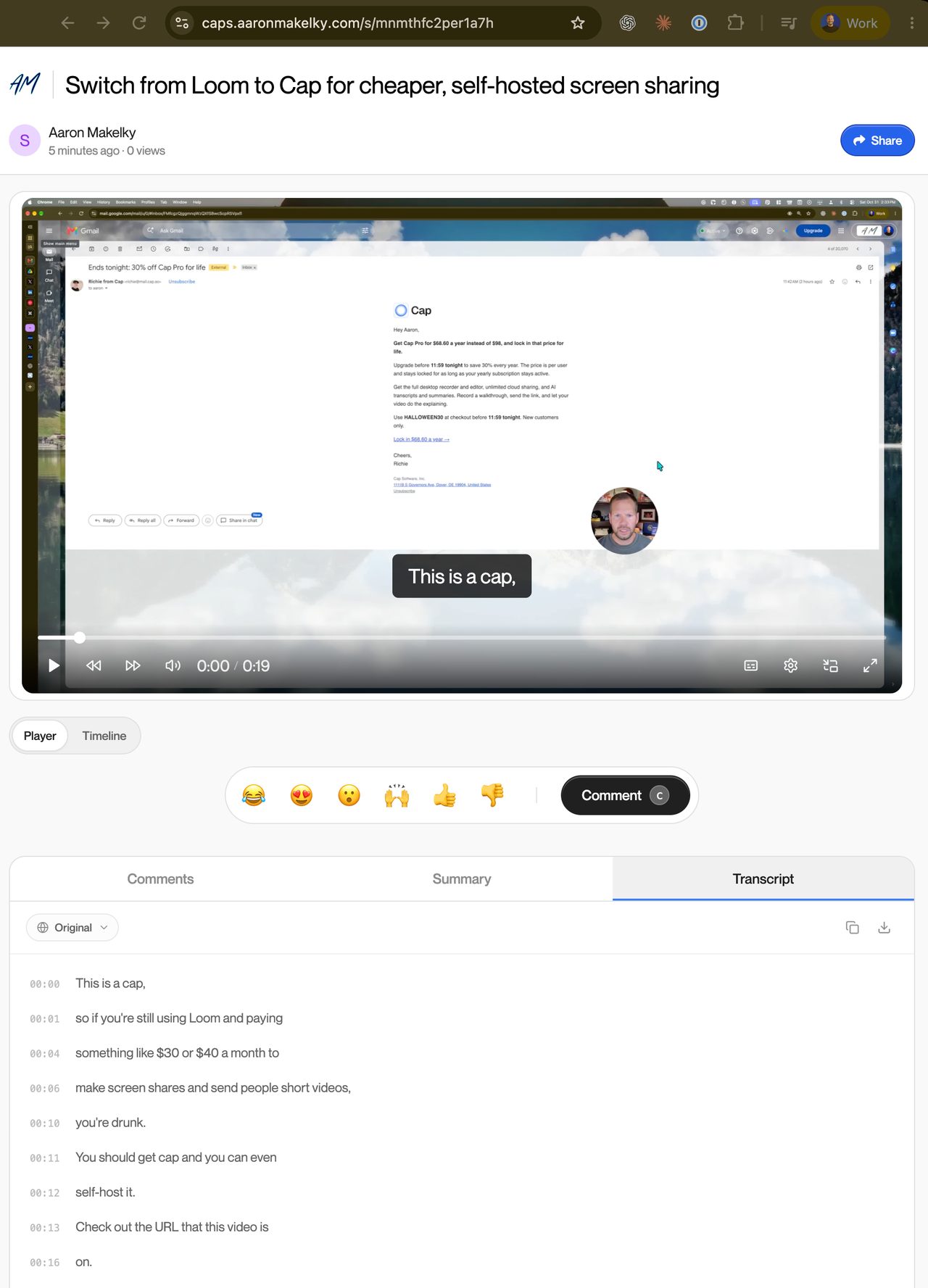
- Cap, if you're not doing recording and streaming the way we do in Riverside. I pay $69 a year, and that's my affiliate link, which gets you 20% off. It has a CLI, so you can say, hey Claude, go to my website and take a video of it, and it records on its own. For Loom-style client videos, I self-host it, so my links are on my own domain. If I cancel Cap, nothing happens to my videos. They're in my Cloudflare storage. It's open source too. More in my Cap setup.
Wispr Flow vs VoiceInk
Watch this part of the episode (42:07)
Wispr Flow is contentious. I got early bird pricing almost exactly a year ago, about half of retail now, around $72 a year. Ryan said that's well worth it if you use it every day.
I use it most for recording meetings, like a Zoom or a Google Meet. Now it does in-person meetings too: put your phone on the table, talk, and get a meeting note that can tell there are two people talking, not just Aaron's voice to text. Granola is solid and a little beefier in some areas, but I think voice dictation and meeting recording are things most people will pay for.
You can use open source models. Hex is a great app that uses Parakeet locally on your computer. But it can't take a transcript of five people in a Zoom and attribute who said what, because it doesn't have a bot in the meeting.
Ryan pays $25 for a lifetime VoiceInk license on his MacBook Pro. Most of his dictation happens on the laptop, and on his phone he uses the built-in dictation in Gemini, Claude, or ChatGPT.
That's price per machine, and I'm on at least two machines a day. I hate that pricing model. If you care about privacy, I think Hex is the best one that lets you run a local model. It's a beautiful, fun interface, but it's not as good as a meeting recorder. Wispr Flow is worth it to me.
1Password, and where to keep your API keys
Watch this part of the episode (44:43)
I've always had password apps. A lot of enterprise teams require you to use their password app for all your work stuff. If your company doesn't do that in 2026, they're behind the times.
Google's Threat Intelligence Group released a report the week we recorded. Most of these leaks happen by going after employee credentials, then using those to get into the API or internal documentation.
I think 1Password is the best for average people. A cool perk if you're pitching it to your boss: if your company pays for it, employees get a separate personal account for free, for your personal email and bank account, and you keep it if you leave.
Here's why I use it. I'm on Mac and Linux every day. Apple Passwords doesn't really work on Linux, doesn't have a CLI, and doesn't work with agents. If you're only on Apple, use Apple Passwords. Same with Google. The problem is I was worried about my parents and my wife, who aren't in this world. I needed something my old man could use on a Windows Dell laptop and an iPhone.
So I got 1Password Family for $54 a year, not a month, and put 30 minutes on the calendar to help them get all their passwords from notepads, Apple, Chrome, and some other weird app, export them, and import them into a vault. You get an emergency kit you can keep a paper copy of. It has built-in integrations with Grok Bot and Meta Muse, so you can give an agent its own set of passwords.
The biggest one for people like Ryan and me: where are you storing your API keys that AI agents can't see? You're probably putting them in the chat. We've all done that, I'm guilty too. If you put them in an Apple Note or a Google Doc and you have an agent with a connector there, it can read all of those.
Ryan added prompt injections. A viral public GitHub repo could have hidden instructions telling your agent to find your API keys, credentials, and MCP connections and run up your bill.
I know so many people who have a Google Doc or an Apple Note called my passwords or my API keys. An agent will search for that and find it. And they're all formatted consistently. All OpenAI API keys start with the same first couple of characters, so it knows how to find them.
Some key hygiene:
- Rotate your API keys, and don't leave one sitting on a Zapier or Apify account you haven't touched in years. That's Ryan's. He mostly uses MCP and CLI connectors now, and only three to five API keys.
- Don't use the same API key in more than one project. If you have a problem, you won't know which one it came from.
- Name each API key for a specific app or purpose, and keep them separated.
Free tools that do the real work
Watch this part of the episode (49:34)
A lot of the stuff I don't pay for is important. GitHub is one of my most important tools, and I'm on a free plan. Developer teams on enterprise plans with huge files are who pays. For average people and small teams, these are just as important as the AI subscription, because this is where the work happens. If you're new to it, start with our GitHub for marketers episode.
Vercel released a new primitive the day we recorded called Boards, message boards for your agents. I haven't used it yet, but I'm going to. These are the tools where the work, the communication, the design, and the docs end up getting built, and I bet you could start on the free plan.
- Notion. I've paid for it and been on enterprise teams that use it. The free plan is very AI connector friendly. I don't want to use Notion's agents. I want to use Aaron's agents in Notion, and I can do 99% of what I want on the free plan. They limit file uploads, kind of like GitHub, but for text and database stuff, I'm good.
- Somewhere to deploy. I think Vercel and Cloudflare are by far the two best.
- A communication tool. I hate Slack. There's just something about that app. Ryan thinks Slack has made a comeback with automations, like the daily SEO reports his clients love. I'd rather be in Buzz with someone AI-forward like Ryan, because I can self-host it and agents can have their own identities. Most employees on enterprise teams aren't getting out of Slack anytime soon.
- tldraw. Even if you're not a whiteboard person, I did a whole season of football coaching this fall in tldraw: diagrams and tables. You can do local files, and they have an SDK so you can make your own version for private use. You don't have to pay $40 a month for Figma just to get a whiteboard.
- Canva, Figma, and Paper. Most of us do some designing outside of Claude or OpenAI, and I bet you can get a lot of it done on a free plan.
Bring your own agent
Watch this part of the episode (52:05)
The way I put it all the time: I don't want your agent in the app. I want to bring my agent into your app. I hate that Claude has the meeting note taker, the whiteboard, the docs. I'm not using Claude Docs. No team is going to cancel Microsoft, Google, or Notion for Claude Docs. Don't get sucked in. Pick tools that let you bring your own AI agent and pay with your own credits. I said the same thing about Claude vs Google Workspace.
I'll give OpenAI a little shout out. They were first to say you can sign in with ChatGPT and use your ChatGPT tokens in a bunch of different apps, like Notion. I hope that's a trend. Claude is starting to do that with the API, but you can't use your subscription anywhere.
We should push these companies to let you sign in with Google and use your Gemini tokens to run their app. Then they can make the good apps and primitives, like whiteboards and docs, and the labs can make good models and sell us tokens. That's all I want from them.
Ryan's closing advice goes back to the IPO: back up everything and keep an eye on your rate limits, because he expects the Claude Max and Ultra plans to get the shrinkflation treatment.
If you want help deciding what to keep, cancel, or replace, book a 30-minute call, or follow me on X at @theaaron.