Field notes
I use open source AI models for the work I hate
· 11 min read
AI Rabbit Holes · Open Source AI · OpenRouter · Hermes · Local LLMs · AI API Costs
I've been using open source models for years, and more recently than ever. I think of it like farm equipment. There was a big lawsuit against John Deere over the right to repair: people bought the equipment, but when something needed work, they had to take it back to the dealership. That's how closed source models work. To use the Codex desktop app, you have to use OpenAI's models. The app is great and it's free, but you have to pay their subscription and run all of your usage through them.
I talked through how I use open source models with Ryan Doser on AI Rabbit Holes, recorded September 17, 2026. Ryan showed how he runs them in the cloud through OpenRouter and had three of them redesign one of his landing pages, and I shared where I actually use them. The full episode is on Ryan's YouTube channel, along with our earlier ones, including Astra vs Fable and AI video editing with Claude.
Open source means you get the blueprint
Open source is kind of like you get the blueprint. Now, ninety-nine percent of people are not going to host the big full-sized models locally. That's a whole different question. But you can do what you want with it, and some of them are really small.
I'm not a life or death open source acolyte. I believe in the idea, and there's a political part to it that most people just don't care about. They want what's best.
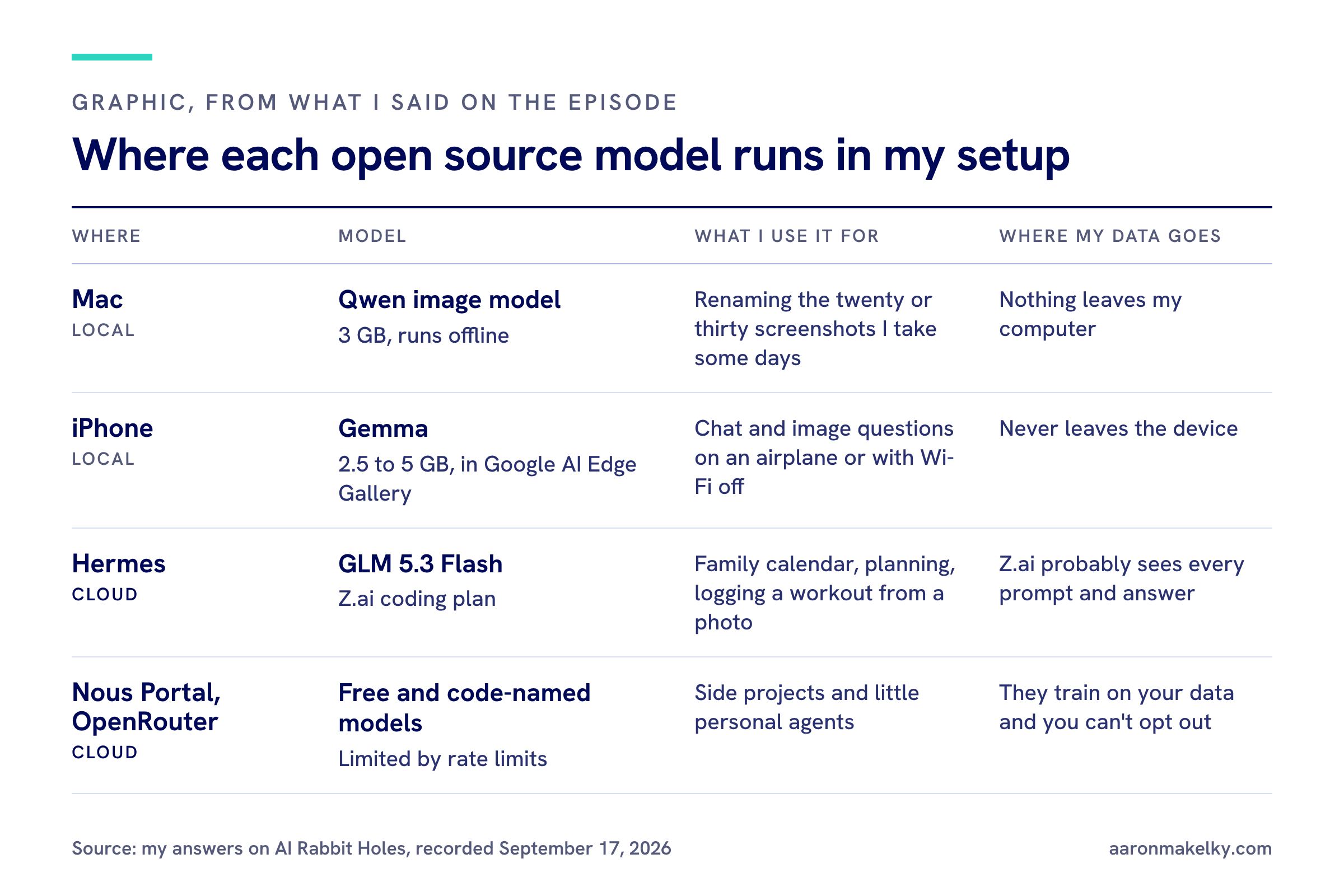
A 3 GB Qwen model renames my screenshots
I use a Qwen model on a Mac desktop, not some crazy rig. Qwen is Alibaba's model, and it's one of the best that can fit on your actual computer, depending on how much RAM you have, especially on a Mac.
I use it on all my screenshots. Some days I have twenty or thirty, and they're named 9.17.26 and a random string, and I'm like, where's the screenshot of the app I need, or the bank statement I wanted to send in? The Qwen local image model is three gigabytes, about the size of a big desktop app. It looks at the images, makes a new name, and saves them as something like "screenshot of Google Chrome Wells Fargo account on September 14th."
I would never do that with OpenAI or Claude or some closed source model, because you're letting it look at everything. This runs without the internet on my own device. Nothing leaves my computer. I'm not going to rename every screenshot every day. That's 30 minutes of my life I'm not going to waste.
The math on hosting the big models yourself
If you can host it yourself, you don't pay for usage. You pay to keep your computer powered on, basically the electricity. The problem is the huge open source models. If I want Kimi or GLM 5.3 in my basement, I'd have to buy eight to ten grand worth of compute. Then you do the math, and a hundred-dollar Claude or OpenAI subscription gets you about the same usage most people have, and you never buy the hardware.
So find the little low-level things, maybe the privacy-sensitive ones if you're actually hosting it yourself. Even if you're not, it's also a vote with your dollars against the idea that OpenAI and Anthropic are the only two shows in town.
OpenRouter: one API key for everything
Ryan walked through OpenRouter, which he uses as a middleman to reach almost any model with one account and one API key. I think the biggest benefit of OpenRouter is that managing API keys becomes way more simple.
People love to ask, why would I pay API pricing? I'll just go get a coding plan from Google or OpenAI, or even one of the open source providers like GLM. The problem is you need an API key for this one and this one and this one. You need to store them. If you're using an app, you have to go in and change that in an environment file or something. Most people just want to give it one API key and let OpenRouter be the one that changes where it gets routed. I never have to go back and mess with that key. Part of what you pay for is convenience.
And what if there's one I want to try, but I don't want to pay 20, 50, or 100 bucks a month to try it? I have a little project for five minutes and I want to spend literally a dollar or fifty cents on it. That's what OpenRouter is really good at.
Where I actually use open source models: Hermes
I get asked this a lot. Say I put $10 on OpenRouter and I want to try GLM 5.3 Flash because I heard it's really good for the money. Where do I use it? I can't open Claude Code or the Codex app and use it there. You can in the CLI if you fork it, but most people say, what do I do with it?
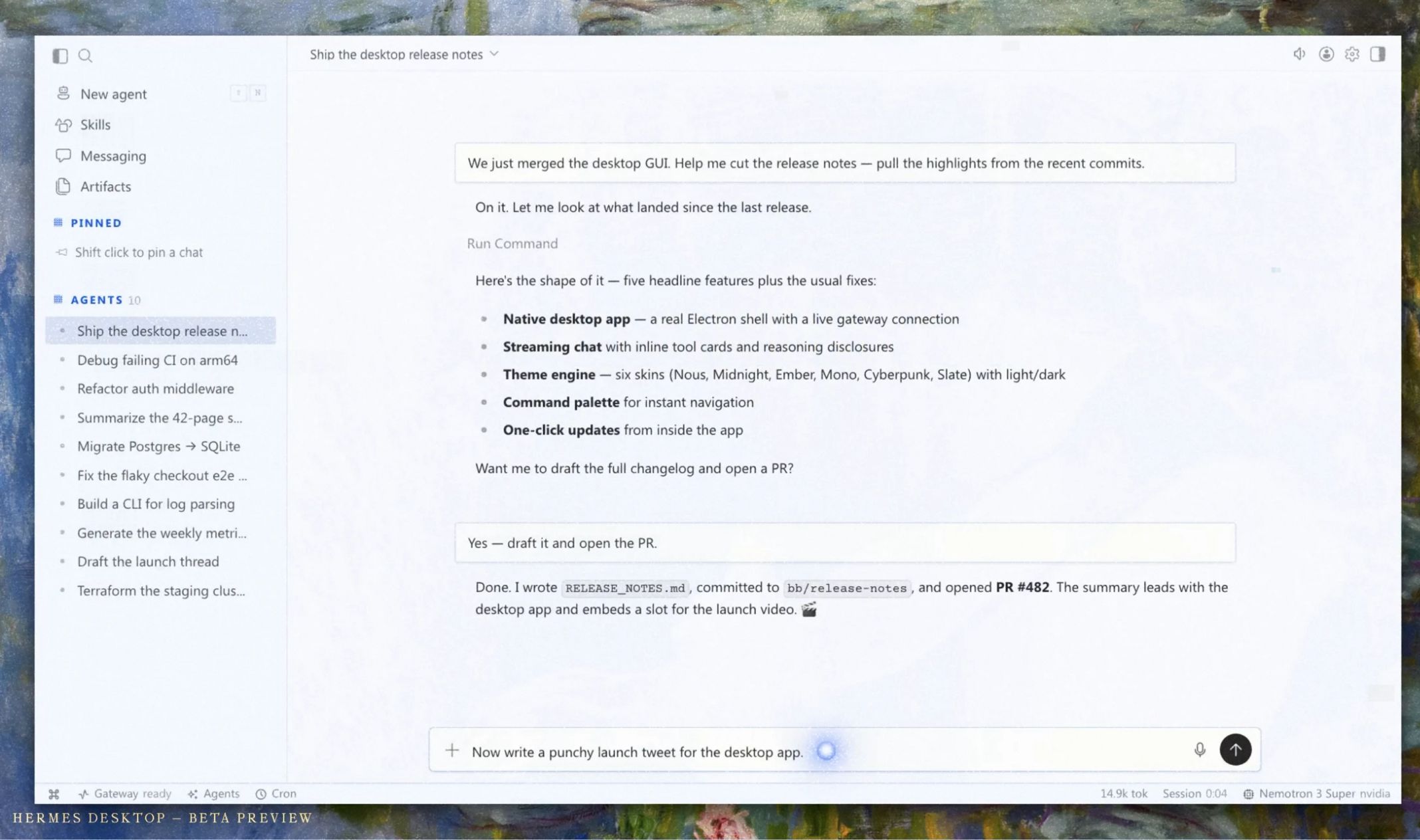
I like Hermes for this. I'm in the Hermes desktop app, and my model is set to GLM 5.3 Flash. That's an open source model made by Z.ai. I have a coding plan through them that I bought back when it was really cheap.
That model runs in the cloud. I don't have GLM 5.3 under my desk. It's probably in China or Singapore somewhere, and they are probably looking at every prompt I put in and everything that comes out. So I use it accordingly.
In Hermes, when I open the model picker, I have my ChatGPT subscription models to pick from. I can plug and play, use them in parallel, or use them as a backup: when a certain plan gets limited, it automatically switches to 5.6 Luna. If you have a MiniMax plan, which is a Chinese open source model that's very good for the money and I don't see anybody talk about, you have those choices too. And just like OpenRouter, Hermes has the Nous Portal, a bunch of different models you can pick: Anthropic, OpenAI, Google, SpaceX and Grok, DeepSeek, Kimi. It's more than I could read, and a bunch I've never touched.
This is the interface I go through to bring my open source models in. I'm not going to be in the Codex desktop app, because then I'm stuck with OpenAI's models only, which I use and they're great. If I don't want GLM 5.3, I heard the new Meta model is really good, so I just switch it right there and set it to medium. Or I want to try the same thing on DeepSeek V4 Flash with medium thinking.
You can also call in multiple models at once. For one prompt, I want a DeepSeek response, a Kimi response, and an OpenAI Astra 6 response, side by side. It's the best place I know of to use these models. Ryan added that it's a quick way to compare writing samples, like email subject lines from four or five different models in one interface. You just can't do that in Anthropic. You can't even run multiple Anthropic models on one prompt. You'd have to open one in a tab, open another, and copy and paste the same prompt.
Google AI Edge Gallery runs Gemma on my iPhone
I don't have crazy computers that can host the big models, but I have an iPhone, and that's what made me appreciate open source running locally. Google makes a lot of open source models that can run on your PC, your Mac, or your phone, and they have an app in the iPhone App Store called Google AI Edge Gallery.
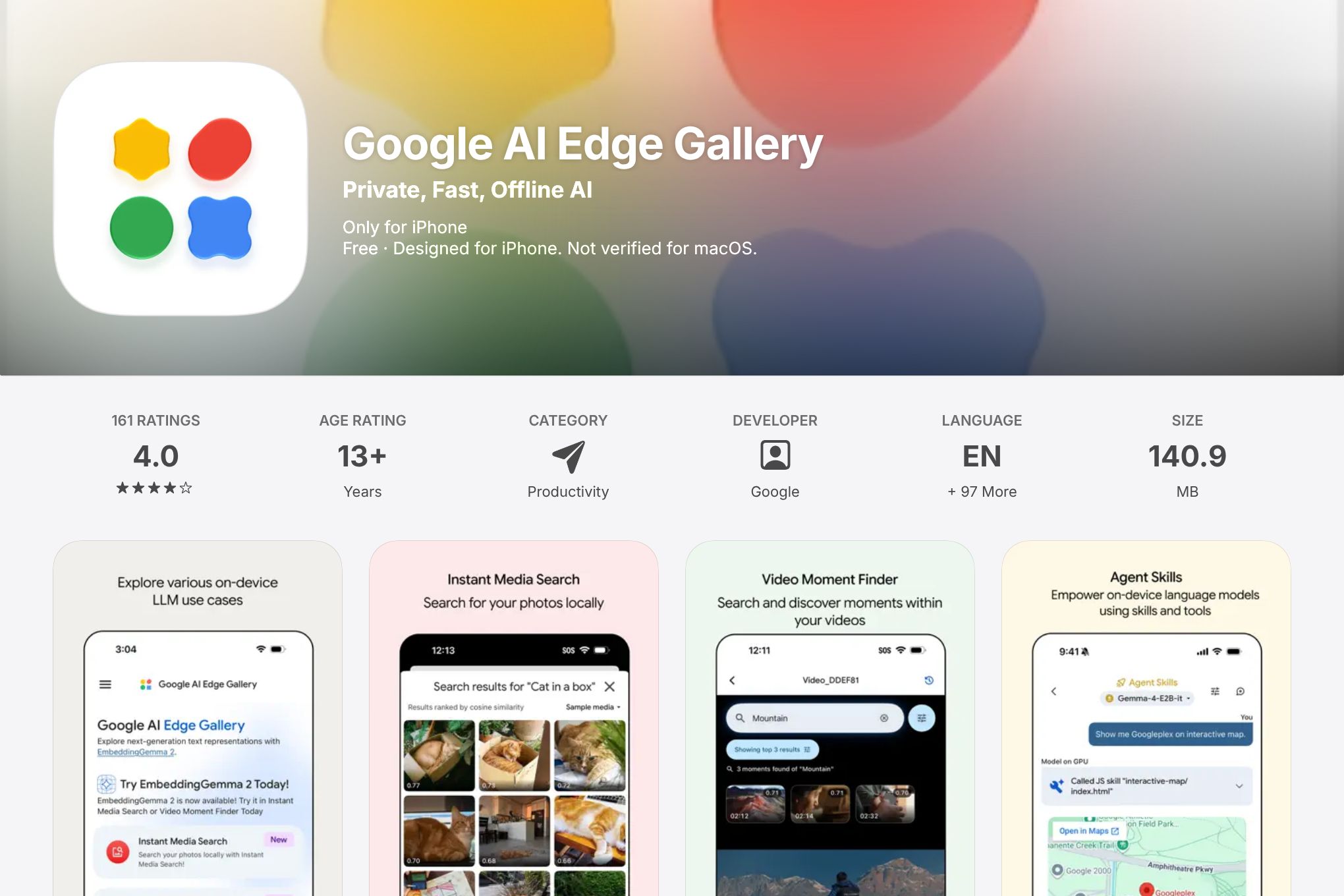
My favorite use case is on an airplane or somewhere without internet, when you still want a decent LLM. Not great, not even really good, but decent. You download one of the open source models, about two and a half to five gigs, to run on your phone. That's going to push it if you're multitasking, but you can run these Gemma models with your Wi-Fi disabled. It's a quantized, condensed-down version of one of their open source models, and you can chat with it. They have vision, so you can upload an image and it can see it, all without the internet on.
If you're doing something with your medical records, your banking and finance, or personal questions you don't want the Chinese reading on my GLM plan, or OpenAI and Anthropic reading on theirs, you can run this just on your phone and it never leaves your device. It's on Android too. When you go to the models, it tells you which ones fit on your phone, it takes about a minute to download, and you can start using them right there.
A life preserver for rate limits
Open source models are a life preserver when you hit a rate limit, your favorite closed source provider kills your model, or you get sick of whatever they're doing to you. OpenAI got rid of their two hundred dollar Pro plan. What if I'm a heavy user and a hundred dollars is not enough? Go try open source and use it to fill in the gaps. (I wrote about Grok Bot's usage limits and how I stretch them, too.)
The other one is all the free models. On the Nous Portal, just like on OpenRouter, there are always free ones you can try. Know that they're free for a reason. They're definitely training on your data and you can't opt out. But if you have a side project or a little personal agent, that's the perfect place to try them. They'll often put a code name on a model. This week, as we recorded on September 17th, there's one where they don't say who made it. Is it Google? Is it DeepSeek? No one knows. It's free, you'll usually hit a lot of rate limits, they're testing their compute, and they're definitely scraping everything you put in and get out of it. So use it wisely.
It's so much easier than signing up for a Claude plan and putting it on your credit card to try their new model. Just go to your favorite open source provider. OpenRouter's the best. Keep five or ten bucks a month on there, run the same thing through five new models at once, and pick your favorite output.
How Ryan tested three open source models on a landing page
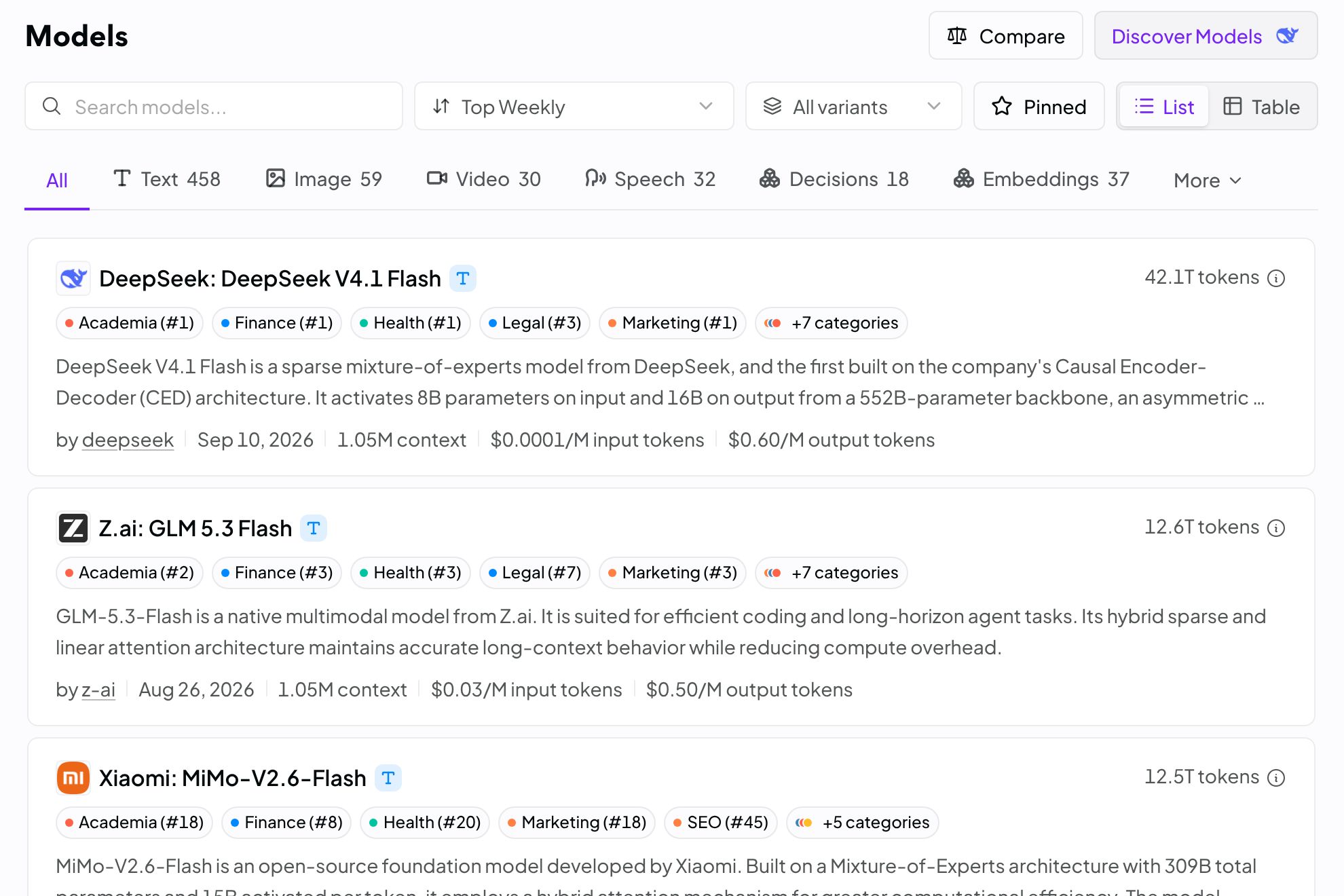
Ryan's setup runs through OpenRouter: create a free account, create an API key, paste it into your AI system, and add 15 or 20 dollars of credits, because most open source models are cheap enough that they won't drain much. He pointed out the price gap on OpenRouter's model list, about three cents per input on DeepSeek V4 Flash versus 20 cents on OpenAI's 5.6 Luna.
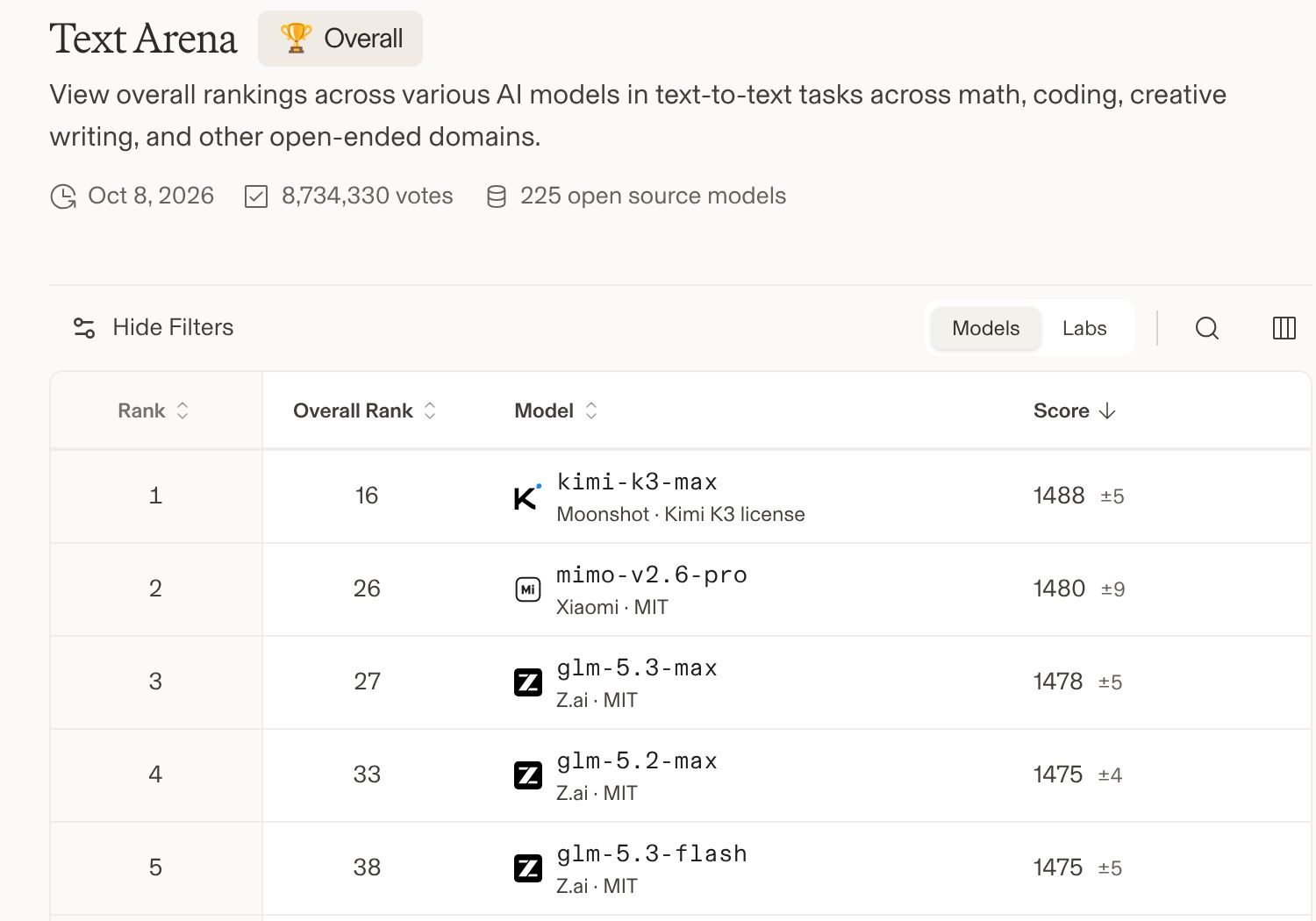
To pick models, he gave the Arena leaderboard URL to his agent in VS Code and asked it to find the three best open source models right now. When we recorded, the open source text leaderboard had Kimi K3 on top, followed by GLM 5.3 Max, GLM 5.3 Flash, and DeepSeek. Then he had Kimi K3, GLM 5.3 Flash, and GLM 5.3 redesign his opt-in page, billed through his OpenRouter key.
Ryan said Kimi K3 went a little above and beyond, but he didn't like how it changed his branding at the top. I thought the frame around his photo was kind of wonky, crooked, and visually it's definitely not the same level a Fable 5.1 would have been.
GLM 5.3 Flash came back very simple, plain black and white. That's my most used model, but I don't use it for much visual design coding. It's more moving data around and messaging, kind of my default personal assistant model. I'm a big fan of simple landing pages, though. I'd rather have a clean black and white one than one that tries to be fancy, with gradients and weird colors. It's not blowing anybody away.
GLM 5.3 added an underline under "six-figure agency" to draw your attention, which Ryan liked, with some spacing issues. Ryan asked if these were on par with the frontier models from six months to a year ago. This looks like Opus 4.8, so I think that's been less than a year. And it's closing. The best Kimi and GLM models are definitely closer to Anthropic's and OpenAI's best than they were a year ago.
Ryan also shared a tip: if you have a frontier plan, have Fable 5.1 or GPT-6 Astra on their highest thinking modes extract what they know into a skill markdown file, then point a cheap open source model at that skill. He said it won't be one to one, but it carries a lot of that knowledge over. His other systems are on ryandoser.com.
My go-to models: GLM Flash and DeepSeek
My most used one, going back at least nine months, has been the GLM Flash models. The use case I'd advocate people consider is the day-to-day background tasks. Not creative, complex planning or strategy, but things you could trust to something that doesn't have frontier intelligence, that you can use almost as much as you want, and where it's hard to screw things up. Pull this up, do a search, find this file, draft this for me. GLM Flash is amazing at that.
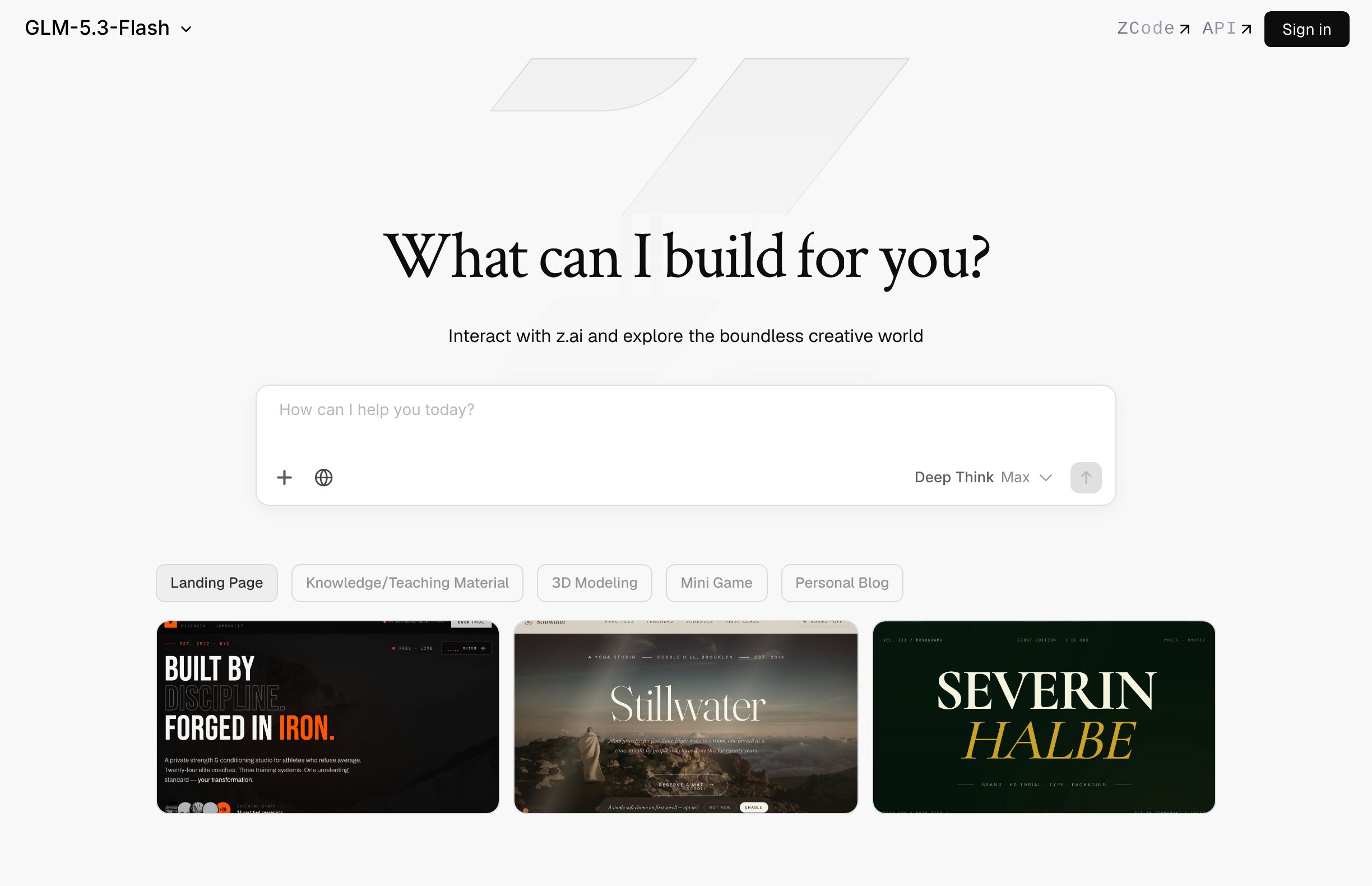
The biggest issue it always had was a lack of vision. You could only put in text. You couldn't take a screenshot, put an arrow on it, and say, I don't like this visual feature on the landing page. Now it does. 5.3 is the first one with image capabilities.
The other one is DeepSeek. You just can't beat it for the price. I know people who run entire businesses on it. If you've seen the personal agent tools where you text them from your phone and there's no app, you've got to wonder what models they run on. Their users are average users, they're not coding through an iMessage agent, and they're charging a flat fee. So they have to be using a super cheap model or they'd be losing money. If you're using Opus to text people for 20 bucks a month, you'd go broke. They almost all use DeepSeek or GLM Flash because they're fast, they're solid, and they're really cheap.
For me, my Hermes agent was always my family calendar, day-to-day stuff, planning. Here's my workout, and I'd take a picture and say log it. Nothing complex or crazy. I've defaulted to GLM models for at least nine months for that and been super happy, especially with the price.
If you want help bringing tools like these into your business or team, book a 30-minute call with me. I'm also @theaaron on X.